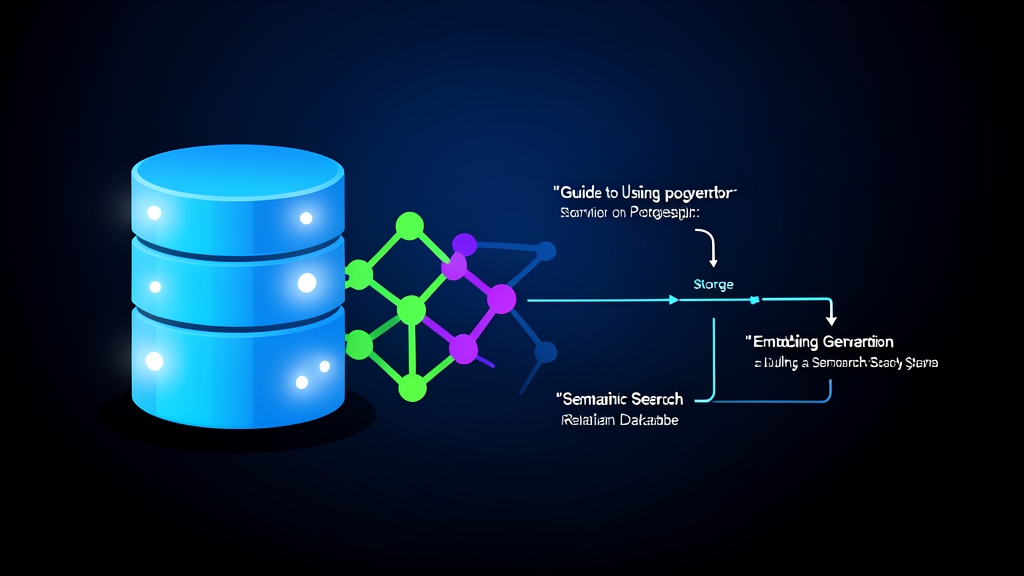
The Frustration with Traditional Keyword Search
Typing "comfort food for a rainy day" into a food delivery app only to see "0 results found" is an all-too-familiar user experience. Classic techniques like LIKE '%comfort food%' or Postgres Full-Text Search (tsvector) focus strictly on literal keyword matching. A restaurant listed with "beef bourguignon" or "spicy hot chicken porridge" will be completely missed because the keywords don’t match.
To solve semantic search, many teams instinctively deploy a dedicated vector database like Pinecone, Weaviate, or Qdrant. While effective, this comes at a steep price: at least $70–$100/month for a managed cluster, plus the challenge of two-way CDC (Change Data Capture) synchronization between your primary database and the vector DB. Not to mention the risk of data drift and introducing another single point of failure into your system.
Most modern web projects already run on PostgreSQL. So why take on another infrastructure cluster when your existing database is fully capable of handling the load?
pgvector is the answer. This open-source C extension turns PostgreSQL into a genuine vector database, letting you store and compute vector embeddings right alongside familiar tables like users or orders.
Core Concepts: Vector Embeddings and Semantic Search
What Are Vector Embeddings?
Imagine scoring a person’s personality on a scale from 0 to 1 across extraversion, patience, and sense of humor. A person could be concisely represented as coordinates like [0.85, 0.20, 0.95].
Vector embeddings in AI work the exact same way. Instead of scoring three traits, a language model (like OpenAI’s text-embedding-3-small) converts text into a sequence of 1,536 real numbers. This numeric vector positions the passage’s meaning within a high-dimensional mathematical space:
- Two sentences like "The cat is basking in the sun" and "The kitten is sleeping outdoors" share similar meanings, so their coordinates will sit close together.
- A sentence like "The USD exchange rate plunged today" has an entirely different meaning, placing its coordinates far away.
How Does Semantic Search Work?
Instead of counting overlapping words, semantic search calculates the geometric distance between the query vector and the vector of each stored document. The two most common metrics are:
- Cosine Distance: Measures the angular difference between two vectors regardless of text length. This is the optimal choice for most text embedding models today.
- L2 / Euclidean Distance: Measures the straight-line distance between two points in space.
How Does pgvector Tackle This Problem?
pgvector introduces the vector(n) data type (with n up to 16,000 dimensions in recent versions) along with two popular vector indexing algorithms:
- IVFFlat: Partitions vectors into clusters using the k-means algorithm. It builds quickly and consumes very little RAM, but requires existing data in the table to train clusters, and its recall drops when the dataset fluctuates significantly.
- HNSW (Hierarchical Navigable Small World): Builds a multi-layer graph connecting neighboring vectors. HNSW provides superior query speeds with recall exceeding 95–98%. The only trade-off is higher RAM usage (around 1.5 GB–2 GB of RAM per 1 million 1,536-dimensional vectors).
Hands-On: Building a Semantic Search System with PostgreSQL
Step 1: Spin Up PostgreSQL with pgvector
The fastest way is using the official Docker image from the pgvector team:
# Run PostgreSQL 16 with pre-installed pgvector extension
docker run -d \
  --name pgvector-demo \
  -e POSTGRES_USER=postgres \
  -e POSTGRES_PASSWORD=mysecretpassword \
  -e POSTGRES_DB=knowledge_base \
  -p 5432:5432 \
  pgvector/pgvector:pg16
Step 2: Enable the Extension and Create the Schema
Connect to the database via psql or TablePlus and run:
-- Enable the vector extension
CREATE EXTENSION IF NOT EXISTS vector;

-- Create the documents table storing 1536-dimensional vectors
CREATE TABLE documents (
    id BIGSERIAL PRIMARY KEY,
    title VARCHAR(255) NOT NULL,
    content TEXT NOT NULL,
    category VARCHAR(50) NOT NULL,
    embedding vector(1536),
    created_at TIMESTAMP WITH TIME ZONE DEFAULT CURRENT_TIMESTAMP
);
Step 3: Create an HNSW Search Index
Without an index, Postgres must perform a sequential scan, causing query times to scale linearly with row count. Using an HNSW index with the Cosine distance operator vector_cosine_ops significantly optimizes query performance:
CREATE INDEX idx_documents_embedding_hnsw
ON documents
USING hnsw (embedding vector_cosine_ops)
WITH (m = 16, ef_construction = 64);
The parameter m = 16 defines the maximum number of bidirectional links per node in the graph, while ef_construction = 64 sets the search scope during index construction. These settings are well-suited for most production applications.
Step 4: Python Pipeline: Embed, Store, and Search
The following script demonstrates an end-to-end pipeline: generating embeddings with OpenAI, persisting them to the database, and performing semantic search:
import psycopg2
from openai import OpenAI

client = OpenAI(api_key="sk-your-openai-api-key")

def get_embedding(text: str) -> list[float]:
    response = client.embeddings.create(
        input=text,
        model="text-embedding-3-small"
    )
    return response.data[0].embedding

conn = psycopg2.connect(
    dbname="knowledge_base",
    user="postgres",
    password="mysecretpassword",
    host="localhost",
    port="5432"
)
cursor = conn.cursor()

# 1. Load sample data
sample_data = [
    ("Return Policy", "Customers receive a 100% refund within 30 days if the original packaging is intact.", "policy"),
    ("Warranty Terms", "Devices are eligible for a 1-to-1 replacement within 12 months for manufacturer hardware defects.", "warranty"),
    ("Food Recommendation", "A hot and sour seafood kimchi hotpot is the top pick for a chilly evening.", "lifestyle")
]

for title, content, cat in sample_data:
    emb = get_embedding(content)
    cursor.execute(
        "INSERT INTO documents (title, content, category, embedding) VALUES (%s, %s, %s, %s)",
        (title, content, cat, emb)
    )
conn.commit()

# 2. Semantic query
query_text = "How do I get a refund for a defective item?"
query_vector = get_embedding(query_text)

# Tune HNSW search accuracy (default is 40)
cursor.execute("SET hnsw.ef_search = 100;")

# The <=> operator computes Cosine distance: smaller values indicate higher similarity
cursor.execute("""
    SELECT id, title, content, (embedding <=> %s::vector) AS distance
    FROM documents
    ORDER BY distance ASC
    LIMIT 2;
""", (query_vector,))

for row in cursor.fetchall():
    print(f"[{row[1]}] Distance: {row[3]:.4f}")
    print(f"Content: {row[2]}\n")

cursor.close()
conn.close()
The Core Advantage: Metadata Filtering
In the example above, the <=> operator returns a Cosine distance in the range of [0, 2] (corresponding to the formula 1 - cosine_similarity). The closer the score is to 0, the higher the semantic similarity. The document "Return Policy" ranks first even though the query didn’t contain the words "30 days" or "packaging".
But the true strength of pgvector lies in combining relational filtering with vector search in a single query (hybrid filtering):
-- Vector search combined with category and creation date filters
SELECT title, content
FROM documents
WHERE category = 'policy'
  AND created_at >= '2024-01-01'
ORDER BY embedding <=> '[0.012, -0.045, ...]'::vector
LIMIT 5;
With standalone vector databases, you typically have to query the top 100 IDs from the vector DB, then return to Postgres to filter by tenant_id or is_deleted. If the dataset is heavily filtered, the final result set may be empty or incomplete. With pgvector, the Postgres Optimizer automatically determines the best execution plan, applying filters before or after scanning the index.
When Should You Use pgvector?
pgvector wasn’t designed to completely replace Milvus or Pinecone in every scenario. However, it is an ideal starting point when:
- Your dataset is under 5 million vectors: On standard hardware (4–8 vCPUs, 16–32 GB RAM), pgvector effortlessly handles HNSW queries with sub-15ms latency.
- You need ACID compliance and enterprise security: Leverage out-of-the-box Row-Level Security (RLS), ACID transactions, and existing Postgres backup/restore tooling.
- You have a lean team: Eliminate a separate external service, saving both infrastructure spend and maintenance overhead.
Start with pgvector before committing to more complex distributed architectures. Keeping your tech stack simple is always the smartest strategy in the early stages of a product.