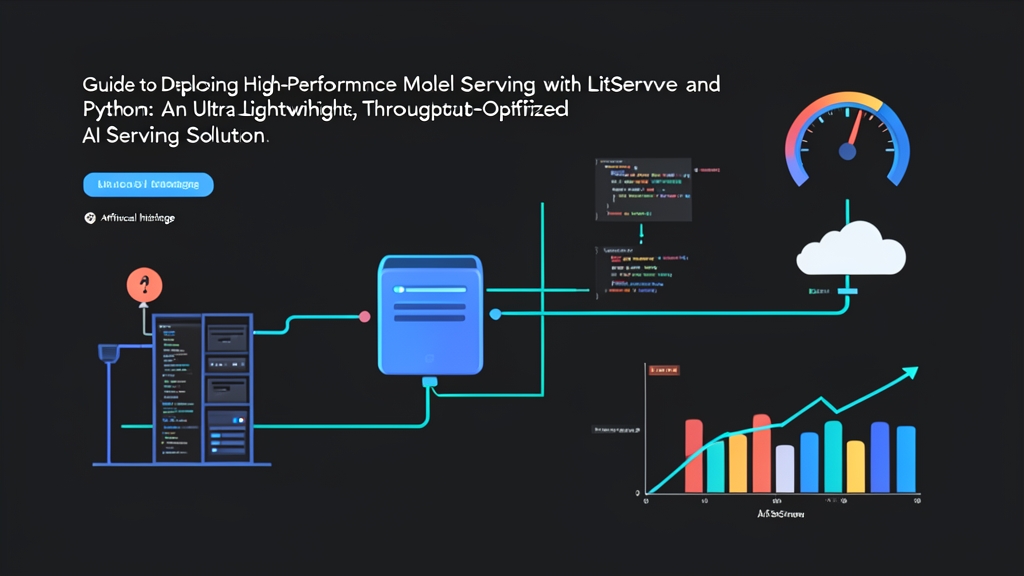
Bottlenecks When Wrapping AI Models with FastAPI
A familiar scenario for Data/AI engineers: you finish training a model in a Jupyter Notebook, then quickly wrap it in a FastAPI or Flask endpoint for a demo. Around 30 lines of code, and it runs smoothly on localhost.
However, the nightmare begins when your system hits a few hundred requests per second in production:
- GPU Starvation (Underutilization): Processing requests one at a time leaves an NVIDIA T4 or A10 GPU running at only 10–15% compute utilization, even though VRAM remains continuously occupied.
- Request Queuing: When 50 requests arrive simultaneously, they line up one after another. The last request must wait for the previous 49 to complete. p99 latency can easily spike from 40ms to over 2,500ms.
- Rolling Your Own Batching Is Risky: Using
asyncio.Queueto batch requests sounds simple. In practice, you have to manually handle timeouts, worker lifecycle, race conditions, and potential memory leaks.
Triton Inference Server and TorchServe solve this problem well, but their configuration overhead is significant. You need to write complex protobuf config files and build heavyweight containers. LitServe emerges as a balanced alternative: as lightweight as FastAPI, yet as powerful as a professional serving engine.
How LitServe Works
LitServe is an open-source inference engine developed by Lightning AI. It inherits FastAPI’s simple interface while eliminating I/O overhead and embedding an optimized pipeline specifically designed for deep learning models.
The 4-Phase Architecture of LitAPI
Instead of cramming all logic into a single route, LitServe separates the request lifecycle across four standardized methods:
setup(device): Loads model weights into RAM/VRAM. This method runs exactly once when the worker starts.decode_request(request): Receives the JSON or binary payload from the client and extracts the input data.predict(x): Feeds data into the GPU for inference. When batching is enabled,xis a list of multiple batched inputs.encode_response(output): Formats the tensor/output result into JSON to return to the client.
Dynamic Batching: 4x Throughput Gain Without New Hardware
GPUs are inherently highly parallel. Instead of processing 1 text sentence in 20ms, you can process 8 simultaneously in roughly 22ms.
LitServe’s Dynamic Batching mechanism exploits this property fully. When clients send scattered requests, the server holds them in a short buffer (e.g., 10ms). Once the batch is full or the timeout expires, the entire batch is pushed to the GPU in a single pass. In real-world benchmarks with a BERT model, throughput increased from 38 req/s to 165 req/s on the same NVIDIA T4 card.
Hands-On: Building an Inference Server with LitServe
Step 1: Set Up the Environment
Create a clean virtual environment to avoid dependency conflicts:
python3 -m venv venv
source venv/bin/activate

# Install LitServe and related libraries
pip install litserve transformers torch
Step 2: Implement the Basic LitAPI Class
Create server.py to serve a sentiment classification model (DistilBERT):
import litserve as ls
import torch
from transformers import pipeline

class SentimentAnalysisAPI(ls.LitAPI):
    def setup(self, device):
        device_id = 0 if device == "cuda" and torch.cuda.is_available() else -1
        self.classifier = pipeline(
            "sentiment-analysis",
            model="distilbert-base-uncased-finetuned-sst-2-english",
            device=device_id
        )
        print(f"[*] Model ready on: {device}")

    def decode_request(self, request):
        # Receive payload: {\"text\": \"I love this product\"}
        return request["text"]

    def predict(self, x):
        # x is a list of text strings when dynamic batching is enabled
        results = self.classifier(x)
        # Normalize to a list of results if the input was a single string
        return results if isinstance(results, list) else [results]

    def encode_response(self, output):
        # LitServe automatically unbatches and passes each item to this function
        return {"label": output["label"], "score": round(output["score"], 4)}

if __name__ == "__main__":
    api = SentimentAnalysisAPI()
    server = ls.LitServer(api, accelerator="auto")
    server.run(port=8000)
Step 3: Enable Dynamic Batching and Multiple Workers
To maximize hardware utilization, update the server initialization block at the bottom of server.py:
if __name__ == "__main__":
    api = SentimentAnalysisAPI()

    server = ls.LitServer(
        api,
        accelerator="auto",     # Auto-detect CUDA or CPU
        max_batch_size=8,       # Batch up to 8 requests at a time
        batch_timeout=0.01,     # Wait up to 10ms to fill the batch
        workers_per_device=2    # 2 workers running in parallel to overlap I/O
    )

    server.run(port=8000)
The two core parameters here are max_batch_size and batch_timeout. This configuration batches up to 8 requests or waits a maximum of 10ms before pushing the batch directly to the GPU.
Step 4: Benchmark and Verify Results
Start the server:
python server.py
Send a test request:
curl -X POST http://localhost:8000/predict \
     -H "Content-Type: application/json" \
     -d '{"text": "This serving framework is surprisingly fast and easy to configure!"}'
Response:
{
  "label": "POSITIVE",
  "score": 0.9998
}
Production Deployment Best Practices
Here are some real-world lessons to help you avoid issues when deploying on a server cluster:
- Tune
batch_timeoutto your use case: Real-time services (like autocomplete or search suggestions) should use timeouts between0.005and0.015seconds (5–15ms). Offline document processing services can increase this to 50–100ms to accumulate larger batches. - Profile VRAM before finalizing batch size: Run a load test with
nvidia-smi -l 1. If VRAM usage hits 85%, reducemax_batch_sizeto leave headroom for memory spikes from unusually long inputs. - Use multiple workers to hide preprocessing latency: Setting
workers_per_device=2or4lets one worker decode JSON while another is running inference on the GPU.
An optimized Dockerfile for a GPU production environment:
FROM pytorch/pytorch:2.2.2-cuda12.1-cudnn8-runtime

WORKDIR /app

# Install minimal system dependencies
RUN apt-get update && apt-get install -y --no-install-recommends \
    curl \
    && rm -rf /var/lib/apt/lists/*

COPY requirements.txt .
RUN pip install --no-cache-dir -r requirements.txt

COPY server.py .

EXPOSE 8000

CMD ["python", "server.py"]
Conclusion
LitServe is a sensible bridge between Python’s developer-friendly API and the demanding throughput requirements of AI deployment. You don’t need to learn new config syntax or restructure an entire C++ codebase.
If your project has outgrown FastAPI’s throughput capacity but doesn’t yet need the complexity of Triton Server, LitServe is definitely the first tool worth trying.