3 Approaches to Auditing Linux Server Security
Installing a fresh Linux server is only the first step. By default, the operating system prioritizes convenience over security: SSH ports open to root, permissive file permissions, and unnecessary background services running. To bring the system into a secure baseline, operations teams typically take one of three paths:
- Manual checklist verification: Administrators manually open configuration files, run commands to inspect open ports, and compare file permissions against an internal Excel spreadsheet of 100–200 items.
- Standalone scanning scripts (like Lynis): Convenient and quick; a single command returns an overall health score within two minutes along with a list of actionable recommendations.
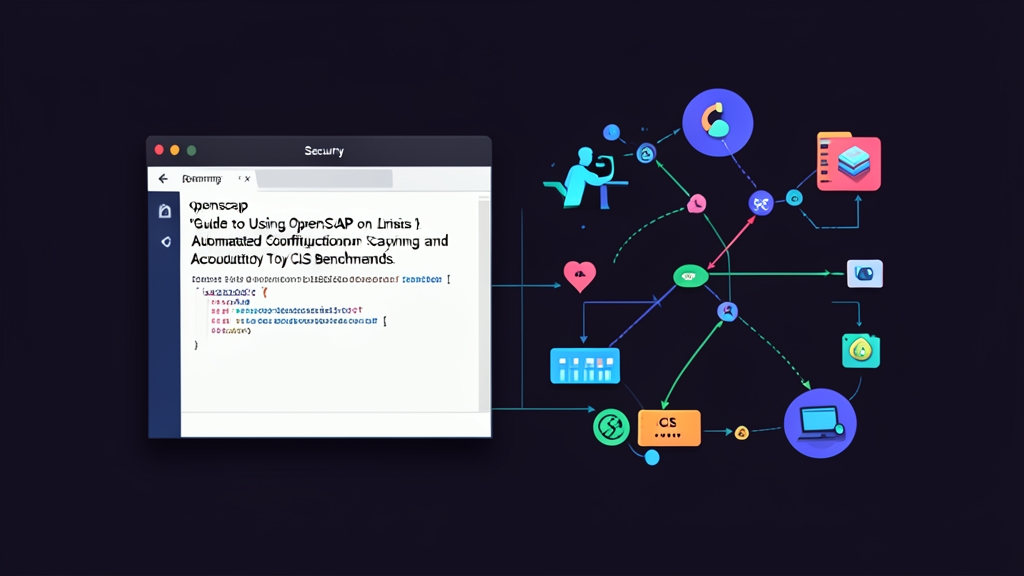
- Standardization with OpenSCAP: Leveraging the SCAP framework to evaluate real-world system configurations against international compliance baselines such as CIS Benchmark, PCI-DSS, or STIG. The tool provides clear scoring and automatically generates remediation scripts.
Comparing Real-World Pros and Cons
Each method addresses a different operational scenario:
1. Manual Verification
- Pros: Engineers gain an in-depth understanding of each parameter and the rationale behind every setting.
- Cons: Labor-intensive and error-prone. Thoroughly inspecting a single host takes 2 to 3 hours. For a cluster of 30–50 servers, this approach quickly becomes unfeasible.
2. Standalone Scanning Scripts (Lynis)
- Pros: Lightweight installation, lightning-fast execution, and well-suited for initial sanity checks before handing over a server.
- Cons: Results are primarily useful for internal reference. When compliance proof is required for international auditors, these scripts often lack the formal validation needed.
3. The OpenSCAP Ecosystem
- Pros: Strictly aligns with CIS Benchmarks—a mandatory requirement across banks and financial institutions. Delivers visual HTML reports with granular risk classifications. Most notably, OpenSCAP can automatically generate remediation scripts tailored to every detected flaw.
- Cons: Verbose command syntax. The sheer depth of the rule profiles can easily overwhelm newcomers during their first few runs.
When Should You Integrate OpenSCAP into Your Workflow?
From auditing security across dozens of production systems, I have found that critical vulnerabilities often hide in plain sight: PermitRootLogin yes, unconfigured SSH session timeouts, or overly permissive permissions on /etc/cron.*. Many assume that closing ports with a firewall is enough. In reality, roughly 70% of privilege escalation risks stem from misconfigurations native to the OS itself.
If you are simply running a personal blog on a single VPS, Lynis is lightweight and sufficient. However, if you manage production infrastructure, need to pass ISO 27001 or PCI-DSS audits, or want robust hardening without reading through 800-page CIS PDF manuals, OpenSCAP is the industry-standard solution.
Step-by-Step Guide: Scanning and Remediating CIS Benchmarks with OpenSCAP
Here is a hands-on walkthrough tested on Ubuntu 22.04 LTS and RHEL/Rocky Linux 9.
Step 1: Install OpenSCAP and the SCAP Security Guide Data Stream
OpenSCAP consists of the scanning engine (oscap) and the security policy library (SSG).
On Ubuntu / Debian:
sudo apt update
sudo apt install -y libopenscap8 scap-security-guide
On RHEL / Rocky Linux / AlmaLinux:
sudo dnf install -y openscap-scanner scap-security-guideStep 2: List Available Security Profiles
Each Linux distribution provides its own DataStream file. Run the following command to view the supported profiles on Ubuntu 22.04:
oscap info /usr/share/xml/scap/ssg/content/ssg-ubuntu2204-ds.xmlThe output will list benchmarks such as cis_level1_server, cis_level2_server, and pci-dss. For systems actively running production workloads, CIS Level 1 Server provides the best balance: it significantly tightens security without breaking standard application functionality.
Step 3: Run the System Audit and Generate an HTML Report
Execute the compliance evaluation using the CIS Level 1 profile:
sudo oscap xccdf eval \
  --profile xccdf_org.ssgproject.content_profile_cis_level1_server \
  --results-arf /tmp/cis-results.xml \
  --report /tmp/cis-report.html \
  /usr/share/xml/scap/ssg/content/ssg-ubuntu2204-ds.xml
The scan typically takes 1 to 3 minutes across more than 200 checks. Each rule returns a status of pass, fail, or notapplicable.
Step 4: Review Results in the Visual Report
Download /tmp/cis-report.html to your local machine using SCP:
scp user@server-ip:/tmp/cis-report.html .Open the file in any web browser. You will see an overall Compliance Score followed by a granular breakdown: failed rules, severity levels, root causes, and recommended manual remediation steps.
Step 5: Safely Remediate Configuration Flaws
Never run automatic remediation commands blindly against a production server. The safest workflow is to export the remediation tasks to a Bash script first for careful review:
# Generate a remediation script based on scan results
sudo oscap xccdf generate fix \
  --profile xccdf_org.ssgproject.content_profile_cis_level1_server \
  --fix-type bash \
  --output /tmp/remediate-cis.sh \
  /usr/share/xml/scap/ssg/content/ssg-ubuntu2204-ds.xml
Inspect /tmp/remediate-cis.sh with less or vim. This script includes targeted hardening actions: disabling SSH root login, enforcing a 027 umask, restricting coredumps, and tightening /etc/shadow permissions to 0000. Once verified and confirmed not to disrupt software dependencies, execute the script:
sudo bash /tmp/remediate-cis.shIf you are provisioning a brand-new machine before deploying applications, you can evaluate and remediate simultaneously using the --remediate flag:
sudo oscap xccdf eval \
  --profile xccdf_org.ssgproject.content_profile_cis_level1_server \
  --remediate \
  --report /tmp/cis-report-after-fix.html \
  /usr/share/xml/scap/ssg/content/ssg-ubuntu2204-ds.xml
After applying fixes, reopen the updated report. Your compliance score will typically jump from 40–50% to over 85%, turning the majority of red alerts into green passes.
2 Critical Rules to Prevent Locking Yourself Out
System hardening can easily backfire if approached carelessly. Always keep these two rules in mind:
- Always keep an active SSH session open: CIS Benchmarks frequently disable password authentication (enforcing SSH keys only) and block root login. After running remediation scripts, never terminate your current shell. Open a separate terminal tab and test establishing a new SSH connection. Only close the original session once you have confirmed successful access.
- Test on Staging for at least 48 hours: Enforcing strict umasks or disabling rarely used kernel modules (such as cramfs or tipc) can prevent Nginx, Docker, or databases from starting properly. Allow services to run in a staging environment for at least two days before rolling out changes to Production.