The Classic Nightmare: Green on Local, Red on CI
This is an all-too-familiar sight for backend developers: running individual test files locally results in 100% pass rates. But once you run the entire suite together or push to CI/CD, dozens of test cases suddenly turn bright red.
Our team learned this the hard way while refactoring a 50,000-line payment service. To refactor core paths with confidence, we needed comprehensive integration tests covering transaction flows between PostgreSQL and Redis. The result? During the first week, our flaky test rate skyrocketed to 35%.
The root causes were trivial yet frustrating: an earlier test case inserted partial records without rolling them back, causing subsequent tests to immediately fail with a UNIQUE constraint violation. The entire team lost two full days just tracking down which test was leaving behind ‘junk’ data in the database.
To make matters worse, everyone on the team was running a different database version. One developer ran Postgres 14 via Homebrew, while another used a static Postgres 16 Docker setup. Consequently, JSONB queries and transaction behaviors diverged noticeably from machine to machine.
Three Culprits Behind Test Suite Instability
When analyzing problematic test suites, most failures boil down to these three issues:
- Shared State (Polluted Shared Data): The entire test suite targets a single database instance. A single missing
TRUNCATE TABLEorFLUSHALLimmediately contaminates subsequent tests with stale or corrupted data. - Port Collisions: To keep test runs fast, modern runners like Vitest or Jest run parallel worker threads by default. When 4 workers simultaneously hit port
5432or6379, race conditions are inevitable. - The Over-Mocking Trap: Many teams mock out Prisma, TypeORM, or ioredis entirely to keep tests running in under 50ms. The trade-off is that these tests lose their protective value. Mocks cannot catch real deadlocks, schema mismatches, or faulty Redis TTL logic.
Two Workarounds and Their Real-World Limits
Before settling on standard tooling, engineering teams typically take one of two shortcuts:
1. In-Memory Libraries (SQLite, redis-mock)
This approach swaps Postgres for in-memory SQLite and replaces Redis with redis-mock.
- Pros: Fast execution, minimal RAM usage, and no Docker installation required.
- Cons: SQLite’s SQL dialect differs drastically from PostgreSQL. You cannot test
ON CONFLICT DO UPDATEclauses, nativeUUIDtypes, complexJSONBoperations, or advisory locks. Similarly, redis-mock falls short when dealing with Redis Streams or custom Lua scripts.
2. Pre-Provisioned Containers via Docker Compose
Creating a docker-compose.test.yml file and spinning up containers before invoking the test runner.
- Pros: Runs against 100% genuine database and cache engines.
- Cons: Container lifecycles must be managed manually via shell scripts. Developers frequently forget to run
docker compose upbeforehand. Most importantly, this setup still binds to static ports, making safe parallel test file execution impossible.
The Definitive Solution: Infrastructure as Code with Testcontainers
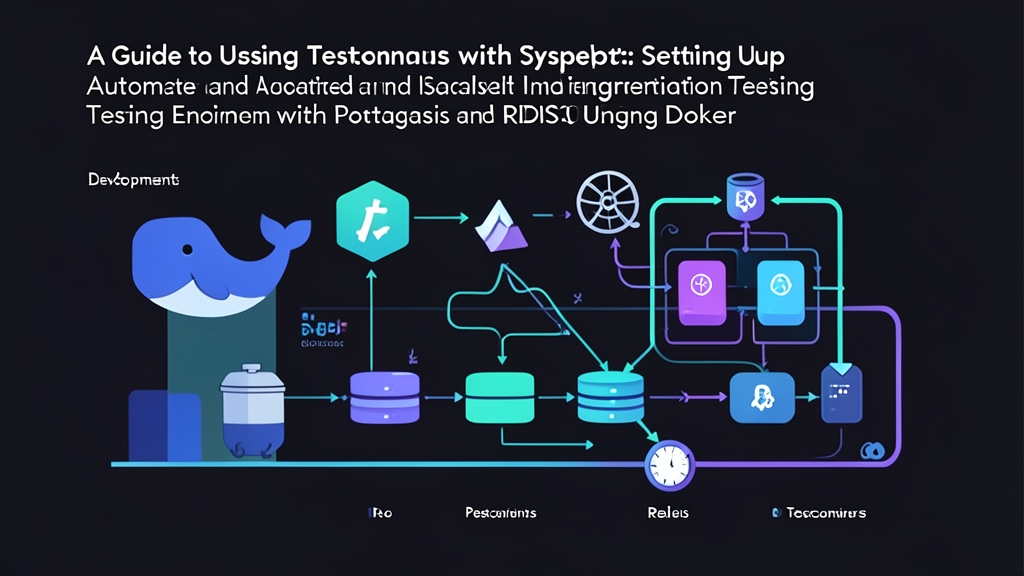
Instead of relying on external scripts, you can manage container lifecycles directly within your test code. Testcontainers lets you instantiate, configure, and tear down genuine Docker containers straight from TypeScript.
Whenever the test suite boots up, the library pulls the specified image and binds the container to a random dynamic port (e.g., 49152 instead of 5432), completely eliminating port collision risks.
Best of all, Testcontainers includes a lightweight sidecar container named Ryuk. Ryuk monitors the test process so that when Node.js terminates—even during an unexpected crash—Ryuk automatically purges all related containers, ensuring no orphan processes hog your machine’s memory.
Installing Dependencies
Install the required packages for a TypeScript project using Vitest:
npm install -D vitest typescript @types/node
npm install -D testcontainers @testcontainers/postgresql @testcontainers/redis
npm install pg ioredis
npm install -D @types/pg
Setting Up an Isolated Test Environment
Create a helper class to encapsulate container startup and teardown logic:
// test/test-env.ts
import { PostgreSqlContainer, StartedPostgreSqlContainer } from '@testcontainers/postgresql';
import { RedisContainer, StartedRedisContainer } from '@testcontainers/redis';
import { Pool } from 'pg';
import Redis from 'ioredis';

export class TestEnvironment {
  private pgContainer?: StartedPostgreSqlContainer;
  private redisContainer?: StartedRedisContainer;
  public dbPool?: Pool;
  public redisClient?: Redis;

  async start() {
    // Initialize the Postgres container matching the project's production image
    this.pgContainer = await new PostgreSqlContainer('postgres:16-alpine')
      .withDatabase('test_db')
      .withUsername('test_user')
      .withPassword('test_pass')
      .start();

    // Initialize the Redis container
    this.redisContainer = await new RedisContainer('redis:7-alpine').start();

    // Retrieve the connection URI containing dynamic ports allocated by Testcontainers
    this.dbPool = new Pool({
      connectionString: this.pgContainer.getConnectionUri(),
    });

    this.redisClient = new Redis(this.redisContainer.getConnectionUrl());

    // Create test tables
    await this.dbPool.query(`
      CREATE TABLE IF NOT EXISTS users (
        id SERIAL PRIMARY KEY,
        email VARCHAR(255) UNIQUE NOT NULL,
        name VARCHAR(100) NOT NULL
      );
    `);
  }

  async stop() {
    // Disconnect clients
    await this.dbPool?.end();
    this.redisClient?.disconnect();

    // Stop and remove containers
    await this.pgContainer?.stop();
    await this.redisContainer?.stop();
  }
}
Writing Integration Test Scenarios
Here is a real-world integration test scenario: persisting a user in PostgreSQL and storing their session token in Redis:
// test/user-service.test.ts
import { describe, it, expect, beforeAll, afterAll, beforeEach } from 'vitest';
import { TestEnvironment } from './test-env';

describe('User & Session Integration Test', () => {
  const env = new TestEnvironment();

  // Allow up to 60s for the initial run to pull Docker images
  beforeAll(async () => {
    await env.start();
  }, 60000);

  // Clean up resources once the entire suite finishes
  afterAll(async () => {
    await env.stop();
  });

  // Reset database state before each test case to prevent cross-contamination
  beforeEach(async () => {
    await env.dbPool?.query('TRUNCATE TABLE users RESTART IDENTITY CASCADE;');
    await env.redisClient?.flushdb();
  });

  it('correctly persists a user to PostgreSQL and writes their session to Redis', async () => {
    const email = '[email protected]';
    const name = 'Alex Dev';

    // 1. Interact with real PostgreSQL
    const insertRes = await env.dbPool!.query(
      'INSERT INTO users (email, name) VALUES ($1, $2) RETURNING id, email, name;',
      [email, name]
    );
    const newUser = insertRes.rows[0];

    expect(newUser.id).toBeDefined();
    expect(newUser.email).toBe(email);

    // 2. Interact with real Redis cache
    const sessionKey = `session:${newUser.id}`;
    const token = 'jwt-mock-secret-xyz';
    await env.redisClient!.set(sessionKey, token, 'EX', 3600);

    const cachedToken = await env.redisClient!.get(sessionKey);
    expect(cachedToken).toBe(token);
  });

  it('properly catches duplicate email errors via PostgreSQL Unique Constraint', async () => {
    const email = '[email protected]';

    await env.dbPool!.query('INSERT INTO users (email, name) VALUES ($1, $2);', [email, 'User A']);

    // Attempt duplicate insert to verify database-level constraint enforcement
    await expect(
      env.dbPool!.query('INSERT INTO users (email, name) VALUES ($1, $2);', [email, 'User B'])
    ).rejects.toThrow(/duplicate key value/);
  });
});
Performance Optimization Tips for Testcontainers
Using real containers delivers rock-solid reliability, but it comes at the cost of execution time. Here are 4 tips to keep your test suite both robust and snappy:
- Enable Reusable Containers Locally: By default, each test file spins up a brand new container. Add
.withReuse()during container initialization and settestcontainers.reuse.enable=truein your~/.testcontainers.propertiesfile. This keeps containers running between local test executions, cutting spin-up delays from 8 seconds down to under 0.5 seconds. - Separate Unit Tests from Integration Tests: Never run Testcontainers for pure business logic like date formatting or email validation. Separate your integration suites using patterns like
*.integration.test.tsand isolate them behind a dedicatednpm run test:integrationscript to save precious CI time. - Mount Docker Socket on CI Runners: When running on GitHub Actions or GitLab CI, runners need access to the Docker daemon. Ensure you have properly mounted
/var/run/docker.sockinto your job’s execution environment. - Prefer Alpine Images: The
postgres:16-alpineimage weighs around 80MB, compared to over 350MB for the standard image. Choosing lightweight base images significantly reduces image pull times on fresh CI runners.