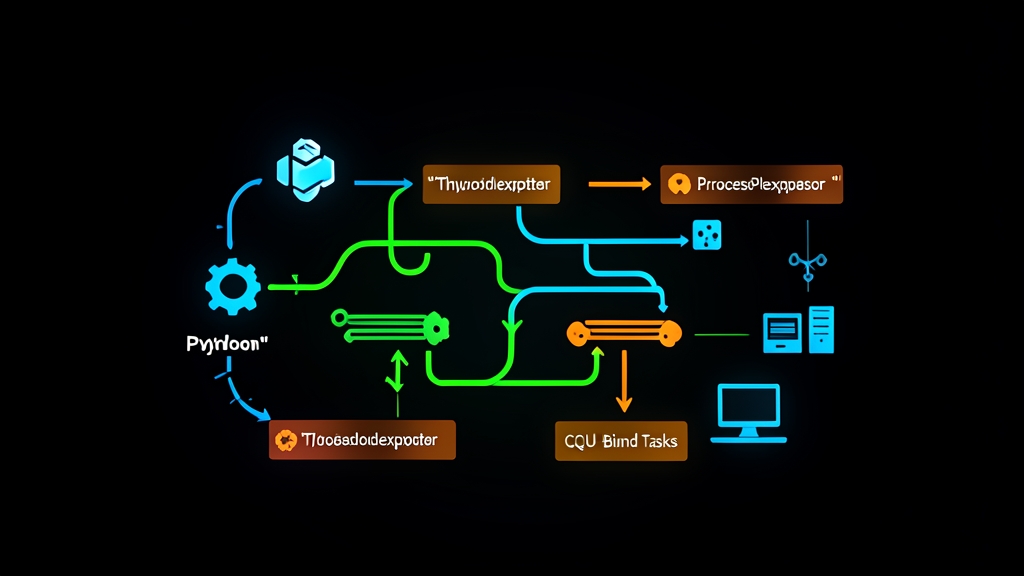
Context: When a For Loop Becomes the Bottleneck
If you’ve ever written a Python script to call APIs for 500 customers using a sequential for loop, you know how agonizing the wait can be. I once spent over 15 minutes waiting for a task like that to finish. What’s worse, the CPU was practically idle the entire time (under 2% utilization)—most of the process was just staring blankly, waiting for the remote server to respond.
In another case, I needed to decompress and compute SHA-256 hashes for thousands of log files. This time, CPU usage spiked to 100%, but on only a single core. The other seven cores on the server were left completely untouched.
These two scenarios represent two classic classes of computing problems:
- I/O-Bound (Input/Output Bottleneck): Tasks that spend most of their time waiting for network traffic, disk read/write operations, or database queries. The CPU performs very little computation.
- CPU-Bound (Compute Bottleneck): Tasks that demand continuous CPU computation, such as data encryption, image compression, matrix manipulation, or training machine learning models.
CPython features the Global Interpreter Lock (GIL). This lock prevents multiple threads from executing Python bytecode concurrently across multiple physical CPU cores. As a result, multithreading in Python won’t speed up compute-heavy workloads. However, whenever a thread encounters an I/O operation (like sending an HTTP request), it voluntarily releases the GIL, allowing other threads to run.
In the past, developers had to manually wrestle with the threading or multiprocessing modules. Juggling Queues, catching exceptions across processes, and avoiding deadlocks by hand was notoriously error-prone.
Starting in Python 3.2, the concurrent.futures module was introduced to solve this problem. It provides a clean, unified high-level interface, automatically manages worker pools, and aggregates results cleanly using Future objects.
Setting Up the Test Environment
The concurrent.futures module is built into the Python Standard Library, so no extra installation is required. To follow along with the benchmarks in this guide, let’s install requests and tqdm:
# Create and activate a virtual environment
python3 -m venv venv
source venv/bin/activate  # On Windows: venv\Scripts\activate

# Install libraries for network requests and progress bars
pip install requests tqdm
ThreadPoolExecutor vs. ProcessPoolExecutor: Which One Should You Use?
The module provides two main executor classes that inherit from Executor. Choosing the right one for your problem determines whether your script runs fast or crawls.
1. Handling I/O-Bound Tasks with ThreadPoolExecutor
ThreadPoolExecutor is ideal for tasks like downloading files, scraping web data, or triggering webhooks. Threads share the parent process’s memory space, which makes their creation overhead very low.
The most critical parameter is max_workers. Since Python 3.8, the default is set to min(32, (os.cpu_count() or 1) + 4). For high-latency HTTP requests, you can safely bump this up to 20–50 workers, provided you stay within the target server’s rate limits.
Combining submit() with as_completed() lets you retrieve results as soon as each individual worker finishes, without having to wait for the entire batch:
import time
import requests
from concurrent.futures import ThreadPoolExecutor, as_completed

URLS = [
    "https://httpbin.org/delay/1",
    "https://httpbin.org/delay/2",
    "https://httpbin.org/delay/1",
    "https://httpbin.org/status/404",
    "https://httpbin.org/delay/1",
]

def fetch_url(url, timeout=5):
    response = requests.get(url, timeout=timeout)
    return url, response.status_code

start_time = time.perf_counter()

# Initialize a pool with 5 concurrent threads
with ThreadPoolExecutor(max_workers=5) as executor:
    future_to_url = {executor.submit(fetch_url, url): url for url in URLS}

    for future in as_completed(future_to_url):
        url = future_to_url[future]
        try:
            target_url, status = future.result()
            print(f"[Done] {target_url} -> HTTP {status}")
        except Exception as exc:
            print(f"[Error] {url} generated an exception: {exc}")

elapsed = time.perf_counter() - start_time
print(f"Execution time: {elapsed:.2f} seconds")
Running this sequentially would take at least 1 + 2 + 1 + 0.1 + 1 ≈ 5.1 seconds. Running concurrently with 5 workers drops the total time down to around 2.1 to 2.3 seconds—roughly the duration of the single slowest request.
2. Breaking Free of the GIL with ProcessPoolExecutor for CPU-Bound Work
When you need to compute cryptographic hashes, compress files, or process images, standard multithreading is ineffective due to the GIL. ProcessPoolExecutor solves this by spawning separate, independent processes. Each process has its own Python interpreter and memory space, allowing you to utilize 100% of each CPU core.
Note: You should generally set max_workers to your physical core count (os.cpu_count()). Spawning too many processes can backfire because the OS spends excessive resources on context switching and inter-process communication (IPC).
import hashlib
import os
import time
from concurrent.futures import ProcessPoolExecutor

def heavy_hashing_task(number):
    """Simulate a heavy task consuming CPU cycles."""
    data = str(number).encode('utf-8')
    for _ in range(2_000_000):
        data = hashlib.sha256(data).digest()
    return number, data.hex()[:10]

# Required __main__ guard to prevent infinite fork loops on Windows/macOS
if __name__ == '__main__':
    numbers = [10001, 10002, 10003, 10004, 10005, 10006, 10007, 10008]
    cores = os.cpu_count() or 4
    print(f"Detected: {cores} CPU cores")

    start_time = time.perf_counter()

    with ProcessPoolExecutor(max_workers=cores) as executor:
        results = list(executor.map(heavy_hashing_task, numbers))

    for num, hashed in results:
        print(f"Value {num} -> Hash: {hashed}")

    print(f"Completed in: {time.perf_counter() - start_time:.2f} seconds")
Error Handling and Progress Monitoring
Bringing concurrent code into production environments requires robust error-handling mechanisms. Left unchecked, a hanging worker can stall your entire pipeline.
1. Setting Explicit Timeouts
By default, calling future.result() blocks until the task completes. Always specify a timeout to prevent tasks from hanging indefinitely:
from concurrent.futures import TimeoutError

try:
    # Set a maximum 3-second limit for this task
    result = future.result(timeout=3)
except TimeoutError:
    print("Task exceeded 3 seconds, skipping result!")
    # cancel() only succeeds if the task is still queued and hasn't started running
    future.cancel()
2. Tracking Progress with tqdm
When processing thousands of records, printing endless log lines to the terminal quickly becomes overwhelming. You can wrap as_completed with tqdm to render a visual progress bar:
from tqdm import tqdm

with ThreadPoolExecutor(max_workers=8) as executor:
    futures = [executor.submit(fetch_url, url) for url in URLS]

    for f in tqdm(as_completed(futures), total=len(futures), desc="Processing requests"):
        try:
            res = f.result()
        except Exception as err:
            pass
3. Summary of Best Practices
- I/O-Bound (APIs, Network, Disk): Use
ThreadPoolExecutor. Setmax_workersbetween 10 and 32 depending on infrastructure. - CPU-Bound (Hashing, Image Processing): Use
ProcessPoolExecutor. Setmax_workersto the number of CPU cores. - Pickle Serialization: All arguments and functions passed to
ProcessPoolExecutormust be picklable. Never pass open file descriptors, network sockets, or active database connections into child processes. - Resource Cleanup: Always use a
withblock. Upon exiting, the context manager automatically callsexecutor.shutdown(wait=True), preventing system resource leaks.