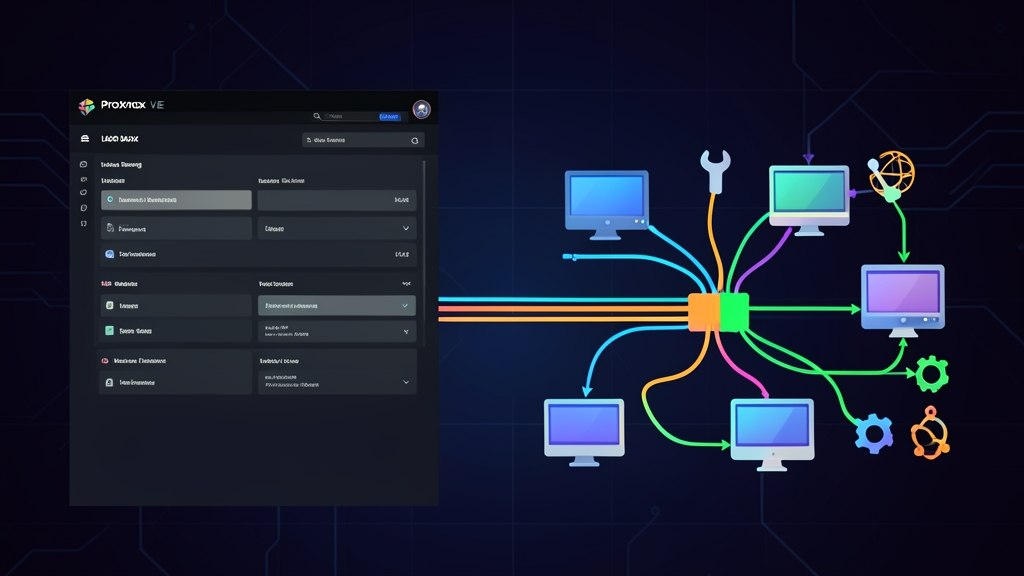
Quick Start: Configure LACP Bond in 5 Minutes
It is 2 AM, and Zabbix alerts are firing non-stop. Your PostgreSQL cluster on Proxmox has maxed out its 1 Gbps link because a heavy batch job coincided with a scheduled backup. At the same time, the eth0 port is flapping, driving packet loss up to 18%. The definitive solution: aggregate two physical network interfaces (enp3s0 and enp4s0) into a single 802.3ad LACP bond.
Open an SSH terminal to your Proxmox node and run the following steps in order:
- Ensure
ifupdown2is installed so you can reload network configurations without rebooting the server:
apt-get update && apt-get install ifupdown2 -y- Open the network configuration file
/etc/network/interfaces:
nano /etc/network/interfaces- Declare the
bond0interface and attach it to thevmbr0bridge:
auto lo
iface lo inet loopback

iface enp3s0 inet manual
iface enp4s0 inet manual

auto bond0
iface bond0 inet manual
    bond-slaves enp3s0 enp4s0
    bond-miimon 100
    bond-mode 802.3ad
    bond-xmit-hash-policy layer2+3
    bond-lacp-rate 1

auto vmbr0
iface vmbr0 inet static
    address 192.168.10.50/24
    gateway 192.168.10.1
    bridge-ports bond0
    bridge-stp off
bridge-fd 0- Verify syntax and apply the new configuration immediately:
ifreload -a
cat /proc/net/bonding/bond0
The configuration is successful when the output shows MII Status: up and both slave interfaces share the same Aggregator ID.
Technical Foundations of 802.3ad LACP on Linux
LACP is not plug-and-play magic. Administrators have plugged two cables from a host into a standard unmanaged switch and enabled Mode 4, only to trigger a network loop that brought down the entire switch with a broadcast storm within 10 seconds. The golden rule: the physical switch MUST be a managed switch and pre-configured with a corresponding Link Aggregation Group (LAG/LACP).
Key Parameters to Keep in Mind
- bond-mode 802.3ad (Mode 4): Both the host and switch continuously exchange LACPDU packets. If one cable fails, all traffic automatically fails over to the remaining link in under a second, keeping VM TCP sessions alive without dropping.
- bond-miimon 100: Sets the link monitoring frequency to 100ms. This interval is responsive enough to detect link failures immediately while remaining lightweight with negligible server CPU overhead.
- bond-xmit-hash-policy layer2+3: The transmit load-balancing hash policy. The default is
layer2(MAC hashing only), which performs poorly in virtualized environments because all outbound packets directed to the default gateway share the same destination MAC address. Switch tolayer2+3orlayer3+4so the hash calculation incorporates IP addresses and port numbers, distributing traffic much more evenly. - bond-lacp-rate 1 (fast): Forces both ends to transmit LACPDUs every 1 second instead of every 30 seconds (slow). This allows the network cluster to detect link failures and renegotiate significantly faster.
Configuring Directly from the Proxmox Web GUI
If you prefer not to edit configuration files manually in the middle of the night, the Proxmox web interface lets you set this up in just a few clicks:
- Navigate to Node > System > Network.
- Click Create > Linux Bond.
- Name it
bond0. Enterenp3s0 enp4s0in the Slaves field. Select Mode LACP (802.3ad) and Hash policy layer2+3. - Edit
vmbr0and update the Bridge ports field tobond0. - Click the orange Apply Configuration button on the menu bar. The
ifupdown2package applies the changes in the background without interrupting running VMs.
Advanced: VLAN Trunking and Switch-Side Configuration
Carrying Multiple VLANs Over a Single Bond
Production environments typically segment traffic across VLANs: VLAN 10 (Web), VLAN 20 (DB), and VLAN 30 (Ceph/NFS). Rather than creating a sprawl of sub-interfaces, simply enable the VLAN Aware option on bridge vmbr0:
auto vmbr0
iface vmbr0 inet static
    address 192.168.10.50/24
    gateway 192.168.10.1
    bridge-ports bond0
    bridge-stp off
    bridge-fd 0
    bridge-vlan-aware yes
    bridge-vids 2-4094
In each VM’s virtual NIC settings, simply assign the desired VLAN tag. Proxmox automatically applies the 802.1Q tag to frames and transmits them across bond0 to the switch.
Switch-Side Configuration (Cisco & MikroTik)
Switch ports connected to Proxmox must operate in Dynamic LACP Active mode. Here is a configuration example for Cisco Catalyst switches:
interface range GigabitEthernet0/1 - 2
 description Uplink-PVE-Node01
 switchport mode trunk
 channel-group 1 mode active
!
On MikroTik RouterOS, create an interface under Interfaces > Bonding, set the mode to 802.3ad, configure Link Monitoring to mii, and set Transmit Hash Policy to layer-2-and-3.
Field Experience and Troubleshooting
1. Web GUI Disconnects Immediately After Clicking Apply
The browser hangs, and pings to the gateway completely drop. This typically occurs when the switch hasn’t been configured for LACP yet, or when the switch port channel is mistakenly configured as a Static LAG instead of Dynamic 802.3ad.
Emergency recovery via IPMI/iDRAC/iLO console:
# Revert bridge to a single NIC to regain network access
sed -i 's/bridge-ports bond0/bridge-ports enp3s0/' /etc/network/interfaces
ifreload -a
2. Inspecting Kernel Bonding Status
A solid link LED on the switch does not mean the LACP handshake succeeded. Verify the actual status directly from the kernel driver:
cat /proc/net/bonding/bond0Focus on two critical fields:
- Partner Mac Address: Must match the MAC address of your switch. If it reads
00:00:00:00:00:00, the host has not received any LACPDUs from the switch. Double-check cabling and port-channel configuration. - Actor Churn State / Partner Churn State: The normal state should be
none. If it displayschurned, the connection is flapping due to a duplex/speed mismatch or a loose cable.
3. LACP Does Not Accelerate a Single Stream
Bonding two 1 Gbps NICs does not create a 2 Gbps pipeline for a single scp or wget file transfer. A single TCP session between Client A and Server B produces a constant hash, routing all its packets across a single physical link (capped at ~940 Mbps after protocol overhead).
The aggregated 2 Gbps bandwidth only takes effect with multiple concurrent clients or when running parallel multi-stream benchmarks like iperf3 -P 8.