The Real-World Problem: When REST APIs Trigger a Domino Effect Across Your System
Picture a familiar scenario during a massive flash sale: Traffic hits 5,000 req/s. A customer clicks checkout, and the Order Service immediately fires an HTTP POST request to the Payment Service, then waits. However, the bank is slow to respond. The thread pool of the Order Service exhausts in just 15 seconds. As a result, the entire system grinds to a halt.
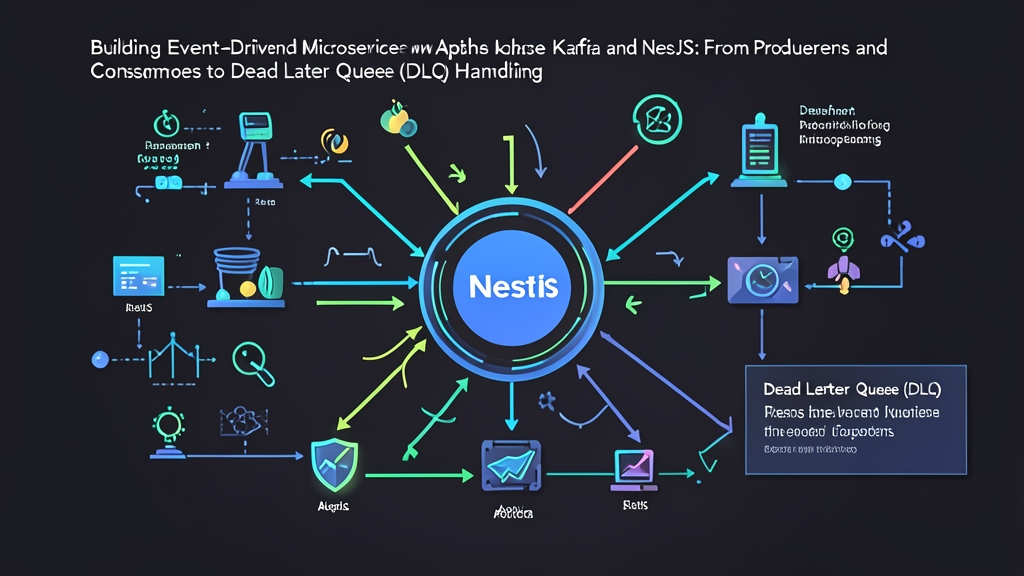
That is the high cost of synchronous communication. When a single link in the chain falters, all upstream services crash along with it. The lifesaver here is switching to an Event-Driven Architecture (EDA).
Instead of making users wait 3 seconds for payment processing, the Order Service writes an order.created event to the broker and returns HTTP 202 Accepted instantly. End-user latency plummets from 3,200ms to under 80ms. Apache Kafka and background workers handle the rest asynchronously.
However, it is not always smooth sailing. Producing messages to Kafka is simple. The real headache begins when a malformed or invalid payload arrives: the consumer crashes repeatedly, offsets fail to commit, and the partition gets completely blocked. To survive in production, implementing a Dead Letter Queue (DLQ) is non-negotiable.
Three Core Concepts You Need to Understand
Before diving into code and setting up the project, let’s clarify the role of the three core components:
- Apache Kafka: A distributed append-only log message broker. Topics are split into multiple independent partitions. Leveraging sequential disk I/O, Kafka effortlessly ingests hundreds of thousands of events per second, significantly outperforming RabbitMQ when it comes to event retention and historical replay.
- NestJS Microservices: The
@nestjs/microservicesmodule wraps thekafkajsdriver. The framework provides the@EventPattern()decorator for one-way pub/sub messaging and@MessagePattern()for request-reply flows, keeping your TypeScript code clean and declarative. - Dead Letter Queue (DLQ): When a message suffers from a structural error or violates business logic (often called a “poison pill”), standard retry mechanisms trap the worker at that exact offset. The solution is routing the faulty message to a dedicated fallback topic (DLQ). This keeps the primary pipeline running smoothly while giving you full visibility to inspect, debug, and reprocess problematic messages later.
Hands-On: Building the System from Docker to NestJS
Step 1: Spin Up a Local Kafka Cluster with KRaft Mode
We can skip ZooKeeper to save system resources. Instead, we’ll use Kafka’s built-in KRaft mode, available since Kafka 3.x. Create a docker-compose.yml file:
version: '3.8'
services:
  kafka:
    image: bitnami/kafka:3.7
    ports:
      - "9092:9092"
    environment:
      - KAFKA_CFG_NODE_ID=0
      - KAFKA_CFG_PROCESS_ROLES=controller,broker
      - KAFKA_CFG_LISTENERS=PLAINTEXT://:9092,CONTROLLER://:9093
      - KAFKA_CFG_LISTENER_SECURITY_PROTOCOL_MAP=CONTROLLER:PLAINTEXT,PLAINTEXT:PLAINTEXT
      - KAFKA_CFG_CONTROLLER_QUORUM_VOTERS=0@kafka:9093
      - KAFKA_CFG_CONTROLLER_LISTENER_NAMES=CONTROLLER
      - KAFKA_CFG_ADVERTISED_LISTENERS=PLAINTEXT://localhost:9092
      - KAFKA_KRAFT_CLUSTER_ID=L7HkIldmQ0aM153nBwA56w
Start the container:
docker compose up -dStep 2: Configure the Event Producer in NestJS
Install the two essential packages into your NestJS project:
npm install @nestjs/microservices kafkajsRegister the Kafka client in order.module.ts. Enable the producerOnlyMode flag to optimize resource usage if this service only produces events:
import { Module } from '@nestjs/common';
import { ClientsModule, Transport } from '@nestjs/microservices';
import { OrderController } from './order.controller';
import { OrderService } from './order.service';

@Module({
  imports: [
    ClientsModule.register([
      {
        name: 'KAFKA_PRODUCER',
        transport: Transport.KAFKA,
        options: {
          client: {
            clientId: 'order-service',
            brokers: ['localhost:9092'],
          },
          producerOnlyMode: true,
        },
      },
    ]),
  ],
  controllers: [OrderController],
  providers: [OrderService],
})
export class OrderModule {}
Implement the event publishing logic in order.service.ts. Note: always provide a key so Kafka routes actions for the same customer to the exact same partition:
import { Inject, Injectable, OnModuleInit } from '@nestjs/common';
import { ClientKafka } from '@nestjs/microservices';

@Injectable()
export class OrderService implements OnModuleInit {
  constructor(
    @Inject('KAFKA_PRODUCER') private readonly kafkaClient: ClientKafka,
  ) {}

  async onModuleInit() {
    await this.kafkaClient.connect();
  }

  async createOrder(orderData: { orderId: string; amount: number; userId: string }) {
    this.kafkaClient.emit('order.created', {
      key: orderData.userId,
      value: orderData,
    });
    return { status: 'queued', orderId: orderData.orderId };
  }
}
Step 3: Build the Consumer to Receive Events from the Broker
Switch over to billing-service. In main.ts, bootstrap NestJS as a microservice listening to the Kafka broker:
import { NestFactory } from '@nestjs/core';
import { MicroserviceOptions, Transport } from '@nestjs/microservices';
import { AppModule } from './app.module';

async function bootstrap() {
  const app = await NestFactory.createMicroservice<MicroserviceOptions>(AppModule, {
    transport: Transport.KAFKA,
    options: {
      client: {
        brokers: ['localhost:9092'],
      },
      consumer: {
        groupId: 'billing-consumer-group',
      },
    },
  });
  await app.listen();
}
bootstrap();
Step 4: Implementing a Dead Letter Queue (DLQ) Strategy
Everything may run smoothly locally, but in production, you will inevitably encounter missing fields in JSON, negative amounts, or database timeouts. Without proper error handling, the consumer will crash repeatedly and halt offset commits.
A robust approach is limiting retry attempts (e.g., up to 3 times). If the message still fails, route the payload to the order.created.dlq topic along with headers describing the root cause:
import { Controller, Logger, OnModuleInit } from '@nestjs/common';
import { EventPattern, Payload, Ctx, KafkaContext } from '@nestjs/microservices';
import { Kafka, Producer } from 'kafkajs';

@Controller()
export class BillingConsumer implements OnModuleInit {
  private readonly logger = new Logger(BillingConsumer.name);
  private dlqProducer: Producer;

  constructor() {
    const kafka = new Kafka({ brokers: ['localhost:9092'] });
    this.dlqProducer = kafka.producer();
  }

  async onModuleInit() {
    await this.dlqProducer.connect();
  }

  @EventPattern('order.created')
  async handleOrderCreated(@Payload() message: any, @Ctx() context: KafkaContext) {
    const rawMessage = context.getMessage();
    const maxRetries = 3;
    let attempts = 0;

    while (attempts < maxRetries) {
      try {
        attempts++;
        this.processPayment(message);
        return;
      } catch (err) {
        this.logger.warn(`Attempt ${attempts}/${maxRetries} failed: ${err.message}`);
        if (attempts >= maxRetries) {
          await this.forwardToDLQ(rawMessage, err.message);
        }
      }
    }
  }

  private processPayment(data: any) {
    if (!data.amount || data.amount <= 0) {
      throw new Error(`Invalid amount: ${data.amount}`);
    }
    this.logger.log(`Payment successful for order ${data.orderId}: $${data.amount}`);
  }

  private async forwardToDLQ(rawMessage: any, reason: string) {
    this.logger.error(`Forwarding poisoned message to DLQ: ${reason}`);
    await this.dlqProducer.send({
      topic: 'order.created.dlq',
      messages: [
        {
          key: rawMessage.key,
          value: rawMessage.value,
          headers: {
            'x-dead-letter-reason': reason,
            'x-failed-at': new Date().toISOString(),
            'x-original-topic': 'order.created',
          },
        },
      ],
    });
  }
}
Three Hard-Learned Lessons for Running Kafka in Production
- Never Forget the Message Key: Without a key, Kafka distributes messages across partitions in a round-robin fashion. This can cause payment events to arrive before order creation events. Always use
userIdororderIdas the partition key to guarantee strict ordering for related events. - Always Design Consumers to Be Idempotent: By default, Kafka provides at-least-once delivery semantics. Network blips or consumer rebalances routinely lead to duplicate message deliveries. Store an
idempotency_keyin Redis with a 24-hour TTL or rely on unique constraints in PostgreSQL to ensure you never charge a customer twice. - Keep a Close Eye on Consumer Lag: Consumer lag represents the delta between the latest message written to a topic and the last message committed by the consumer. If this number climbs into the thousands and continues to grow, your system is bottlenecked. You should immediately scale up consumer instances or optimize database I/O performance.
Conclusion
Pairing Kafka with NestJS eliminates the synchronous bottlenecks inherent in traditional REST architectures. Producers and consumers are cleanly decoupled, and data pipelines stay resilient thanks to DLQ safety nets.
If you are just getting started, experiment with non-critical operations first—such as sending verification emails, synchronizing search indexes, or dispatching push notifications. Once you are confident managing lag and partition distribution, migrating core business workflows to an Event-Driven model becomes far less daunting.