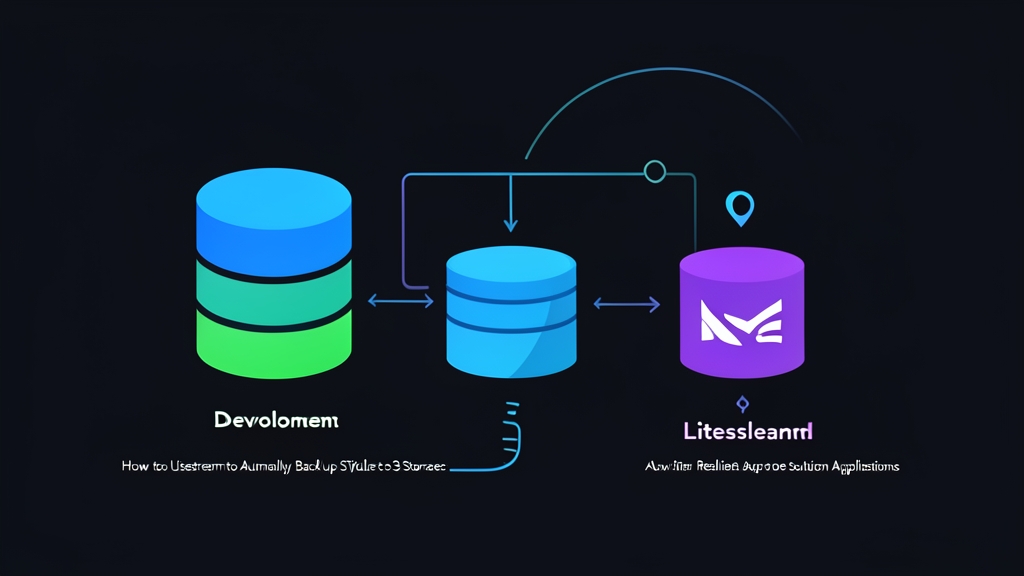
Quick Start: Configure Litestream to Back Up SQLite in 5 Minutes
With just a single SQLite file and an S3 bucket (AWS S3, Cloudflare R2, or MinIO), you can set up real-time replication in 3 steps.
Step 1: Install Litestream
# Download v0.3.13 binary for Linux amd64
wget https://github.com/benbjohnson/litestream/releases/download/v0.3.13/litestream-v0.3.13-linux-amd64.tar.gz
tar -xvzf litestream-v0.3.13-linux-amd64.tar.gz
sudo mv litestream /usr/local/bin/
litestream version
Step 2: Create the /etc/litestream.yml Configuration
dbs:
  - path: /var/www/app/data/production.db
    replicas:
      - type: s3
        bucket: my-sqlite-backups
        path: production-db
        region: ap-southeast-1
        access-key-id: YOUR_S3_ACCESS_KEY
        secret-access-key: YOUR_S3_SECRET_KEY
Step 3: Start Replication
# Run in the foreground to verify connection logs
litestream replicate -config /etc/litestream.yml
Upon startup, Litestream takes a full initial snapshot to S3. Afterward, it monitors new transactions and continuously streams them to storage.
Why Does SQLite Need Litestream in Production?
The Appeal and Challenges of SQLite
SQLite delivers exceptional read performance by eliminating network round-trips entirely, typically consuming under 30MB of RAM. It doesn’t require managing heavy database server clusters like PostgreSQL or MySQL. However, many engineers hesitate to run SQLite in production due to one crucial question: If the server’s drive fails unexpectedly, how do you prevent data loss?
The Hidden Dangers of Traditional Backups
The conventional approach is to schedule a midnight cron job copying the .db file or using rsync. This strategy carries two major risks:
- Corrupted Database: Under WAL (Write-Ahead Logging) mode, SQLite writes changes to an auxiliary
.db-walfile before committing them to disk. Copying while the application is writing results in a torn, inconsistent file that is nearly impossible to open. - Losing an Entire Day’s Data: If backups run nightly at 00:00 and your server crashes at 23:00, you lose 23 hours of user transactions. Such a high Recovery Point Objective (RPO) is unacceptable for production applications.
How Continuous WAL Replication Works
Litestream operates directly at the filesystem level without touching application code. Its architecture revolves around four core mechanisms:
- Enables WAL mode on the database.
- Monitors the WAL file continuously every second or whenever the buffer reaches a predefined threshold.
- Compresses each change frame using the LZFSE algorithm and streams it directly to object storage.
- Supports Point-in-Time Recovery (PITR), allowing you to restore the database to an exact millisecond.
Production Operations and Reliability
1. Managing the Process with Systemd
On Ubuntu/Debian servers, create /etc/systemd/system/litestream.service for automatic recovery on crash:
[Unit]
Description=Litestream Replication Service
After=network.target

[Service]
Type=simple
ExecStart=/usr/local/bin/litestream replicate -config /etc/litestream.yml
Restart=always
RestartSec=5
LimitNOFILE=65536
User=www-data
Group=www-data

[Install]
WantedBy=multi-user.target
sudo systemctl daemon-reload
sudo systemctl enable --now litestream
sudo systemctl status litestream2. Running Alongside Your App in Containers
When deploying via Docker on a VPS, Fly.io, or Railway, use Litestream as a wrapper command with an entrypoint script:
#!/bin/sh
set -e

# Restore from S3 if this is a fresh container without a database
if [ ! -f /app/data/production.db ]; then
  echo "Local database missing. Restoring from replica..."
  litestream restore -if-replica-exists -config /etc/litestream.yml /app/data/production.db
fi

# Run replication in the background and start the app concurrently
exec litestream replicate -config /etc/litestream.yml -exec "node server.js"
The -exec flag binds the application’s lifecycle directly to Litestream. When the app receives a SIGTERM signal to shut down, Litestream flushes all remaining data frames to S3 before terminating cleanly.
3. Disaster Recovery Scenarios
If your server crashes, simply spin up a new machine and run:
litestream restore -config /etc/litestream.yml /var/www/app/data/production.dbIf someone accidentally executes a DROP TABLE command at 14:30:15, you can roll back to one second prior:
litestream restore -timestamp 2026-10-23T14:30:14Z -config /etc/litestream.yml /var/www/app/data/production.dbField-Tested Production Tips
- Automate restore testing: Don’t wait for an outage to discover that your backups are unusable. Set up a weekly cron job to restore the backup to a staging environment and execute
sqlite3 production.db "PRAGMA integrity_check;". If it returnsok, you’re good to go. - Consider Cloudflare R2 over AWS S3: AWS S3 charges around $0.005 per 1,000 PUT requests. A write-heavy app can easily generate 2 to 3 million requests monthly, driving API costs far above actual storage fees. Switching to Cloudflare R2 gives you zero egress fees and 1 million free write operations per month.
- Configure a busy timeout in application code: Add
PRAGMA busy_timeout = 5000;immediately after opening the database connection in your app. This forces SQLite to wait up to 5 seconds during write contention, preventingdatabase is lockederrors while Litestream reads checkpoints. - Ensure proper directory write permissions: Litestream creates temporary files such as
production.db-shmandproduction.db-walat runtime. The user running Litestream (such aswww-data) must have write permissions to the entire parent directory containing the database, not just the.dbfile itself.