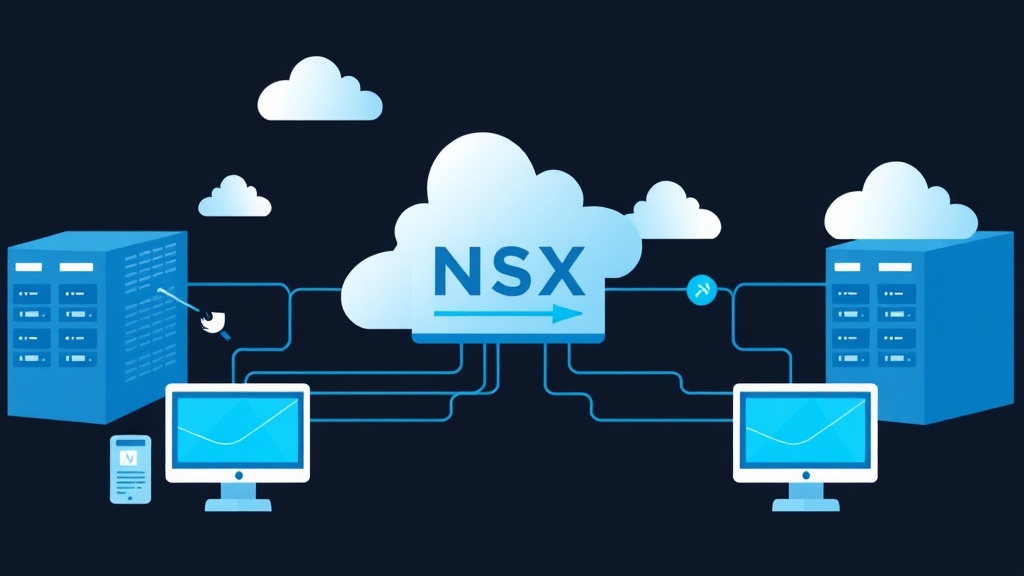
The Traditional ‘Plug and Unplug’ Network Reality and Its Barriers
Have you ever spent an entire week just waiting for the Network team to configure a new VLAN or open a port on a physical switch? If you’ve worked as a Sysadmin in legacy data centers, you’re likely familiar with the ‘process upon process’ nightmare whenever infrastructure needs to expand. Rigid physical networking doesn’t just slow down deployment; it creates critical security vulnerabilities.
The core issue is this: Perimeter Firewalls are highly effective at blocking inbound (North-South) traffic but are completely ‘blind’ to lateral movement (East-West) attacks between virtual machines within the same VLAN. To solve this fundamentally, we need Software-Defined Networking (SDN), and VMware NSX-T is the leading solution today.
How Does NSX-T Solve the Networking Puzzle?
Don’t think of NSX-T as just virtualizing network ports. It decouples all Switching, Routing, Load Balancing, and Firewall functions from physical hardware, embedding them directly into the Hypervisor layer.
When I previously deployed Proxmox SDN for lab systems, I found it quite lightweight. However, in terms of security depth—specifically Micro-segmentation—NSX-T is in a class of its own. It allows you to apply security policies directly to each virtual machine’s network interface (vNIC). This means that even if two VMs are on the same host and the same VLAN, they can be completely isolated if desired.
3 Core Components You Must Master
- Management Plane (NSX Manager): The ‘brain’ of the system, where you perform all configuration via the Web UI or API calls.
- Control Plane: Responsible for coordinating configurations and maintaining the network state table across nodes.
- Data Plane: Hosts (ESXi or KVM) that directly process packets via the Overlay layer using the Geneve protocol.
Basic NSX-T Deployment Roadmap
To get started, you need a sufficiently powerful vSphere cluster (ESXi and vCenter). Here are the 4 ‘beginner’ steps to build a complete SDN system.
Step 1: Installing the NSX Manager Cluster
Import the OVA file into vCenter. For a Lab environment, the Small version (4 vCPUs, 16GB RAM) is sufficient. However, for Production environments, you must run a 3-node NSX Manager cluster to ensure High Availability (HA).
# Check service status after booting
get services
get cluster status
Step 2: Host Preparation
Navigate to System > Fabric > Nodes > Host Transport Nodes to install VIB packages on ESXi. Note: Create your Uplink Profile (defining physical NICs) and Transport Zone before this step. The Transport Zone determines where your VMs can ‘travel’ within the system.
Step 3: Creating Segments (Logical Switching)
In NSX-T, we don’t use traditional Port Groups. Instead, you create Segments. These segments use Geneve encapsulation, allowing Layer 2 traffic to be carried over existing Layer 3 infrastructure without reconfiguring the entire physical switch fabric.
Example: Create App-Segment with the IP range 172.16.10.1/24. Every VM attached here will automatically have a Gateway without needing configuration on the core switch.
Step 4: Setting up 2-Tier Routing (T0 and T1)
NSX-T’s routing model is highly flexible:
- Tier-1 Gateway: Dedicated to departments, tenants, or specific application clusters.
- Tier-0 Gateway: The single point of connection between the virtual and physical networks (typically running BGP with the Core Switch).
# Access the Edge Node to check actual routing
get logical-router
vrf <ROUTER_ID>
get route
Micro-segmentation: Stopping Internal Attacks
This is the ‘premium’ feature that justifies the cost. Suppose a Web server and a Database server are on the same Segment. Normally, if the Web server is compromised, a hacker could easily scan ports on the Database server. With the Distributed Firewall (DFW), rules are enforced directly at the VM’s vNIC.
Practical Implementation:
- Create a Group that automatically aggregates VMs with the tag
Production-DB. - Create a Rule: Allow the
Web-Servergroup to access theDB-Servergroup only via port 3306 (MySQL). - All other traffic between these two groups will be DROPPED immediately.
Result: Even if a hacker gains control of the Web VM, they cannot scan or attack other servers within the same internal network.
Critical Notes to Avoid System Failures
Based on real-world operational experience, here are 3 points you must check very carefully:
- MTU (Extremely Important): Because the Geneve protocol header adds 50 bytes, you must configure the MTU on all physical switches to at least 1600. Ideally, set it to 9000 (Jumbo Frames) for optimal performance. Incorrect MTU settings cause random packet drops, creating network errors that are very difficult to debug.
- Hardware Compatibility: NSX-T requires CPUs that support modern virtualization instruction sets. Check the VMware Compatibility Guide carefully before buying used servers for your lab.
- Licensing Tiers: Features like IDS/IPS or Advanced Threat Prevention are only available in the Enterprise Plus edition. Consider your budget before designing the solution.
Switching from a physical network mindset to SDN might feel overwhelming with concepts like T0/T1 or Overlay. However, once you master NSX-T, managing thousands of VMs becomes much easier thanks to full automation via code (Terraform/Ansible).
Conclusion
VMware NSX-T is not just a new technology; it is the standard for building a modern, flexible, and secure Data Center. From mastering the architecture to practicing Micro-segmentation, you are equipping yourself with the most essential skills for a next-generation Cloud/Infrastructure engineer. Start building a small lab today to experience the true power of network virtualization.