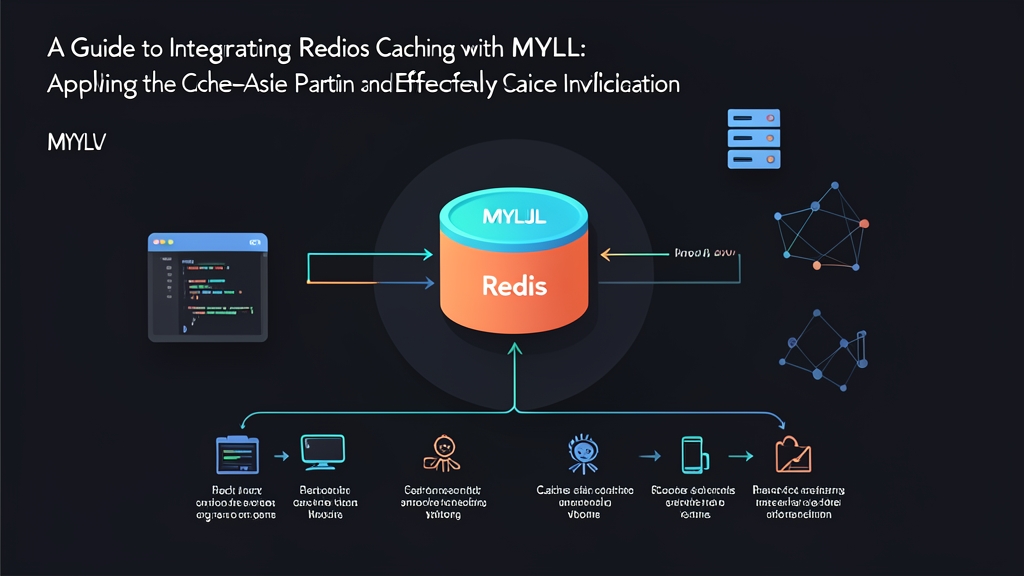
Quick Start: Running Cache-Aside in 5 Minutes
Disk storage is always the slowest bottleneck. When traffic surges from 200 to 5,000 req/s, MySQL often exhausts its capacity due to I/O bottlenecks. Fetching data from Redis RAM takes only about 0.5ms – 1.5ms, whereas querying an NVMe SSD still consumes 15ms – 50ms.
Here is a quick test environment using Docker:
# 1. Start MySQL and Redis containers
docker run -d --name mysql-demo -e MYSQL_ROOT_PASSWORD=secret -e MYSQL_DATABASE=shop -p 3306:3306 mysql:8.0
docker run -d --name redis-demo -p 6379:6379 redis:7-alpine

# 2. Install Python database connectors
pip install mysql-connector-python redis
The following Python snippet implements a basic Cache-Aside flow (read from cache first; on a miss, query the DB and write back to Redis):
import json
import redis
import mysql.connector

r = redis.Redis(host='localhost', port=6379, db=0, decode_responses=True)
db = mysql.connector.connect(
    host='localhost',
    user='root',
    password='secret',
    database='shop'
)

def get_product(product_id: int):
    cache_key = f"product:{product_id}"

    # 1. Check Redis cache
    cached_data = r.get(cache_key)
    if cached_data:
        return json.loads(cached_data)  # Cache HIT (~1ms)

    # 2. Cache MISS: Query directly from MySQL (~25ms)
    cursor = db.cursor(dictionary=True)
    cursor.execute("SELECT id, name, price, stock FROM products WHERE id = %s", (product_id,))
    product = cursor.fetchone()
    cursor.close()

    # 3. Populate Redis cache with TTL (5 minutes)
    if product:
        r.setex(cache_key, 300, json.dumps(product))

    return product
How the Cache-Aside Pattern Works Under the Hood
Real-World Pressure on MySQL Without a Caching Layer
On an e-commerce platform with a ~60GB MySQL database, every product detail page requires joining 3 to 4 tables. MySQL must parse the SQL, traverse B-Tree index branches, and load pages into the InnoDB Buffer Pool.
During a flash sale, thousands of concurrent users view the same trending product. MySQL CPU usage immediately spikes to 100%. Disk IOPS is exhausted, causing the connection pool to hit max_connections=500. APIs across the board start returning 504 Gateway Timeout errors.
Two Independent Data Flows
In the Cache-Aside model, the application layer directly orchestrates both the cache and the database:
- Read Path: The app checks Redis first. If present (Hit), it returns the data immediately with sub-millisecond latency. If absent (Miss), the app queries MySQL, delivers the result to the client, and writes it back to Redis with a Time-To-Live (TTL).
- Write Path: When an INSERT, UPDATE, or DELETE occurs, the app writes directly to MySQL. Immediately afterward, it invalidates (deletes) the corresponding key in Redis instead of updating its value.
Tackling Cache Invalidation
The hardest problem in caching is maintaining data consistency. A minor oversight can lead to customers seeing stale prices or inaccurate inventory counts.
Why You Should Invalidate Instead of Updating the Cache
Many developers instinctively call r.set() with the new value right after updating the database. This approach frequently triggers Race Conditions when concurrent write requests overlap:
- Process A writes
price = 100to MySQL. - Process B writes
price = 120to MySQL. - Due to network jitter, Process B updates Redis first (setting 120). A few milliseconds later, Process A overwrites Redis (setting 100).
- Outcome: MySQL stores 120 (the latest value), but Redis remains stuck at 100 (stale data). Users will continuously see the wrong price until the key expires.
The Golden Rule: Always invalidate (evict/delete) the key from Redis after successfully committing to the database.
def update_product_price(product_id: int, new_price: float):
    cursor = db.cursor()
    # 1. Update and commit to MySQL first
    cursor.execute("UPDATE products SET price = %s WHERE id = %s", (new_price, product_id))
    db.commit()
    cursor.close()

    # 2. Invalidate the key so subsequent reads fetch fresh data from the DB
    cache_key = f"product:{product_id}"
    r.delete(cache_key)
Mitigating Replication Lag with Delayed Double Deletion
MySQL Master-Slave architectures (Read/Write Splitting) introduce another risk: replication lag. Suppose the slave lags behind the master by 100ms:
- The write flow updates the Master and invalidates the Redis cache.
- At that exact instant, a read request encounters a Cache Miss and routes its query to the Slave.
- Because the Slave has not yet synced, the read query fetches stale data and populates it back into Redis, reintroducing stale state.
The Delayed Double Deletion pattern completely eliminates this scenario by executing a second cache deletion after a short delay:
import time
import threading

def async_delayed_delete(key: str, delay_seconds: float = 0.5):
    time.sleep(delay_seconds)
    try:
        r.delete(key)
    except Exception as e:
        # Log error or push to a retry queue (RabbitMQ/Kafka) if Redis fails
        print(f"Retry delete failed: {e}")

def update_product_safe(product_id: int, new_price: float):
    cache_key = f"product:{product_id}"

    # 1. First cache deletion
    r.delete(cache_key)

    # 2. Update Master DB
    cursor = db.cursor()
    cursor.execute("UPDATE products SET price = %s WHERE id = %s", (new_price, product_id))
    db.commit()
    cursor.close()

    # 3. Wait for the Slave to sync, then delete again (run via background thread or Celery/Kafka)
    threading.Thread(target=async_delayed_delete, args=(cache_key, 0.5)).start()
Production Best Practices
- Always Configure TTL with Jitter: Never issue a bare
SETcommand without an expiration. Always useSETEX. To prevent Cache Stampedes where hundreds of keys expire simultaneously, add random jitter:ttl = 300 + random.randint(5, 60). - Tune Maxmemory Policy: RAM is finite. When Redis reaches capacity, configuring
maxmemory-policy allkeys-lruorvolatile-lruinredis.confwill automatically evict the least recently used keys, preventing the Linux OOM Killer from terminating the Redis process. - Choose the Right Storage Format: For full-page representations, serializing into compressed JSON strings with
SETEXoffers maximum read throughput. If individual fields require frequent updates (such as inventory counters), Redis hashes viaHSET/HINCRBYsave bandwidth and optimize I/O significantly.