Try it in 5 minutes: Running MySQL NDB Cluster with Docker
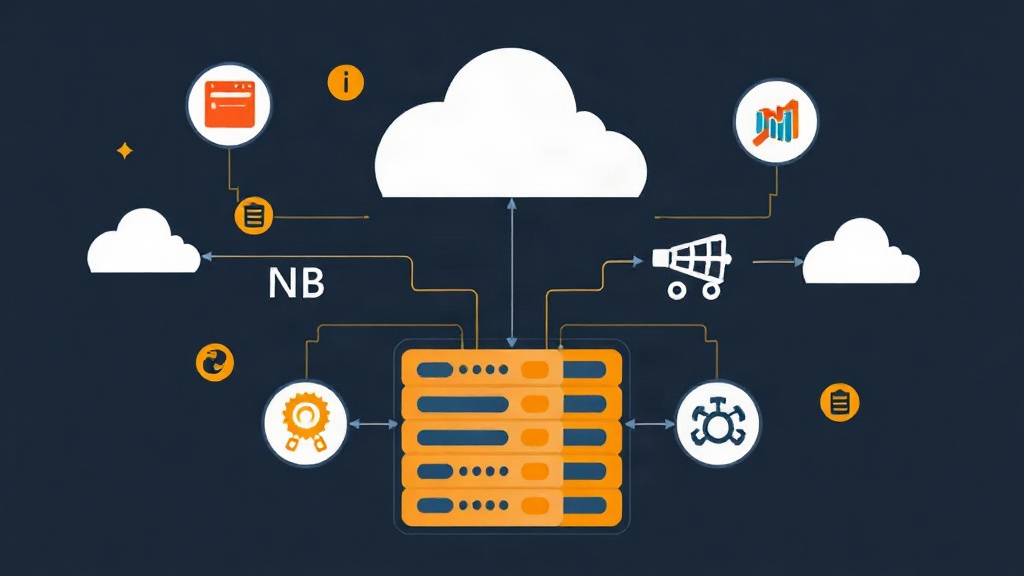
Instead of reading dry theory, let’s get hands-on and build a cluster right on your local machine. With Docker Compose, you can simulate a distributed system consisting of: 1 Management Node (orchestration), 2 Data Nodes (storage), and 1 SQL Node (querying).
# Sample docker-compose.yml file
version: '3.8'

services:
  management:
    image: mysql/mysql-cluster:8.0
    command: ndb_mgmd
    networks:
      - cluster

  ndb1:
    image: mysql/mysql-cluster:8.0
    command: ndbd
    networks:
      - cluster
    depends_on:
      - management

  ndb2:
    image: mysql/mysql-cluster:8.0
    command: ndbd
    networks:
      - cluster
    depends_on:
      - management

  mysql-node:
    image: mysql/mysql-cluster:8.0
    command: mysqld
    networks:
      - cluster
    environment:
      - MYSQL_ROOT_PASSWORD=password
    depends_on:
      - management

networks:
  cluster:
Just run docker-compose up -d, and your distributed database cluster is ready. When you create a table using the NDBCLUSTER engine, data is automatically sharded and pushed to ndb1 and ndb2 without any manual configuration.
Why the traditional Master-Slave model isn’t enough
Many newcomers often mistakenly believe that Master-Slave Replication is safe enough. In reality, when the Master fails, it usually takes 30 seconds to several minutes for a manual failover. With a 99.999% Uptime standard, you only have a maximum of 5.26 minutes of downtime per year. Master-Slave can hardly meet this requirement.
MySQL NDB Cluster completely solves the No Single Point of Failure problem. The system automatically detects dead nodes and redirects queries within seconds. You can sleep soundly even if a physical server in the cluster loses power in the middle of the night.
The “Three-Legged Stool” Architecture of NDB Cluster
To operate smoothly, you need to understand the roles of these three node types:
- Management Node (ndb_mgmd): Acts as the brain. It stores the configuration for the entire cluster and manages node status. If this node goes offline, the cluster continues to function, but you cannot change the configuration.
- Data Nodes (ndbd): Where data is directly stored and processed. NDB prioritizes storing data in RAM for ultra-low latency, then writes to disk for durability.
- SQL Nodes (mysqld): The interface for applications. It receives SQL commands, translates them into the Cluster language, and retrieves data from the Data Nodes. You can scale as many SQL Nodes as you need to handle the load.
In a real-world project with 100 million records, switching from a single MySQL instance to NDB Cluster helped my system handle four times the load thanks to parallel read/write capabilities across multiple nodes.
Real-world Configuration Guide
Assume you have 4 servers running Ubuntu: .10 (Management), .11 & .12 (Data Nodes), and .13 (SQL Node).
1. Set up the Management Node
Create the config.ini file on server 192.168.1.10:
[ndbd default]
NoOfReplicas=2
DataMemory=2G
IndexMemory=512M

[ndb_mgmd]
HostName=192.168.1.10
DataDir=/var/lib/mysql-cluster

[ndbd]
HostName=192.168.1.11
DataDir=/usr/local/mysql/data

[ndbd]
HostName=192.168.1.12
DataDir=/usr/local/mysql/data

[mysqld]
HostName=192.168.1.13
2. Configure the SQL Node to connect to the Cluster
On server .13, edit the my.cnf file to enable the NDB engine:
[mysqld]
ndbcluster
ndb-connectstring=192.168.1.10

[mysql_cluster]
ndb-connectstring=192.168.1.10
“Hard-won” Lessons from Real Projects
Deploying NDB Cluster isn’t hard, but operating it stably is another story. Here are three important considerations:
1. Forgetting to Declare the NDB Engine
By default, MySQL still uses InnoDB. If you forget ENGINE=NDBCLUSTER when creating a table, the data will only reside locally on one SQL Node. At that point, the High Availability feature disappears entirely.
2. Data Nodes’ Hunger for RAM
NDB Cluster is an in-memory database. All indexes and primary active data reside in RAM. If RAM is full, the system will immediately reject INSERT/UPDATE commands. Always maintain about 25-30% free RAM to account for sudden data growth spikes.
3. Network Latency is Enemy Number One
Nodes synchronize data continuously over the network. If the switch has high latency or the network cable only reaches 1Gbps, performance will bottleneck. The recommendation is to use a 10Gbps network and ensure all nodes are on the same switch (Local Network) to achieve latency below 1ms.
When is NDB Cluster Not the Optimal Choice?
Don’t force yourself to use NDB Cluster if your application falls into these cases:
- Overly complex JOIN queries: NDB processes JOINs across multiple nodes much slower than traditional InnoDB.
- Tight hardware budget: You need at least 3-4 servers for stable operation; this cost isn’t cheap.
- Massive but rarely accessed data: Dumping terabytes of “cold” data into RAM is a massive financial waste.
I hope this guide helps you feel more confident when designing high-availability database systems. NDB Cluster might be difficult to master at first, but it is a solid shield for applications requiring absolute stability.