Background & Why You Need It
Last week, a mid-month flash sale caused our system traffic to skyrocket. Our standalone PostgreSQL instance peaked at 95% CPU, and connection pool exhaustion alerts fired continuously. Analyzing the slow query logs revealed that over 80% of the database workload stemmed from heavy SELECT queries powering admin dashboards and order exports. Even worse, customer checkout INSERT transactions were stuck waiting for row locks for several seconds.
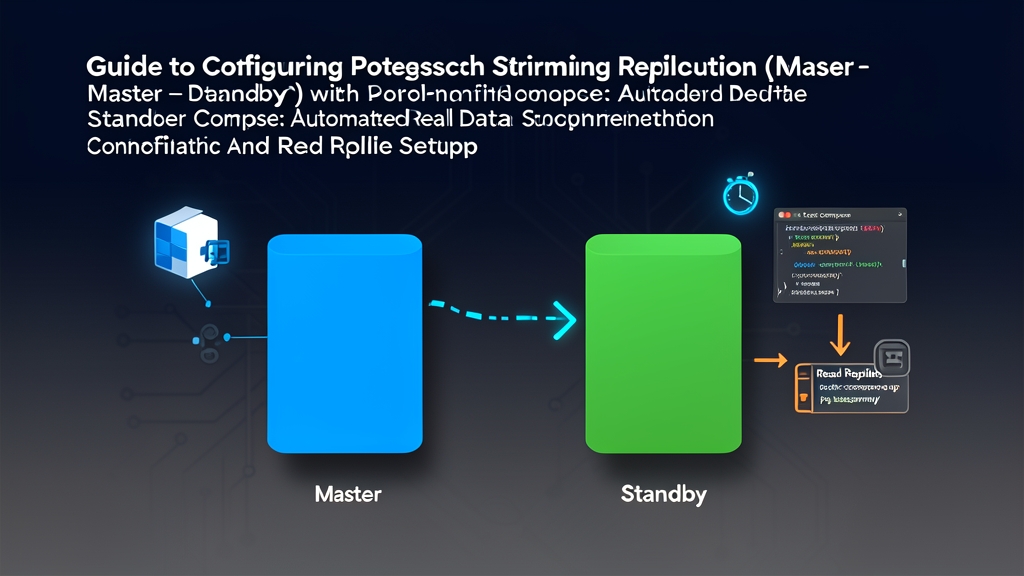
At this point, the definitive architectural fix was implementing Read/Write Splitting. The Primary (Master) node remains dedicated to write operations, while demanding read queries are offloaded across one or more Standby (Read Replica) nodes.
How do we ensure data across nodes stays consistently synchronized? PostgreSQL includes built-in Streaming Replication with ultra-low latency, typically between 1–5 milliseconds over a local network. The Primary streams WAL (Write-Ahead Logging) records directly over a TCP socket to the Standby. As soon as the Standby receives WAL chunks, it immediately replays them into its local storage engine.
Provisioning this cluster using local virtual machines can be tedious. I chose to containerize the entire setup with Docker Compose v2. The configuration is clean, inter-container networking is reliable, and tearing down the test environment takes just a single command: docker compose down -v.
Setup
First, prepare the project directory structure:
mkdir -p pg-replication/primary pg-replication/standby
cd pg-replication
touch docker-compose.yml primary/01-init-replication.sh standby/entrypoint.sh
chmod +x primary/01-init-replication.sh standby/entrypoint.sh
The initialized directory tree:
pg-replication/
├── docker-compose.yml
├── primary/
│   └── 01-init-replication.sh
└── standby/
    └── entrypoint.sh
Next, define the docker-compose.yml file. We use the postgres:16-alpine image, which weighs in at only ~80MB, keeping it extremely lightweight and fast to boot:
version: '3.8'

services:
  pg-primary:
    image: postgres:16-alpine
    container_name: pg-primary
    restart: always
    environment:
      POSTGRES_DB: app_db
      POSTGRES_USER: postgres
      POSTGRES_PASSWORD: rootpassword
      REPLICA_USER: replicator
      REPLICA_PASSWORD: replicator_password
    ports:
      - "5432:5432"
    volumes:
      - ./primary/01-init-replication.sh:/docker-entrypoint-initdb.d/01-init-replication.sh
      - pg-primary-data:/var/lib/postgresql/data
    command: >
      postgres
      -c wal_level=replica
      -c max_wal_senders=10
      -c max_replication_slots=10
      -c wal_keep_size=128MB
      -c hot_standby=on
    networks:
      - pg-network

  pg-standby:
    image: postgres:16-alpine
    container_name: pg-standby
    restart: always
    depends_on:
      - pg-primary
    environment:
      PRIMARY_HOST: pg-primary
      PRIMARY_PORT: 5432
      REPLICA_USER: replicator
      REPLICA_PASSWORD: replicator_password
    ports:
      - "5433:5432"
    volumes:
      - ./standby/entrypoint.sh:/entrypoint.sh
      - pg-standby-data:/var/lib/postgresql/data
    entrypoint: ["/entrypoint.sh"]
    networks:
      - pg-network

volumes:
  pg-primary-data:
  pg-standby-data:

networks:
  pg-network:
    driver: bridge
Detailed Configuration
To allow the Standby to consume WAL streams from the Primary, two requirements must be satisfied:
- Create a user role granted
REPLICATIONprivileges on the Primary. - Permit the container network subnet in
pg_hba.conf.
The initialization script primary/01-init-replication.sh executes automatically the first time the Primary initializes its data directory:
#!/bin/bash
set -e

echo ">>> Creating replication user and configuring pg_hba..."

psql -v ON_ERROR_STOP=1 --username "$POSTGRES_USER" --dbname "$POSTGRES_DB" <<-EOSQL
    CREATE USER $REPLICA_USER WITH REPLICATION ENCRYPTED PASSWORD '$REPLICA_PASSWORD';
EOSQL

# PostgreSQL 14+ defaults to scram-sha-256 authentication, which is more secure than md5
echo "host replication $REPLICA_USER 0.0.0.0/0 scram-sha-256" >> "$PGDATA/pg_hba.conf"

# Reload configuration without disrupting the service
pg_ctl -D "$PGDATA" -m fast -w reload
echo ">>> Replication setup on Primary complete!"
On the Standby node, the boot process requires an extra step. Its data directory starts empty, so it must pull an initial base backup from the Primary before it can begin streaming WAL logs.
The standby/entrypoint.sh script coordinates this workflow:
#!/bin/sh
set -e

# Wait for Primary to open port and be ready for authentication
echo ">>> Waiting for Primary ($PRIMARY_HOST:$PRIMARY_PORT)..."
until PGPASSWORD=$REPLICA_PASSWORD pg_isready -h $PRIMARY_HOST -p $PRIMARY_PORT -U $REPLICA_USER; do
  sleep 2
done

# If data directory is empty, run base backup
if [ ! -s "$PGDATA/PG_VERSION" ]; then
  echo ">>> Data directory empty. Running pg_basebackup from $PRIMARY_HOST..."
  rm -rf "${PGDATA:?}"/*

  PGPASSWORD=$REPLICA_PASSWORD pg_basebackup \
    -h $PRIMARY_HOST \
    -p $PRIMARY_PORT \
    -D $PGDATA \
    -U $REPLICA_USER \
    -v \
    -P \
    -R \
    -X stream

  chmod 0700 $PGDATA
  echo ">>> Clone complete. Standby is ready to receive WAL."
fi

# Hand process execution over to Alpine's postgres user
exec su-exec postgres postgres
The most important flag passed to pg_basebackup is -R (write runtime configuration). Starting with PostgreSQL 12, Postgres automatically generates the standby.signal marker file and appends the connection parameters directly to postgresql.auto.conf. There is no longer any need to manually configure legacy recovery.conf files.
Testing & Monitoring
With scripts prepared, spin up the entire cluster:
docker compose up -dInspect the logs to observe synchronization progress:
docker compose logs -fOnce you see entering standby mode accompanied by started streaming WAL from primary inside the pg-standby container logs, replication handshake is complete.
1. Check Replication Status on Primary
Exec into the Primary container and query the pg_stat_replication dynamic view:
docker compose exec pg-primary psql -U postgres -d app_db -c \
  "SELECT application_name, client_addr, state, sync_state, replay_lag FROM pg_stat_replication;"
Terminal output:
 application_name | client_addr |   state   | sync_state |   replay_lag
------------------+-------------+-----------+------------+-----------------
 walreceiver      | 172.20.0.3  | streaming | async      | 00:00:00.001243
(1 row)
The streaming state along with a replay_lag around 1ms shows that the Standby is keeping pace with Primary data changes in real time.
2. Verify Read-Only Mode on Standby
Execute pg_is_in_recovery() on the Standby node (port 5433):
docker compose exec pg-standby psql -U postgres -d app_db -c "SELECT pg_is_in_recovery();"The returned value is t (true), confirming that the instance runs in recovery mode as a functional Read Replica.
3. End-to-End Replication Test
Create a test table and insert rows on the Primary:
docker compose exec pg-primary psql -U postgres -d app_db -c \
  "CREATE TABLE users (id SERIAL PRIMARY KEY, name VARCHAR(50)); INSERT INTO users (name) VALUES ('DevOps Engineer'), ('Backend Dev');"
Query the table immediately on port 5433 via the Standby:
docker compose exec pg-standby psql -U postgres -d app_db -c "SELECT * FROM users;"Both rows appear almost instantaneously.
Now, test writing directly to the Standby:
docker compose exec pg-standby psql -U postgres -d app_db -c "INSERT INTO users (name) VALUES ('Hacker');"PostgreSQL immediately rejects the write operation:
ERROR: cannot execute INSERT in a read-only transactionWith just a single Compose file and two concise shell scripts, you have a resilient Master-Standby cluster ready for development and integration testing before adding automated failover orchestrators like Patroni in production.