
I once deployed microservices for an e-commerce project and it took nearly two days to discover that a container had been compromised and was being used to send outbound spam. Application logs were completely clean, CPU showed no unusual spikes — but the container kept opening connections to unknown IP addresses. If Falco had been in place back then, that alert would have fired within the first minute.
Falco monitors container system calls in real time — not application logs, not CPU/RAM metrics, but every individual call down to the kernel. Unlike hardening configs or security best practices (which only check static state), Falco watches behavior as it happens: which files are being read, what unexpected processes are spawning, which connections are being opened to the outside. It’s a CNCF graduated project — the same tier as Kubernetes and Prometheus.
Get Falco Running in 5 Minutes
The fastest way to try Falco is to run it via Docker with the userspace driver — no kernel module installation needed, great for testing on a local machine or dev environment:
# Run Falco in userspace mode (no kernel module required)
docker run --rm -it \
  --privileged \
  -v /var/run/docker.sock:/host/var/run/docker.sock \
  -v /proc:/host/proc:ro \
  -v /boot:/host/boot:ro \
  -v /lib/modules:/host/lib/modules:ro \
  -v /usr:/host/usr:ro \
  -v /etc:/host/etc:ro \
  falcosecurity/falco-no-driver:latest
Once you see the line Starting internal webserver, listening on port 8765, Falco is running. Open another terminal to trigger an alert:
# Open a shell into a running container — Falco detects it immediately
docker exec -it $(docker ps -q | head -1) /bin/sh
Falco logs will appear immediately:
Warning evt_type=execve user=root container.id=abc123 container.name=my-app \
  proc.name=sh proc.cmdline="sh" \
  rule="Terminal shell in container" \
  output="A shell was spawned in a container with an attached terminal"
Installing Falco Directly on the Host for Production
For serious deployments, skip the container — install Falco directly on the host. The kernel module or eBPF driver intercepts system calls at the lowest layer of the OS, unaffected by container restarts or image swaps above it.
Ubuntu / Debian
# Add Falco repository
curl -fsSL https://falco.org/repo/falcosecurity-packages.asc | \
  sudo gpg --dearmor -o /usr/share/keyrings/falco-archive-keyring.gpg

echo "deb [signed-by=/usr/share/keyrings/falco-archive-keyring.gpg] \
  https://download.falco.org/packages/deb stable main" | \
  sudo tee /etc/apt/sources.list.d/falcosecurity.list

sudo apt-get update && sudo apt-get install -y falco
The installer will ask which driver you want to use:
- Kernel module: Fast and stable — needs to be rebuilt after kernel upgrades
- eBPF: More modern, no rebuild needed after upgrades, requires kernel ≥ 4.14
- Modern eBPF: Best option if kernel ≥ 5.8, built-in with no separate module needed
# Enable and start Falco
sudo systemctl enable --now falco
sudo systemctl status falco

# Follow logs in real time
sudo journalctl -fu falco
Understanding Rule Structure — Where Detection Logic Lives
YAML rules are where you define exactly what Falco will detect. Each rule has four main components: condition (when to trigger), output (alert content), priority (severity level), and tags (classified by MITRE ATT&CK):
# Structure of a Falco rule
- rule: Read sensitive file untrusted
  desc: Detect untrusted processes reading sensitive files
  condition: >
    sensitive_files and open_read
    and not proc.name in (trusted_binaries)
    and not container.image.repository in (trusted_images)
  output: >
    Sensitive file opened for reading
    (user=%user.name command=%proc.cmdline
     file=%fd.name container_id=%container.id
     image=%container.image.repository)
  priority: WARNING
  tags: [filesystem, mitre_credential_access]
The most commonly used output variables:
%container.id— ID of the offending container%container.image.repository— Which image is being exploited%proc.cmdline— The command running at that moment%fd.rip:%fd.rport— Destination IP and port of the network connection
Writing Custom Rules for Real-World Use Cases
Falco’s default rules are fairly generic — real production environments need additional customization. Create /etc/falco/rules.d/custom_rules.yaml; Falco automatically loads all files in this directory on startup:
# Detect containers making outbound connections on non-whitelisted ports
- rule: Unexpected outbound connection
  desc: Container opens outbound connections on unexpected ports
  condition: >
    outbound and container
    and not fd.sport in (80, 443, 3306, 5432, 6379, 27017)
    and not proc.name in (curl, wget, apt, pip, npm)
  output: >
    Unexpected outbound (container=%container.name
    dest=%fd.rip:%fd.rport proto=%fd.l4proto
    command=%proc.cmdline)
  priority: NOTICE

# Detect package manager usage in a running container
- rule: Package manager in running container
  desc: apt/yum/pip running in a production container — sign of intrusion
  condition: >
    spawned_process and container
    and proc.name in (apt, apt-get, yum, dnf, pip, pip3, npm, yarn)
  output: >
    Package manager detected (command=%proc.cmdline
    container=%container.name
    image=%container.image.repository)
  priority: ERROR
Integrating Slack Alerts via Falcosidekick
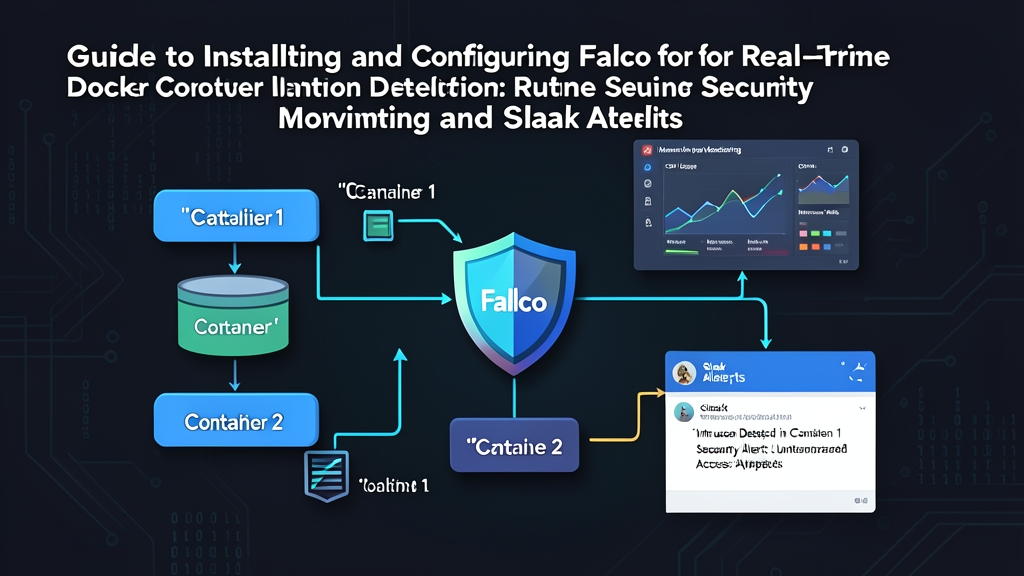
Falco on its own only writes logs. To send alerts to Slack — or any of 50+ other destinations like PagerDuty, Elasticsearch, or webhooks — you need Falcosidekick, a lightweight sidecar that receives events from Falco and forwards them. Set it up with Docker Compose:
# docker-compose.yml
services:
  falco:
    image: falcosecurity/falco-no-driver:latest
    privileged: true
    volumes:
      - /var/run/docker.sock:/host/var/run/docker.sock
      - /proc:/host/proc:ro
      - /boot:/host/boot:ro
      - /lib/modules:/host/lib/modules:ro
      - /usr:/host/usr:ro
      - /etc:/host/etc:ro
      - ./falco.yaml:/etc/falco/falco.yaml
    depends_on:
      - falcosidekick

  falcosidekick:
    image: falcosecurity/falcosidekick:latest
    environment:
      - SLACK_WEBHOOKURL=https://hooks.slack.com/services/YOUR/WEBHOOK/URL
      - SLACK_CHANNEL=#security-alerts
      - SLACK_MINIMUMPRIORITY=warning
      - CUSTOMFIELDS_ENVIRONMENT=production
      - CUSTOMFIELDS_TEAM=devops
    ports:
      - "2801:2801"
      - "2802:2802"  # Web UI
Then connect Falco to Falcosidekick — add the following to falco.yaml:
http_output:
  enabled: true
  url: "http://falcosidekick:2801/"
  user_agent: "falcosecurity/falco"

json_output: true
json_include_output_property: true
# Start the stack
docker compose up -d
# Trigger test: open a shell into a container → Slack receives the alert within seconds
docker exec -it some-container bashHere’s what it looks like in Slack:
[WARNING] Terminal shell in container
Container : my-webapp (id: abc123def456)
Image     : nginx:latest
Command   : bash
User      : root
Host      : prod-server-01
Time      : 2024-01-15 14:32:11 UTC
Practical Tips from Real Deployment Experience
Falco doesn’t debug memory leaks directly — but it catches early symptoms: unexpected processes spawning to dump memory, or containers writing to /tmp at an unusual rate. From there, tracing back to the root cause is much faster than reading logs line by line.
A few practical things learned from tuning Falco in production:
- Start at WARNING priority and above: Falco ships with hundreds of default rules — running without filters will flood you with alerts immediately. Set
SLACK_MINIMUMPRIORITY=warningfirst, then tune from there. - Whitelist trusted images early: Images from internal registries often need special privileges. Create the
trusted_imagesmacro early to avoid false positives that wear out your team. - Use container names instead of IDs: Container IDs change with every restart. Filtering by
container.nameor labels is far more durable. - Falcosidekick Web UI: The dashboard at port 2802 is very useful — view events in real time, filter by priority, and quickly find which containers are generating the most alerts.
# See which rules are triggering most often (to tune priority)
sudo journalctl -u falco --since "1 hour ago" | \
  grep -oP 'rule="[^"]+"' | sort | uniq -c | sort -rn | head -20

# Check Falco health
curl -s http://localhost:8765/healthz
# {"status": "healthy"}
Firewalls and network policies protect the network perimeter — Falco protects what’s inside: the behavior of every process running in your containers. Pair Portainer for container management with Falco for runtime behavioral monitoring, and you have a solid security layer without expensive commercial software.