
A Real-World Incident: Staging API Down at 2 AM
2:00 AM. The fourth cup of coffee had gone cold. The CI/CD dashboard was blazing red with 42 failing test cases. The payment feature had a strict 9:00 AM delivery deadline. Right at that moment, the backend staging server crashed due to an out-of-memory (OOM) leak and went completely offline.
The frontend came to a complete standstill. Manual testing was impossible. Automated tests in Vitest threw a barrage of ECONNREFUSED and 504 Gateway Timeout errors. The entire project was blocked because of its absolute dependency on staging backend stability.
In a rush to hit the deadline, a few engineers quickly hardcoded const fakeUser = {...} straight into components. That quick fix almost slipped into production during a rushed code review. Relying on staging infrastructure while building UI is a massive risk for any frontend team.
The Root Cause: 2 Common Mistakes When Mocking APIs
This incident exposed a fundamental flaw: we were mocking data at the wrong layer.
- Injecting mocks directly into Components: Assigning mock data inside local state or API-fetching hooks pollutes business logic. Before merging, you must comb through every file to strip out test data. One slip-up, and dummy data leaks right onto production screens.
- Mocking HTTP client modules (such as Axios or Fetch): Using
vi.mock('axios')to force a function to resolve mock data. This approach only runs inside Node.js test runners and does not help during local browser development. More importantly, module mocking fails to validate HTTP headers, query parameters, cookies, or status codes.
When you mock modules, you only test whether your function called a network library. The test completely misses how the application actually handles realistic network responses.
Comparing Common Mocking Approaches
Before settling on the right approach, our team tried three familiar solutions:
1. Hardcoding mock data into components
// Mixing test data directly into UI code
const UserProfile = () => {
  // const { data } = useFetch('/api/user');
  const data = { id: 'usr-01', name: 'Nguyen Van A', role: 'admin' }; // Remember to delete before committing!
  return <div>{data.name}</div>;
};
The UI renders instantly. In exchange, the risk of leaking fake data to production is extremely high, and the mock cannot be reused for automated tests.
2. Mocking axios calls with Jest or Vitest
import axios from 'axios';
vi.mock('axios');

test('displays user information', async () => {
  vi.mocked(axios.get).mockResolvedValue({
    data: { id: 'usr-01', name: 'Nguyen Van A' }
  });
  // Test logic...
});
The CI test suite passes, but it is fragile. If you switch from axios to native fetch, tests break across the board even though user-facing behavior has not changed. Furthermore, these mocks cannot be used when inspecting the app in a browser.
3. Building a dedicated mock server with Express or JSON-Server
Spinning up a Node.js service on localhost:4000 to serve mock JSON mimics real environments more closely. However, maintenance overhead jumps significantly: you have to configure proxies, manage secondary processes, and ensure the server runs in CI/CD pipelines.
The Solution: Intercepting Requests at the Network Level with Mock Service Worker (MSW)
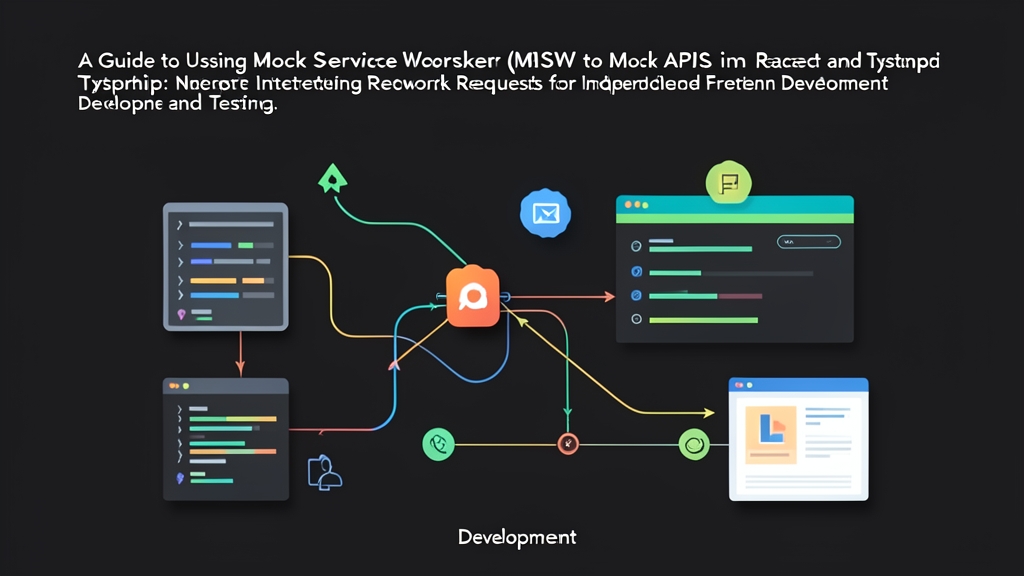
Mock Service Worker (MSW) solves these problems at the root. Instead of tampering with JavaScript application code or maintaining a separate server, MSW intercepts requests directly at the network layer.
In the browser, MSW leverages the standard Service Worker API to trap outbound requests. In test environments (Node.js), it uses compatible class interception. The React application continues to fire standard HTTP requests via fetch or axios. MSW sits at the network boundary, returning mocked data without touching the backend.
During a refactor of over 35,000 lines of React code, I used MSW to construct all 15 network failure scenarios—including 401, 500, and timeout errors—before modifying any component logic. As a result, the migration went smoothly with zero regressions.
Step 1: Install MSW 2.x into Your Project
Install the msw package as a development dependency:
npm install msw@latest --save-dev
# or using pnpm
pnpm add -D msw@latest
Generate the browser service worker file (located in the public/ folder for Vite or Create React App):
npx msw init public/ --saveThis command creates mockServiceWorker.js and saves the path in package.json to keep it automatically synchronized during package upgrades.
Step 2: Build Network Handlers with TypeScript
Create a src/mocks/ directory to centralize all endpoint mocks:
// src/mocks/handlers.ts
import { http, HttpResponse, delay } from 'msw';

interface UserProfileResponse {
  id: string;
  name: string;
  email: string;
  role: 'admin' | 'user';
}

export const handlers = [
  // GET endpoint to fetch user profile
  http.get('/api/user/profile', async () => {
    // Simulate a 150ms network delay
    await delay(150);

    return HttpResponse.json<UserProfileResponse>({
      id: 'usr-9821',
      name: 'Le Quoc Bao',
      email: '[email protected]',
      role: 'admin',
    }, { status: 200 });
  }),

  // POST endpoint to handle checkout
  http.post('/api/checkout', async ({ request }) => {
    const payload = (await request.json()) as { amount: number };

    // Simulate exceeding the payment limit
    if (payload.amount > 50_000_000) {
      return HttpResponse.json(
        { error: 'Payment amount exceeds the 50 million VND limit' },
        { status: 400 }
      );
    }

    return HttpResponse.json({
      success: true,
      transactionId: 'txn-883921'
    }, { status: 201 });
  }),
];
Step 3: Enable MSW in the Browser for Local Development
Initialize the browser worker to intercept requests directly in Chrome or Firefox:
// src/mocks/browser.ts
import { setupWorker } from 'msw/browser';
import { handlers } from './handlers';

export const worker = setupWorker(...handlers);
Start the worker in src/main.tsx whenever the application runs in development mode:
// src/main.tsx
import React from 'react';
import ReactDOM from 'react-dom/client';
import App from './App';

async function prepareEnvironment() {
  // Check for development mode in Vite (or use process.env.NODE_ENV in CRA/Webpack)
  if (import.meta.env.DEV) {
    const { worker } = await import('./mocks/browser');
    return worker.start({
      onUnhandledRequest: 'bypass',
    });
  }
}

prepareEnvironment().then(() => {
  ReactDOM.createRoot(document.getElementById('root')!).render(
    <React.StrictMode>
      <App />
    </React.StrictMode>
  );
});
Open the DevTools Console, and you will see the confirmation: [MSW] Mocking enabled. In the Network tab, matched requests will display the distinctive Service Worker gear icon alongside a 200 status code.
Step 4: Configure the Test Environment (Vitest / Jest)
In Node.js automated test environments, MSW provides the setupServer utility:
// src/mocks/server.ts
import { setupServer } from 'msw/node';
import { handlers } from './handlers';

export const server = setupServer(...handlers);
Declare the server lifecycle hooks inside src/setupTests.ts:
// src/setupTests.ts
import { beforeAll, afterEach, afterAll } from 'vitest';
import '@testing-library/jest-dom';
import { server } from './mocks/server';

// Start server before running the test suite
beforeAll(() => server.listen({ onUnhandledRequest: 'error' }));

// Reset runtime request handlers after each test to prevent test leakage
afterEach(() => server.resetHandlers());

// Clean up server once all tests have finished
afterAll(() => server.close());
Step 5: Write Integration Tests Independent of the Backend
Now you can confidently test both successful responses and edge-case server failures:
// src/components/UserProfile.test.tsx
import { render, screen } from '@testing-library/react';
import { expect, test } from 'vitest';
import { http, HttpResponse } from 'msw';
import { server } from '../mocks/server';
import UserProfile from './UserProfile';

test('renders user name received from API correctly', async () => {
  render(<UserProfile />);

  // Wait for the component to fetch data and render to DOM
  expect(await screen.findByText('Le Quoc Bao')).toBeInTheDocument();
});

test('displays error message when server responds with status 500', async () => {
  // Override handler specifically for this test case
  server.use(
    http.get('/api/user/profile', () => {
      return new HttpResponse(null, { status: 500 });
    })
  );

  render(<UserProfile />);

  expect(await screen.findByText(/unable to load user data/i)).toBeInTheDocument();
});
All network traffic is handled entirely in-memory within the test runner process. No internet connection required. No reliance on unstable staging servers.
Running npm run test in CI executes all 42 test cases smoothly in just 2.8 seconds. Decoupling the network layer with MSW gives frontend teams complete ownership of their release velocity and code quality.