Context & Real-World Challenges
About two years ago, every production release of a new feature was high-stress for our team. The process was typical: merge code into main, trigger CI/CD, build the Docker image, and update the Kubernetes cluster. If a memory leak or a table-locking PostgreSQL query slipped through, the whole team had to scramble to revert commits and rebuild from scratch. This rollback process routinely ate up 15 to 20 minutes. During that window, hundreds of customer orders were disrupted.
The root problem was that we were conflating two distinct concepts:
- Deployment: Getting new code safely running on servers.
- Release: Making that feature accessible to end users.
Decoupling these two steps is the exact reason Feature Flags (or Feature Toggles) exist. Instead of hoarding long-lived branches for a month, the five engineers on our team switched to continuously merging into the main branch every day (Trunk-based Development). All new code was wrapped inside a Feature Flag set to OFF. Whenever we wanted to test internally or roll out to 5% of our users, the tech lead simply toggled the flag on the UI. Incident recovery time plummeted from 20 minutes to a single click taking just 1 second.
In terms of tooling, LaunchDarkly runs great, but pricing at $8–$10/user/month gets steep for a startup. Flagsmith is also solid, but I chose Unleash because it is open-source and easily self-hosted via Docker, keeping our internal data fully in-house. The biggest selling point is that Unleash’s Node.js SDK evaluates flags directly in memory, resulting in sub-0.1ms latency per call.
Environment Setup
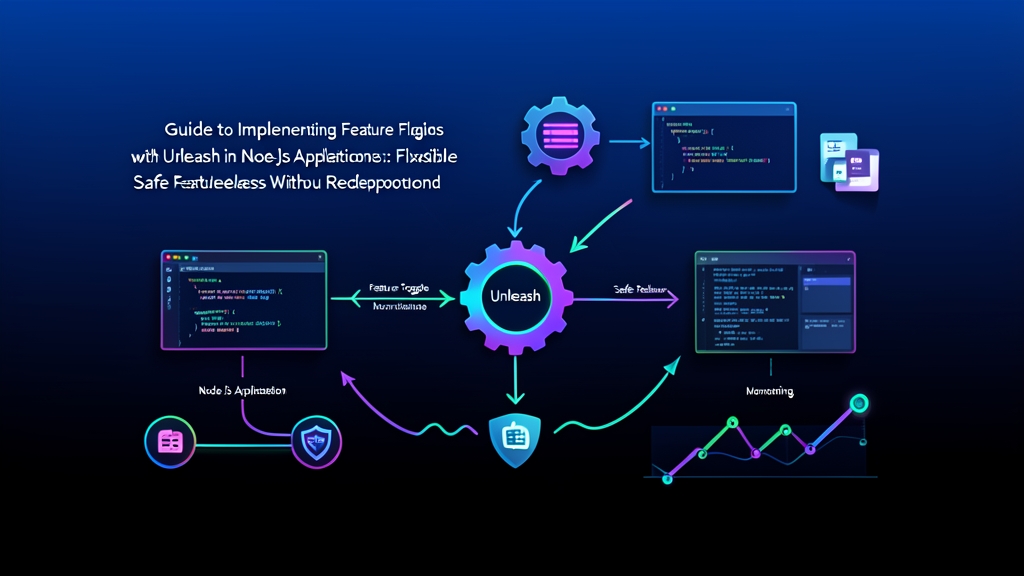
The system consists of two separate components: the Unleash Server (admin UI and configuration storage) and the Unleash Client SDK embedded directly into your Node.js application.
1. Running Unleash Server with Docker Compose
Here is a production-ready docker-compose.yml file to spin up Unleash alongside PostgreSQL 15:
services:
  db:
    image: postgres:15-alpine
    environment:
      POSTGRES_DB: unleash
      POSTGRES_USER: unleash_user
      POSTGRES_PASSWORD: secret_db_password
    volumes:
      - unleash_db_data:/var/lib/postgresql/data
    restart: unless-stopped

  unleash:
    image: unleashorg/unleash-server:latest
    ports:
      - "4242:4242"
    environment:
      DATABASE_URL: postgres://unleash_user:secret_db_password@db:5432/unleash
      DATABASE_SSL: "false"
      LOG_LEVEL: "warn"
      INIT_FRONTEND_API_TOKENS: "default:development.unleash-insecure-frontend-api-token"
      INIT_CLIENT_API_TOKENS: "default:development.unleash-insecure-client-api-token"
    depends_on:
      - db
    restart: unless-stopped

volumes:
  unleash_db_data:
Start the services:
docker compose up -d
After about 15 seconds, open your browser and navigate to http://localhost:4242. Default login credentials:
- Username:
admin - Password:
unleash4all(you will be prompted to change it immediately upon first login)
2. Installing the SDK in your Node.js Project
Run the following command to install the necessary packages in your Express backend directory:
npm install unleash-client express dotenv
Configuration and Integration
1. Creating an API Token in Unleash
For your Node.js server to fetch flag states, you need an authorized token:
- Go to the Unleash dashboard > Settings > API access.
- Click New API token.
- Select Server-side SDK (Client), assign the default project, and select the development environment.
- Copy and save the generated token string.
Next, navigate to Feature toggles and create a new toggle named new-checkout-flow.
2. Initializing Unleash Client as a Singleton
The Unleash SDK operates on an in-memory & background polling model. Every few seconds, the client polls the server in the background to fetch all active rules into local RAM. When your API evaluates a flag, the logic runs entirely against local memory. No outgoing HTTP requests are made during request execution, guaranteeing blazing-fast response times.
Create src/unleash.js:
const { initialize } = require('unleash-client');

let unleashInstance = null;

function getUnleash() {
  if (!unleashInstance) {
    unleashInstance = initialize({
      url: process.env.UNLEASH_URL || 'http://localhost:4242/api/',
      appName: 'payment-service',
      environment: process.env.NODE_ENV || 'development',
      customHeaders: {
        Authorization: process.env.UNLEASH_API_TOKEN || '*:development.unleash-insecure-client-api-token',
      },
      // Sync new rules every 5 seconds in dev (prod should use 10000 - 15000ms)
      refreshInterval: 5000,
      // Send hit/miss metrics to server every 30 seconds
      metricsInterval: 30000,
    });

    unleashInstance.on('ready', () => {
      console.log('[Unleash] SDK successfully loaded rules into RAM.');
    });

    unleashInstance.on('error', (err) => {
      console.error('[Unleash] Configuration sync error:', err.message);
    });
  }
  return unleashInstance;
}

module.exports = { getUnleash };
3. Applying the Flag to a Checkout Endpoint
Below is src/app.js demonstrating how to wrap business logic with a feature flag:
const express = require('express');
const { getUnleash } = require('./unleash');

const app = express();
app.use(express.json());

const unleash = getUnleash();

app.post('/api/checkout', (req, res) => {
  const userId = req.headers['x-user-id'] || 'anonymous';
  const userEmail = req.headers['x-user-email'] || '';

  // Context for Unleash to evaluate targeting rules
  const context = {
    userId: userId,
    properties: {
      email: userEmail,
      plan: req.body.plan || 'free',
    },
  };

  // Check toggle state with a safe fallback of false
  const isNewFlowActive = unleash.isEnabled('new-checkout-flow', context, false);

  if (isNewFlowActive) {
    // New Stripe Elements checkout flow
    return res.json({
      version: 'v2',
      gateway: 'stripe-one-click',
      orderId: 'ORD-2026-NEW',
    });
  }

  // Battle-tested legacy checkout flow
  return res.json({
    version: 'v1',
    gateway: 'standard-redirect',
    orderId: 'ORD-2026-LEGACY',
  });
});

const PORT = process.env.PORT || 3000;
app.listen(PORT, () => {
  console.log(`Backend listening on port ${PORT}`);
});
Notice the third argument in unleash.isEnabled('new-checkout-flow', context, false). This serves as a safe fallback. If the Unleash Server experiences network issues or restarts, the SDK immediately defaults to false. Your application automatically uses the legacy flow without throwing exceptions or crashing the process.
4. Rolling Out Features with Activation Strategies
Unleash goes beyond simple all-or-nothing toggles. Its true strength lies in dynamic activation strategies configured right from the dashboard:
- Gradual Rollout (Canary testing): Incrementally release flags to 10%, 25%, and eventually 100% of your user base. Unleash’s MurmurHash3 algorithm hashes the
userIdto guarantee consistent sticky sessions—a user allocated to the 10% bucket will consistently see the new experience on subsequent visits. - User ID Targeting: Specify explicit user accounts (e.g.,
dev_quang,qa_lan) so your internal team can test new flows directly in production. - Custom Constraints: Filter by custom conditions, such as corporate email domains matching
@company.comor mobile app versions>= 2.4.0.
Testing and Operations
1. Testing Instant Flow Switching
Start the Express server:
node src/app.js
Send a test request while the new-checkout-flow toggle is OFF:
curl -X POST http://localhost:3000/api/checkout \
  -H "Content-Type: application/json" \
  -H "x-user-id: user_123"
The response serves the v1 implementation:
{"version":"v1","gateway":"standard-redirect","orderId":"ORD-2026-LEGACY"}
Now, head over to the Unleash dashboard and switch the toggle to ON. Wait about 5 seconds for the SDK’s polling cycle to refresh, then re-run the same curl command. The response instantly updates to v2:
{"version":"v2","gateway":"stripe-one-click","orderId":"ORD-2026-NEW"}
The entire transition happens seamlessly in the blink of an eye. Zero dropped HTTP connections. Zero container restarts.
2. Monitoring Performance with the Metrics Tab
Every time isEnabled is invoked, the SDK aggregates metrics and periodically reports them to the server. Open your toggle details and switch to the Metrics tab to inspect:
- The distribution of
Yesvs.Noevaluations over the past hour. - Real-time traffic distribution across both code paths.
- Early detection of stale flags that have remained at 100% for too long without being cleaned up from the codebase.
3. Three Best Practices to Avoid Technical Debt
After more than 6 months of running Unleash in a production environment handling roughly 50,000 orders per day, our team established three vital rules:
- Use standardized naming prefixes: Categorize flag intent from day one. Use
release-for gradual feature launches,killswitch-for emergency circuit breakers on third-party integrations, andexperiment-for short-term A/B tests. - Clean up flags aggressively after launch: Feature flags are meant to de-risk releases, but unpruned flags quickly inflate technical debt. Once a feature has run smoothly at 100% for two weeks, immediately log a ticket in the next sprint to remove the
if/elsebranch and archive the toggle in Unleash. - Keep flags decoupled: Avoid nesting feature flags whenever possible. Code nested two or three flag levels deep turns unit testing and bug reproduction into a maintenance nightmare.
Thanks to Unleash, shipping new features to production is no longer a high-stakes Friday night gamble. When every potential issue can be neutralized within a single second, the entire engineering team can move faster and ship with confidence.