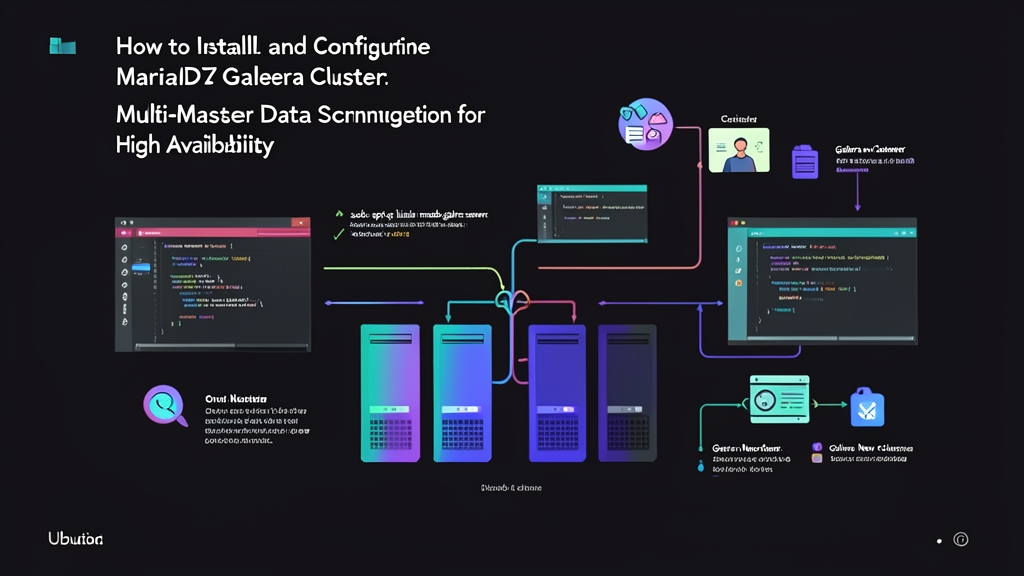
Background: The Pain of Traditional Replication & The Galera Solution
If you have ever operated a classic MySQL or MariaDB Master-Slave setup, you are likely no stranger to being jolted awake at 2 AM because the Master node suddenly crashed. Write traffic completely grinds to a halt. You scramble to manually failover a slave to master. Worse yet, replication lag dragging on for minutes and binary log conflicts are constantly threatening to corrupt or swallow your transaction data.
The Multi-Master architecture with MariaDB Galera Cluster definitively resolves this bottleneck. Unlike asynchronous replication which is prone to data loss during crashes, Galera utilizes synchronous, certification-based replication. Operating this cluster delivers distinct advantages:
- Active-Active Multi-Master: Applications can send READ and WRITE queries to any node. The write-set is immediately replicated to the remaining nodes across the local network.
- Zero Data Loss: A transaction commits successfully only after a majority of cluster nodes (Quorum) has acknowledged it. The risk of losing transactions is practically zero.
- Automatic Failover: If a node drops offline, the remaining two nodes continue handling queries normally. No downtime for the application, and no manual intervention needed from sysadmins.
- Automatic State Transfer (SST / IST): When adding a new node or recovering a crashed node, the cluster automatically provisions data via State Snapshot Transfer without requiring manual backup restoration.
The Golden Rule of Quorum: Always deploy a cluster with an odd number of nodes (at least 3 nodes: node1, node2, node3). When one node disconnects, the remaining two nodes retain 66.7% of the votes (> 50%), allowing the cluster to safely continue running while preventing catastrophic split-brain scenarios. If budget is tight for a third node, you can substitute it with a lightweight garbd (Galera Arbitrator) daemon to act as a tie-breaker vote.
Network Infrastructure Preparation & Installation on Ubuntu 22.04 LTS
In production environments, I always plan a dedicated private network (Private LAN) and lock down firewall rules before touching any database packages.
Assume our test cluster consists of three Ubuntu 22.04 LTS servers on the same private subnet:
node1: 10.0.0.11node2: 10.0.0.12node3: 10.0.0.13
Step 1: Configure Local DNS and Open Firewall Ports
First, configure internal hostnames on all three servers so the nodes can resolve each other via local DNS rather than relying solely on raw IP addresses:
sudo nano /etc/hosts

# Add the following 3 lines to the end of the file:
10.0.0.11 node1
10.0.0.12 node2
10.0.0.13 node3
Galera Cluster relies on four dedicated communication network ports:
- 3306/TCP: Standard port for application and MySQL client connections.
- 4567/TCP & UDP: Primary replication traffic channel and cluster membership checks.
- 4568/TCP: Incremental State Transfer (IST) – catch-up delta data transfer from cache.
- 4444/TCP: State Snapshot Transfer (SST) – full snapshot transfer when a new node joins.
Configure UFW so that only IP addresses within the internal subnet 10.0.0.0/24 are allowed access to these four ports:
sudo ufw allow from 10.0.0.0/24 to any port 3306 proto tcp
sudo ufw allow from 10.0.0.0/24 to any port 4567
sudo ufw allow from 10.0.0.0/24 to any port 4568 proto tcp
sudo ufw allow from 10.0.0.0/24 to any port 4444 proto tcp
sudo ufw reload
Step 2: Install MariaDB and Galera Provider
Run the following commands on all three servers simultaneously:
sudo apt update
sudo apt install -y mariadb-server mariadb-client rsync

# Initial security setup (set root password, remove test db)
sudo mysql_secure_installation
Once the installation is complete, stop the MariaDB service on all three nodes to apply the new cluster configuration:
sudo systemctl stop mariadbStep-by-Step Galera Cluster Configuration
Production tip: Never edit the default my.cnf file directly. Instead, create a dedicated configuration file in the conf.d/ directory. This keeps things clean and prevents your custom settings from being overwritten during an apt upgrade.
Create the file /etc/mysql/conf.d/galera.cnf on all three servers.
Sample configuration on node1 (10.0.0.11):
sudo nano /etc/mysql/conf.d/galera.cnf[mysqld]
binlog_format=ROW
default_storage_engine=InnoDB
innodb_autoinc_lock_mode=2
bind-address=0.0.0.0
# Galera Provider
wsrep_on=ON
wsrep_provider=/usr/lib/galera/libgalera_smm.so
# Cluster Information
wsrep_cluster_name="itfromzero_galera_cluster"
wsrep_cluster_address="gcomm://10.0.0.11,10.0.0.12,10.0.0.13"
# Node Information
wsrep_node_name="node1"
wsrep_node_address="10.0.0.11"
# State Snapshot Transfer (SST) Method
wsrep_sst_method=rsyncConfiguration on node2 and node3:
The configuration file content on node2 and node3 is identical to node1; you only need to change two unique identifier parameters:
- On node2: change to
wsrep_node_name="node2"andwsrep_node_address="10.0.0.12". - On node3: change to
wsrep_node_name="node3"andwsrep_node_address="10.0.0.13".
Note: The wsrep_cluster_address parameter must list all three node IPs on every server.
Bootstrapping the Cluster (First Node)
The most common beginner mistake is executing the cluster bootstrap command on every node. Only the first node (node1) must run the bootstrap command. The remaining nodes simply start their service normally to join the cluster.
# RUN ON NODE1 ONLY:
sudo galera_new_cluster
Verify whether node1 has successfully initialized the cluster:
sudo mysql -u root -p -e "SHOW STATUS LIKE 'wsrep_cluster_size';"The output displays Value: 1. Node 1 is now ready to accept connections from other members.
Now, start the MariaDB service sequentially on node2 and node3:
# Run on NODE2 first:
sudo systemctl start mariadb

# Wait about 10 seconds, then run on NODE3:
sudo systemctl start mariadb
Verifying Replication & Key Monitoring Metrics
Log in to the database on any of the three servers to check the cluster size:
sudo mysql -u root -p -e "SHOW STATUS LIKE 'wsrep_cluster_size';"If the output returns Value: 3, your cluster has successfully connected all members.
Critical Monitoring Metrics for Zabbix/Prometheus
Run the following command in the MySQL console to check node health:
SHOW STATUS LIKE 'wsrep_%';Keep a close eye on these five key metrics:
wsrep_cluster_status: Must always be Primary. A Non-Primary status indicates that the node has lost contact with the Quorum.wsrep_ready: Must be ON. The node is ready to handle READ/WRITE queries.wsrep_connected: Must be ON. Cluster network connectivity is healthy.wsrep_local_state_comment: Must be Synced. If it shows Donor or Joining, the node is in the process of transferring snapshot data.wsrep_flow_control_paused: Ideally 0.0. If this value exceeds 0.2 (20%), a node is experiencing disk I/O bottlenecks or CPU overload, throttling write performance across the entire cluster.
Cross-Node Write Testing
Let’s verify bi-directional replication in action:
- Create a table and insert the first record on node1:
-- Execute on node1 CREATE DATABASE cluster_test; USE cluster_test; CREATE TABLE users (id INT AUTO_INCREMENT PRIMARY KEY, name VARCHAR(50)); INSERT INTO users (name) VALUES ('Written from Node 1'); - Switch to the terminal on node2 and query immediately:
-- Execute on node2
SELECT * FROM cluster_test.users;
The result immediately displays the record created on node1 with under 5ms latency over the LAN.
- Insert additional data from node3:
-- Execute on node3 INSERT INTO cluster_test.users (name) VALUES ('Written next from Node 3'); - Return to node1 to verify: Both records appear completely and accurately.
Battle-Tested Tips & Production Troubleshooting
- 100% of tables must use InnoDB and have a Primary Key: Galera does not provide proper replication for MyISAM. Additionally, tables lacking a primary key make write-set certification CPU-intensive and can stall the entire cluster.
- Deadlock Prevention (Certification Failure): Although Galera supports writing to all three nodes, you should configure your load balancing layer (HAProxy or ProxySQL) to direct all WRITE traffic to a single node (Primary Master) and distribute READ queries across all three nodes. This completely eliminates conflict errors when two clients attempt to update the same row on different nodes within the exact same millisecond.
- Recovering from Sudden Total Power Outages: If an entire data center loses power, never run
galera_new_clusterindiscriminately. Inspect the/var/lib/mysql/grastate.datfile across all three nodes to compare theseqnovalues. The node with the highestseqnoholds the most up-to-date state. Use that node to bootstrap the cluster first, then start MariaDB on the remaining two nodes. - Switch to mariabackup in production: The
wsrep_sst_method=rsyncsetting used in this guide is ideal for quick lab setups and learning. In production with databases spanning hundreds of gigabytes, switch tomariabackupso that the Donor node is not table-locked (read-only) while synchronizing data to the joining node.