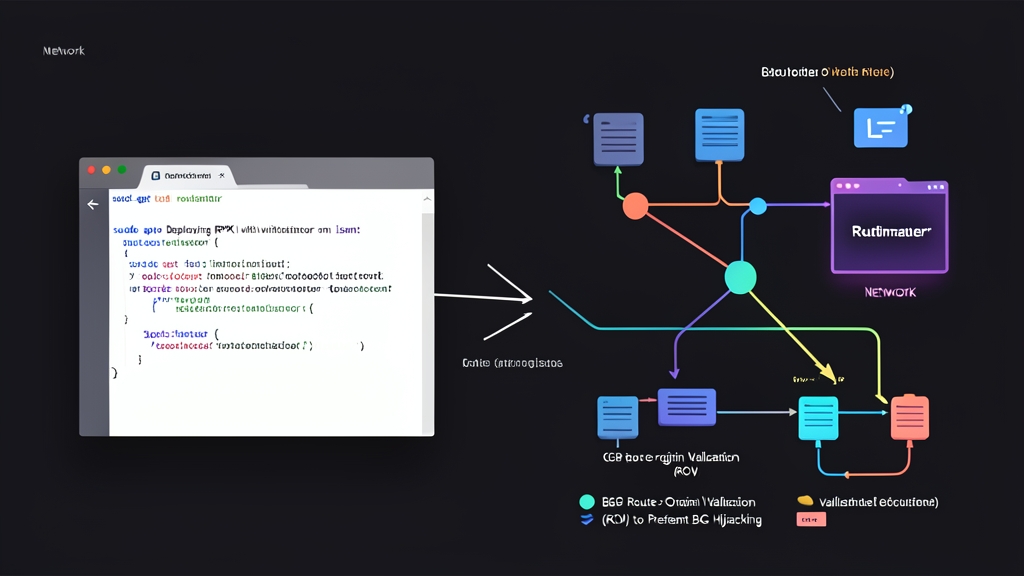
Most global Internet traffic still relies on BGP—a routing protocol designed back in 1989. BGP was originally built on implicit trust: any network operator can broadcast routing announcements claiming ownership of IP ranges belonging to Google or Cloudflare.
As a result, traffic can instantly be misdirected. In 2008, Pakistan Telecom accidentally took YouTube offline globally for two hours simply by erroneously announcing a /24 prefix. To mitigate this threat, RPKI combined with Route Origin Validation (ROV) was developed.
Three Practical Approaches to Securing BGP Routing
Network engineers have historically employed several techniques to prevent prefix spoofing:
- 1. Static Filters via Prefix Lists and IRR (Internet Routing Registry)
Establish an allowed list of prefixes received from each peer or transit provider based on IRR databases such as RADb or RIPE. - 2. Path Signing (BGPsec)
Every router along the path cryptographically signs the AS-Path attribute. Receiving routers decrypt and verify each hop traversed by the packet. - 3. RPKI with Route Origin Validation (RPKI – ROV)
IP prefix holders cryptographically sign a Route Origin Authorization (ROA) through Regional Internet Registries (RIRs) such as APNIC or local registries like VNNIC. Edge routers pull the validated list from an internal RPKI validator server to verify whether the announcing Autonomous System (AS) is authorized.
Pros and Cons of Each Solution
Each approach involves clear trade-offs between security guarantees and operational overhead:
1. Prefix Lists and IRR Filters
- Pros: Universally supported by virtually all routers out of the box, requiring no intermediate software.
- Cons: IRR data contains significant stale or inaccurate entries and updates slowly. When a peer expands its IP allocation or splits subnets, you must update filters manually. Forgetting to update a filter causes immediate outages.
2. BGPsec
- Pros: Comprehensive end-to-end security verifying every single hop along the AS-Path.
- Cons: Demands heavy, continuous cryptographic computation on routers. Severe CPU bottlenecks make it impractical for most existing network hardware, rendering BGPsec largely unviable in production.
3. RPKI with ROV
- Pros: Completely resolves both accidental misconfigurations and malicious Origin AS spoofing attacks. Routers do not need direct internet access to download hundreds of thousands of digital certificates; they simply ingest clean, pre-processed data from an internal validator.
- Cons: Does not prevent sophisticated on-path AS manipulation (AS-Path spoofing). Nonetheless, ROV remains the most practical and effective defense available today.
Why Deploy Routinator on Linux?
Rather than placing heavy cryptographic validation tasks on edge routers, the standard architecture offloads this work to a dedicated Linux validator server. This host synchronizes certificates from Regional Internet Registries and distributes the results to Cisco, Juniper, or FRRouting routers via the RPKI-to-Router (RTR) protocol.
Developed in Rust by NLnet Labs, Routinator is currently the most popular validator thanks to key advantages:
- High performance: Highly resource-efficient, consuming only around 1.5 GB to 2 GB of RAM to handle over 500,000 global ROA records.
- Full-featured integration: Includes a web UI, Prometheus metrics endpoints, and an RFC 6810/8210-compliant RTR daemon.
- Easy installation: NLnet Labs maintains official package repositories for Debian and Ubuntu.
When creating ROAs in registry portals such as APNIC or VNNIC, specifying the correct prefix and MaxLength is critical. An incorrect MaxLength causes downstream peers to flag announcements as Invalid and drop legitimate traffic. To quickly calculate IP ranges, broadcast addresses, and usable host counts, you can reference toolcraft.app/en/tools/developer/ip-subnet-calculator. Accurately carving /24 blocks into /25 or /26 subnets from the outset prevents invalid subnet length errors in your ROAs.
Step-by-Step Routinator Deployment on Ubuntu/Debian
Step 1: Install Routinator
Add the NLnet Labs package repository and install the software:
# Install prerequisite packages
sudo apt update && sudo apt install -y curl gnupg lsb-release

# Add the NLnet Labs GPG key
curl -fsSL https://packages.nlnetlabs.nl/aptkey.asc | sudo gpg --dearmor -o /usr/share/keyrings/nlnetlabs-archive-keyring.gpg

# Add repository to source list
echo "deb [signed-by=/usr/share/keyrings/nlnetlabs-archive-keyring.gpg] https://packages.nlnetlabs.nl/linux/ubuntu $(lsb_release -cs) main" | sudo tee /etc/apt/sources.list.d/nlnetlabs.list

# Update and install
sudo apt update
sudo apt install -y routinator
Step 2: Initialize TAL Data
Routinator requires Trust Anchor Locator (TAL) files from the five global RIRs (AFRINIC, APNIC, ARIN, LACNIC, and RIPE NCC). ARIN specifically requires explicit acceptance of its Relying Party Agreement (RPA):
# Run initialization under the routinator system user
sudo -u routinator routinator init --accept-arin-rpa
Step 3: Configure the Service
Open the primary configuration file at /etc/routinator/routinator.conf:
sudo nano /etc/routinator/routinator.conf
Configure the RTR port (3323) for router connections and the HTTP port (8323) for status monitoring:
# RTR service port for routers
rtr-listen = ["0.0.0.0:3323"]

# Web UI and Prometheus metrics port
http-listen = ["0.0.0.0:8323"]

# RIR refresh interval (seconds)
refresh = 600
Save the file, then enable and start the service:
sudo systemctl enable --now routinator
sudo systemctl status routinator
Step 4: Verify Synchronization and Validate Prefixes
On initial startup, Routinator takes approximately 5 to 15 minutes to synchronize all global ROA certificates via rsync and RRDP. You can monitor the progress with:
journalctl -u routinator -f
Once the sync completes, test validation directly in the terminal with a sample IP prefix and ASN pair:
# Validate Google's route 8.8.8.0/24 (AS15169)
routinator validate --asn 15169 --prefix 8.8.8.0/24
The validator returns one of three validation states:
- Valid: The prefix and origin ASN match a valid ROA.
- Invalid: A ROA exists for the prefix, but it originated from an unauthorized ASN or exceeds the specified MaxLength. These routes should be dropped immediately.
- NotFound: No ROA has been registered for this prefix. Routers accept and route the prefix normally to prevent service disruptions.
Step 5: Configure Edge Routers via RTR (FRRouting Example)
Define the Routinator server IP on an FRRouting edge router to enable ROV:
router bgp 65001
 rpki
  rpki polling_period 300
  rpki cache 192.168.10.50 3323 preference 1
 exit
!
route-map BGP-IN deny 10
 match rpki invalid
!
route-map BGP-IN permit 20
The configuration above automatically drops all routes marked as invalid, ensuring your network is protected against traffic diversion caused by BGP hijacking.