The Problem: The 2 AM Nightmare and the Cost of Manual Intervention
Imagine this scenario: 2:00 AM, your phone starts ringing incessantly. Monitoring alerts show a massive wave of 500 errors; the database connection is completely lost. You wake up and realize the Primary node of your MySQL InnoDB Cluster is locked up due to I/O wait. Theoretically, the cluster should elect a new Primary. However, your application is still stubbornly trying to connect to the dead node’s IP.
As a result, you have to manually update .env files for dozens of microservices to point to the new IP and restart each one. It’s a frustrating experience because even though you have a cluster, you’re still handling failover manually. The mistake lies in letting the app connect directly to a single DB node. To fix this for good, we need an intelligent coordination layer: MySQL Router.
In the past, when our system’s users table surpassed 20 million records, slow queries began to pile up. Optimizing indexes or code wasn’t enough. If the infrastructure lacks self-healing capabilities, all optimization efforts go down the drain the moment a stick of RAM or a hard drive fails.
Core Concept: What Role Does MySQL Router Play?
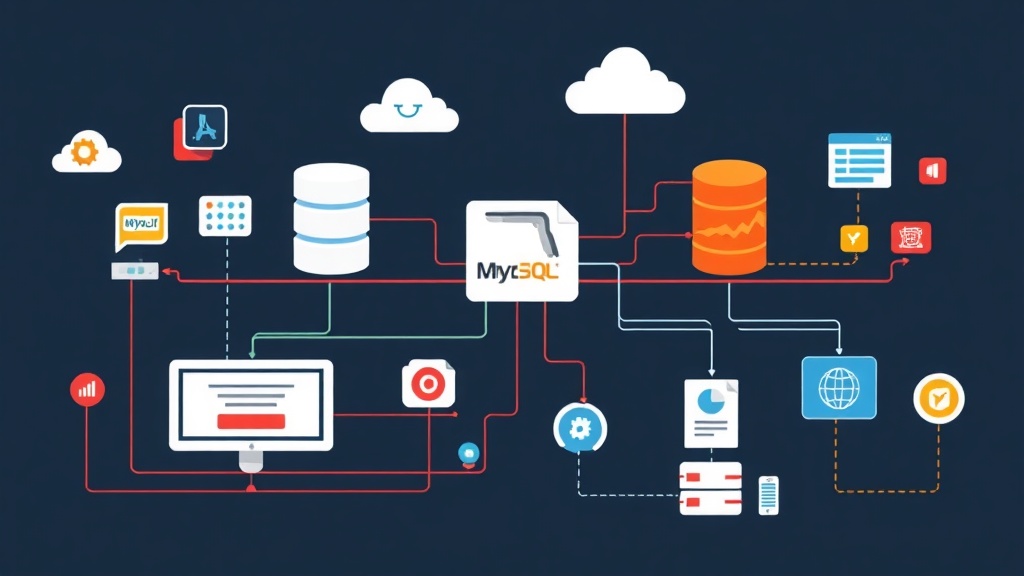
MySQL Router acts like an air traffic control tower between your application and the InnoDB Cluster. Instead of forcing the app to remember every node’s IP, you only provide a single address for the Router.
- Metadata Cache (Auto-Discovery): The Router constantly connects to the cluster to track node status. It knows exactly which node is the Primary (Read-Write) and which are Secondaries (Read-Only).
- Intelligent Routing: Write queries are directed straight to the Primary node. Meanwhile, read queries are distributed across Secondary nodes to reduce the load on the main node.
- Transparent to the App: When a DB node fails, the Router automatically removes it from the routing list. Your app remains unaware of the change; no config updates, no restarts.
Hands-on: Installing and Configuring MySQL Router
I typically install MySQL Router directly on the application server to minimize latency (usually keeping it under 1ms). Here are the practical deployment steps.
1. Quick Installation
On Ubuntu/Debian, simply use the official MySQL repository:
sudo apt-get update
sudo apt-get install mysql-router
For those on CentOS/RHEL, the installation command is equally straightforward:
sudo yum install mysql-router2. Automatic Bootstrapping
Don’t waste time writing configuration files manually; it’s prone to errors. Use the --bootstrap command to let the Router connect to the cluster and fetch all necessary information automatically.
mysqlrouter --bootstrap [email protected]:3306 --user mysqlrouterWhere:
cluster_admin: The account with cluster administration privileges.192.168.1.10:3306: The IP of any active node in the cluster.
After confirming the password, the Router will open two critical connection ports:
- Port 6446: The Read-Write port, always pointing to the current Primary node.
- Port 6447: The Read-Only port, automatically load-balancing across Secondary nodes.
3. Managing the Service
Ensure the Router starts with the system by enabling the service:
sudo systemctl start mysqlrouter
sudo systemctl enable mysqlrouter
4. Updating the Application
The final step is updating the connection details in your .env file. Instead of pointing to the Database IP, point to localhost if you installed the Router on the same machine as the app.
# Old configuration (High risk of downtime)
DB_HOST=192.168.1.10
DB_PORT=3306

# New configuration (Automatic failover)
DB_HOST=127.0.0.1
DB_PORT=6446
Verification: When Disaster Strikes
To be truly confident, you should simulate a failure. Try stopping the MySQL service on the current Primary node using systemctl stop mysql. Immediately monitor the Router logs:
tail -f /var/log/mysqlrouter/mysqlrouter.logYou’ll see the Router recognize that the Primary is down. It will wait for the Cluster to elect a new leader (this usually takes 10-20 seconds). Afterward, it automatically updates the Metadata and reroutes all connections from port 6446 to the new IP. The system only experiences a momentary glitch instead of an hour of downtime.
Conclusion
Using MySQL Router isn’t just a technical choice; it’s buying peace of mind. With extremely low resource consumption (usually under 100MB of RAM), it’s a small price to pay for system stability. Remember: A cluster without a Router is only halfway to High Availability.