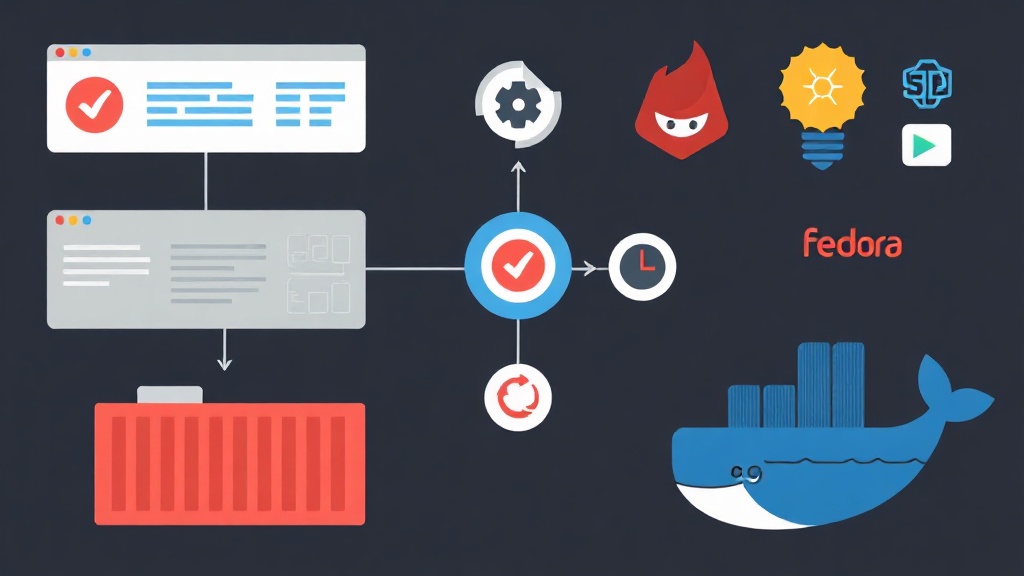
The Problem When Multiple Containers Need to Work Together
Running a single container with podman run is straightforward. Things get complicated when an application needs 3–4 containers working together — a web app, database, cache, and reverse proxy. Networks have to be created manually. Startup order has to be carefully managed. Environment variables need to be passed to the right places, and volumes need to be mounted consistently. The first deployment takes a while, but you get it done. The second time, or when moving to a different machine, can easily cost you half a day.
I’ve been using Fedora as my main development machine for 2 years — I’m quite happy with the package update speed, and Podman on Fedora tends to be several months ahead of other distros. But precisely because Fedora pushes Podman over Docker, many people run into a practical question: how do you run existing docker-compose.yml files?
Four Ways to Orchestrate Multiple Containers on Fedora
Option 1: Stick with Docker Compose
You can still install Docker Engine on Fedora — nothing stops you. Docker Compose works fine, and you don’t need to touch your existing compose files.
But there are a few annoyances. The Docker daemon needs to run as root, which means an extra systemd service to manage. Fedora also no longer ships Docker in its official repos, so every time you upgrade Fedora you need to check the separate Docker repo. I’ve personally run into Docker daemon crashes after upgrading from Fedora 38 → 39 due to cgroup v2 conflicts — it took nearly 2 hours to debug the root cause.
Option 2: Podman Pods — Native but Verbose
Podman supports the concept of “pods” — groups of containers sharing a network namespace, similar to Kubernetes pods. You create a pod and then add containers to it:
podman pod create --name myapp -p 8080:80
podman run -d --pod myapp nginx
podman run -d --pod myapp postgres:15
The problem is there’s no config file for version control. Recreating the stack means typing all the commands again from scratch. If you’re used to the declarative workflow of docker-compose.yml, this feels like a step backward.
Option 3: Quadlet — Systemd-Native for Production
Since Podman 4.4+ (Fedora 38+), Quadlet lets you write .container and .pod files in ~/.config/containers/systemd/, and systemd automatically generates unit files. It’s very production-ready, integrates well with journalctl, and has full restart policy support.
But using Quadlet requires learning a completely new syntax — it’s entirely different from docker-compose.yml. If you have 10–15 projects using compose files, migrating everything to Quadlet isn’t something you finish in a single afternoon.
Option 4: Podman Compose — The Pragmatic Middle Ground
Podman Compose is a Python tool that runs docker-compose.yml files using Podman as the backend instead of Docker. No root daemon required, fully rootless, and the syntax stays identical to Docker Compose.
Comparing the Four Approaches
| Approach | Rootless | Compose file compatibility | Systemd integration | Learning curve |
|---|---|---|---|---|
| Docker Compose | ❌ Root daemon | ✅ 100% | Manual | Low |
| Podman Pods | ✅ | ❌ Different syntax | Manual | Medium |
| Quadlet | ✅ | ❌ Requires migration | ✅ Native | High |
| Podman Compose | ✅ | ✅ ~90% | Can be wrapped | Low |
Podman Compose doesn’t support 100% of the spec — some features like extends, complex profiles, or certain deploy options may be missing. But for 90% of typical use cases, it works without any changes.
Installing Podman Compose on Fedora
Fedora has had Podman Compose in its official repos since Fedora 36+:
sudo dnf install podman-compose
podman-compose --version
To get the latest version from PyPI:
pip install --user podman-composeA Real-World Deployment: Web App + PostgreSQL + Redis
Create the Project Structure
mkdir ~/myapp && cd ~/myapp
mkdir -p app nginx/conf.d
Write the docker-compose.yml
version: '3.8'

services:
  web:
    image: python:3.11-slim
    working_dir: /app
    volumes:
      - ./app:/app:Z
    command: python -m http.server 8000
    depends_on:
      - db
      - cache
    environment:
      - DATABASE_URL=postgresql://user:password@db:5432/mydb
      - REDIS_URL=redis://cache:6379

  db:
    image: postgres:15-alpine
    environment:
      POSTGRES_USER: user
      POSTGRES_PASSWORD: password
      POSTGRES_DB: mydb
    volumes:
      - pgdata:/var/lib/postgresql/data

  cache:
    image: redis:7-alpine
    command: redis-server --save 60 1

  nginx:
    image: nginx:alpine
    ports:
      - "8080:80"
    volumes:
      - ./nginx/conf.d:/etc/nginx/conf.d:ro
    depends_on:
      - web

volumes:
  pgdata:
Nginx Configuration File
# nginx/conf.d/default.conf
server {
    listen 80;
    location / {
        proxy_pass http://web:8000;
        proxy_set_header Host $host;
        proxy_set_header X-Real-IP $remote_addr;
    }
}
Basic Commands
# Start the entire stack
podman-compose up -d

# View real-time logs
podman-compose logs -f

# Check status
podman-compose ps

# Stop and remove containers (keep volumes)
podman-compose down

# Stop and remove containers including volume data
podman-compose down -v
Common Pitfalls When Running Rootless on Fedora
Volume Mounts and SELinux
Fedora runs SELinux in enforcing mode by default. When mounting a host directory into a container, you need to add the :Z label (relabel exclusively for this container) or :z (shared between multiple containers):
volumes:
  - ./app:/app:Z          # Relabel exclusively for this container
  - ./config:/etc/app:z   # Shared — multiple containers can read
Missing this label is the number one cause of “Permission denied” errors when running Podman on Fedora. The container starts up cleanly with no errors in the log, but the app inside keeps failing to read files — SELinux is blocking it in the background without any clear log output.
Ports Below 1024
Rootless containers cannot bind to ports below 1024 by default. For a development environment, using higher ports is sufficient. If you genuinely need port 80/443:
# Lower the port threshold for regular users (requires root once)
echo "net.ipv4.ip_unprivileged_port_start=80" | sudo tee /etc/sysctl.d/99-podman-ports.conf
sudo sysctl --system
Auto-Start on Reboot
Podman Compose doesn’t integrate with systemd out of the box like Quadlet, but you can wrap it in a user service:
mkdir -p ~/.config/systemd/user

cat > ~/.config/systemd/user/myapp.service << 'EOF'
[Unit]
Description=My App Stack
After=default.target

[Service]
Type=oneshot
RemainAfterExit=yes
WorkingDirectory=%h/myapp
ExecStart=/usr/bin/podman-compose up -d
ExecStop=/usr/bin/podman-compose down
TimeoutStartSec=0

[Install]
WantedBy=default.target
EOF

systemctl --user enable --now myapp.service

# Allow the service to run when the user is not logged in
loginctl enable-linger $USER
When to Switch to Quadlet
Podman Compose is well-suited for development and staging. But for production on Fedora Server? Quadlet is a different story entirely: logs go straight into the systemd journal, dependency management is handled via unit files, and automatic restarts don’t need an external wrapper script.
The good news is that since Fedora 40, there’s a podlet tool that automatically converts compose files to Quadlet:
sudo dnf install podlet
podlet compose docker-compose.yml
It generates ready-to-use .container and .network files, letting you migrate without rewriting everything from scratch.
Summary
For a development environment on Fedora, Podman Compose is the most sensible starting point. It’s rootless, requires no daemon, and works with 90% of existing compose files without modification. When your project grows and you need production-grade stability — proper restart policies, journald integration, dependency graphs — that’s when Quadlet becomes worth the investment. At that point, podlet handles the conversion, and you just need to review the output.