
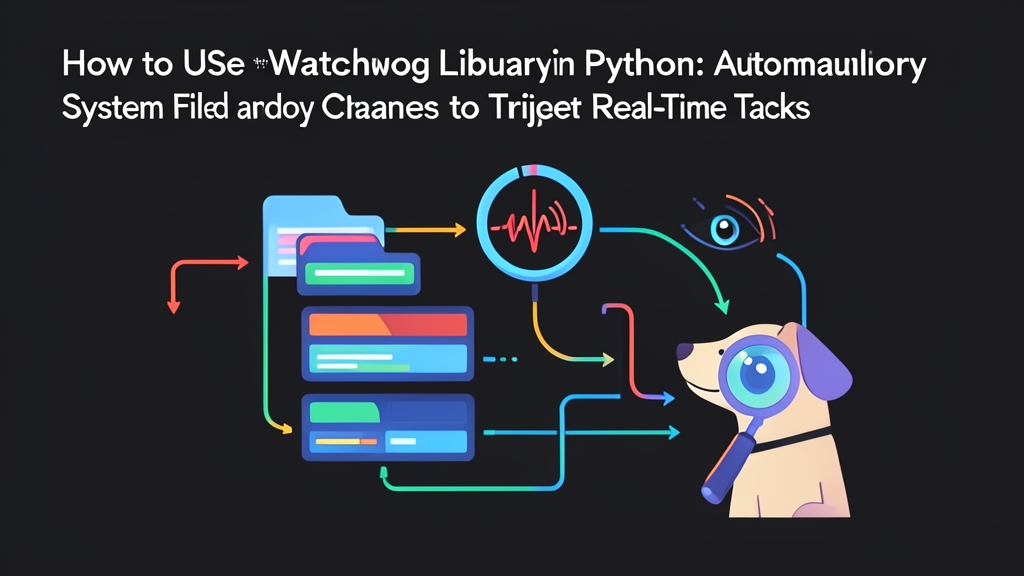
The Age-Old Dilemma: When Infinite Loops Cripple Your Server
Imagine building an automated pipeline: every morning, the accounting team exports 500 PDF reports into a shared directory at /data/incoming. Your job is to extract the data and load it into PostgreSQL. What is the most instinctive approach? Writing a script that runs while True: time.sleep(10) to scan the folder continuously.
This approach is like running to the front door every five seconds to see if the courier has arrived. CPU usage can needlessly spike by 15-20%. SSDs get battered by thousands of read I/O operations every day. Even worse, if your script attempts to read a 50MB PDF file that is only 20% copied, the system will crash immediately.
A much smarter solution is installing a doorbell: whenever a new file lands in the folder, the OS notifies Python immediately. That is precisely how the Watchdog library works.
How It Works: Tapping Directly into OS-Level APIs
Watchdog does not rely on repetitive polling. Instead, it hooks directly into kernel-level monitoring APIs: inotify on Linux, FSEvents on macOS, and ReadDirectoryChangesW on Windows. As a result, the script stays dormant and only wakes up when a genuine event occurs.
Watchdog’s architecture consists of three core components:
- Observer: A background thread that monitors changes in your specified directory, acting like a gatekeeper.
- Event Handler: Contains the business logic triggered by changes. Upon receiving a signal, it decides whether to read the file, compress data, or dispatch alerts.
- Events: The events emitted by the OS, most commonly
created,modified,deleted, andmoved.
Hands-On: Building an Automated Pipeline
Install the library via pip:
pip install watchdog1. Basic Directory Monitoring
The code snippet below monitors all changes inside the ./incoming directory:
import time
from watchdog.observers import Observer
from watchdog.events import FileSystemEventHandler

class FileMonitorHandler(FileSystemEventHandler):
    def on_created(self, event):
        if not event.is_directory:
            print(f"[CREATED] {event.src_path}")

    def on_modified(self, event):
        if not event.is_directory:
            print(f"[MODIFIED] {event.src_path}")

    def on_deleted(self, event):
        if not event.is_directory:
            print(f"[DELETED] {event.src_path}")

if __name__ == "__main__":
    path_to_watch = "./incoming"
    event_handler = FileMonitorHandler()
    observer = Observer()
    # recursive=True to capture subdirectories as well
    observer.schedule(event_handler, path=path_to_watch, recursive=True)

    print(f"Listening on: {path_to_watch}...")
    observer.start()
    try:
        while True:
            time.sleep(1)
    except KeyboardInterrupt:
        observer.stop()
    observer.join()
2. Filtering File Types with PatternMatchingEventHandler
In practice, you don’t want to process junk files like .tmp or .DS_Store. Instead of writing manual if-else checks for file extensions, use PatternMatchingEventHandler:
from watchdog.events import PatternMatchingEventHandler

class InvoiceHandler(PatternMatchingEventHandler):
    def __init__(self):
        super().__init__(
            patterns=["*.pdf", "*.xlsx"],
            ignore_patterns=["*.tmp", "*~*"],
            ignore_directories=True,
            case_sensitive=False
        )

    def on_created(self, event):
        print(f"Valid file received: {event.src_path}")
3. Production Best Practices: Preventing Pipeline Failures at Scale
A prototype with only 200 lines of code might run flawlessly in local tests. But once in production under heavy traffic, two critical pitfalls emerge:
- The Partial Write Pitfall: When uploading a 300MB CSV file via SFTP, the
on_createdevent fires on the very first byte written. If your code tries reading it right away, you will hit missing records or Permission Denied errors. Solution: verify that the file size remains unchanged after 1-2 seconds before initiating processing. - Observer Bottlenecks from Overloaded Logic: Stuffing OCR processing, database inserts, or Telegram notifications directly inside
on_createdis a fatal mistake. If processing takes 3 seconds and 20 files arrive simultaneously, the Observer may drop events. The standard pattern: the Handler merely pushes file paths to a Queue, leaving the heavy lifting to worker threads.
import time
import os
from queue import Queue
from threading import Thread
from watchdog.observers import Observer
from watchdog.events import FileSystemEventHandler

job_queue = Queue()

def worker():
    while True:
        file_path = job_queue.get()
        if file_path is None:
            break

        # Wait until the file is completely written to disk
        last_size = -1
        while True:
            try:
                current_size = os.path.getsize(file_path)
                if current_size == last_size and current_size > 0:
                    break
                last_size = current_size
                time.sleep(1)
            except FileNotFoundError:
                break

        print(f"[PROCESSING] Safely parsing file: {file_path}")
        job_queue.task_done()

class AsyncHandler(FileSystemEventHandler):
    def on_created(self, event):
        if not event.is_directory:
            # Push task to queue and exit immediately without blocking observer
            job_queue.put(event.src_path)

if __name__ == "__main__":
    # Start 2 background worker threads to process the queue
    for _ in range(2):
        Thread(target=worker, daemon=True).start()

    observer = Observer()
    observer.schedule(AsyncHandler(), path="./incoming", recursive=False)
    observer.start()
    try:
        while True:
            time.sleep(1)
    except KeyboardInterrupt:
        observer.stop()
    observer.join()
Summary
Watchdog is an elegant solution to completely replace manual polling loops. By delegating monitoring duties to the OS kernel, your script saves system resources while responding instantaneously. Remember the golden rule: always decouple event-listening threads from heavy data-processing tasks to ensure system resilience.