
2 AM, the Database Froze, Alerts Pouring In
That’s a real story from my own experience. Response time climbed from 200ms to 8 seconds, database CPU hit 100%, and the only thought in my head was: “Why haven’t I cached this yet?”
The problem wasn’t a lack of caching — I already had Redis. But every request still had to cross the network to reach Redis, adding unnecessary latency when the data could just as easily live in the process’s own memory. Multi-level caching is something I wish I’d known about a year earlier.
Quick Start: Up and Running in 5 Minutes
Install the two required packages:
npm install ioredis node-cacheCreate a cache-manager.js file with 2 cache layers:
const NodeCache = require('node-cache');
const Redis = require('ioredis');

const L1 = new NodeCache({ stdTTL: 60, checkperiod: 120 }); // In-memory, TTL 60s
const L2 = new Redis({ host: 'localhost', port: 6379 });

async function get(key) {
  // Layer 1: In-memory cache (~0.01ms)
  const l1Hit = L1.get(key);
  if (l1Hit !== undefined) return l1Hit;

  // Layer 2: Redis (~1ms)
  const l2Hit = await L2.get(key);
  if (l2Hit) {
    const parsed = JSON.parse(l2Hit);
    L1.set(key, parsed); // Backfill L1 for the next request
    return parsed;
  }

  return null;
}

async function set(key, value, ttl = 300) {
  L1.set(key, value, 60);                           // L1: 60s
  await L2.setex(key, ttl, JSON.stringify(value));  // L2: 300s
}

async function del(key) {
  L1.del(key);
  await L2.del(key);
}

module.exports = { get, set, del };
Use it directly in a route handler:
const cache = require('./cache-manager');

app.get('/products/:id', async (req, res) => {
  const key = `product:${req.params.id}`;

  let product = await cache.get(key);
  if (!product) {
    product = await db.query('SELECT * FROM products WHERE id = ?', [req.params.id]);
    await cache.set(key, product, 600); // Cache for 10 minutes
  }

  res.json(product);
});
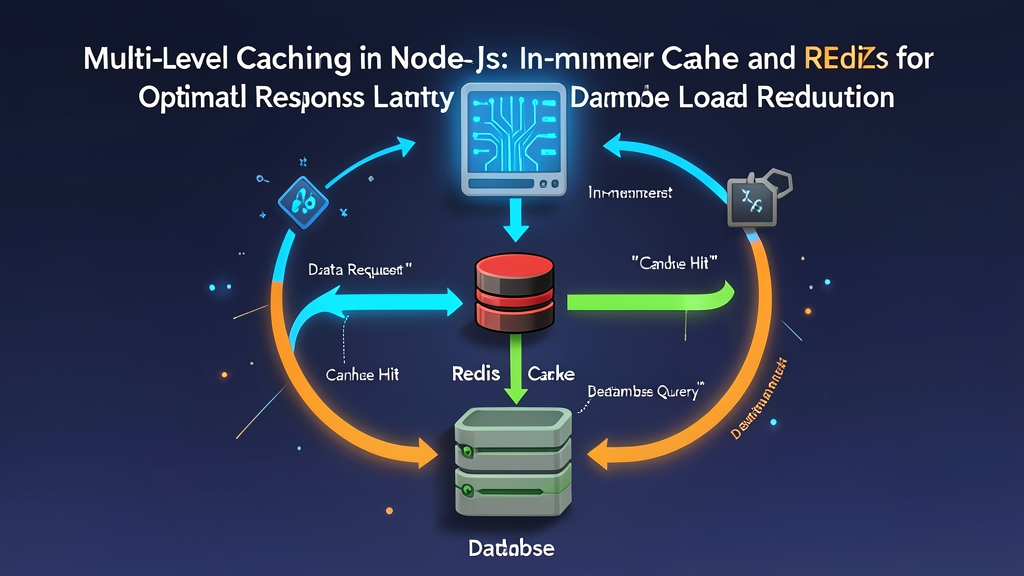
That’s it. The first request hits the DB, the next comes back from Redis (L2), and the one after that returns straight from in-memory (L1) — no network, no disk.
Why Do You Need 2 Layers?
Redis Alone Isn’t Enough
Redis is fast, but it’s still a network call. On the same datacenter, a single Redis call takes around 0.5–2ms. That sounds small, but an API handler that calls Redis 10 times adds up to 5–20ms of “dead” time per request — not counting when Redis is overloaded or there’s a network glitch.
In-memory cache (L1) lives inside the Node.js process itself: access takes 0.01–0.1ms, 10–100x faster. Data read repeatedly within a span of tens of seconds? L1 returns it almost instantly.
In-memory Alone Doesn’t Cut It Either
In-memory cache is limited by the process’s RAM, can’t be shared across instances when scaling horizontally, and is wiped clean on restart. Redis solves all three problems. You need both together.
Advanced Implementation
Cache Invalidation Done Right — Don’t Leave It for Later
I once spent 2 hours debugging why product prices were still showing incorrect values even though the database had been updated — the culprit was L1 cache with 55 seconds of TTL remaining. Lesson learned: define your invalidation strategy before writing business logic, not after everything has already blown up.
// Use Redis SCAN instead of KEYS — safe for production
async function invalidateByPattern(pattern) {
  // Delete from L1
  const l1Keys = L1.keys().filter(k => k.startsWith(pattern));
  l1Keys.forEach(k => L1.del(k));

  // Delete from L2 using SCAN (doesn't block Redis like KEYS)
  let cursor = '0';
  do {
    const [nextCursor, keys] = await L2.scan(cursor, 'MATCH', `${pattern}*`, 'COUNT', 100);
    cursor = nextCursor;
    if (keys.length > 0) await L2.del(...keys);
  } while (cursor !== '0');
}

// Call when updating data
app.put('/products/:id', async (req, res) => {
  await db.query('UPDATE products SET ? WHERE id = ?', [req.body, req.params.id]);
  await invalidateByPattern(`product:${req.params.id}`);
  res.json({ success: true });
});
Circuit Breaker When Redis Goes Down
Redis can go down too. Without a fallback, your app goes down with it:
let redisAvailable = true;
L2.on('error', () => { redisAvailable = false; });
L2.on('connect', () => { redisAvailable = true; });

async function get(key) {
  const l1Hit = L1.get(key);
  if (l1Hit !== undefined) return l1Hit;

  if (!redisAvailable) return null; // Skip Redis if it's down

  try {
    const l2Hit = await Promise.race([
      L2.get(key),
      new Promise((_, reject) => setTimeout(() => reject(new Error('timeout')), 100))
    ]);
    if (l2Hit) {
      const parsed = JSON.parse(l2Hit);
      L1.set(key, parsed);
      return parsed;
    }
  } catch (err) {
    console.error('Redis error, fallback to DB:', err.message);
  }
  return null;
}
Preventing Cache Stampede with a Mutex
After a restart, L1 is completely empty. With 500 req/s all missing L1 at once, that’s 500 simultaneous DB queries — enough to kill a healthy database in seconds. This is known as the thundering herd problem. The solution is an in-process mutex:
const pending = new Map();

async function getWithMutex(key, fetchFn, ttl = 300) {
  const cached = await cache.get(key);
  if (cached) return cached;

  // If there's already a promise in flight for this key, wait for it
  if (pending.has(key)) return pending.get(key);

  const promise = fetchFn()
    .then(async data => {
      await cache.set(key, data, ttl);
      pending.delete(key);
      return data;
    })
    .catch(err => { pending.delete(key); throw err; });

  pending.set(key, promise);
  return promise;
}
Real-world Tips from Production
1. L1 TTL Must Be Shorter Than L2 TTL
L1 isn’t shared between instances, so a long TTL will cause different Node.js instances to return stale or inconsistent data. A safe ratio: L1 TTL = 1/5 to 1/10 of L2 TTL. For example: L1 30s, L2 300s — simple as that.
2. Monitor Hit Rate — Below 80% Needs Investigation
let stats = { l1Hit: 0, l2Hit: 0, miss: 0 };

// Embed in the get() function at each branch
// ...

app.get('/health/cache', (req, res) => {
  const total = stats.l1Hit + stats.l2Hit + stats.miss;
  res.json({
    ...stats,
    hitRate: total > 0 ? ((stats.l1Hit + stats.l2Hit) / total * 100).toFixed(1) + '%' : 'N/A'
  });
});
3. Key Naming: Use the entity:id:variant Format
Example: product:123:detail, user:456:profile, category:electronics:list:page2. Be consistent from the start — debugging stale data issues will be far less painful later.
4. Don’t Cache Everything
Cache only delivers value when the hit rate is high. Good candidates: frequently read data, rarely changing data, expensive-to-generate data. Bad candidates: account balances, real-time order status, anything requiring second-level consistency.
Next time the alerts go off at 2 AM, I hope you already have L1 + L2 cache in place — rather than starting to implement it right then and there, like I did back in the day.