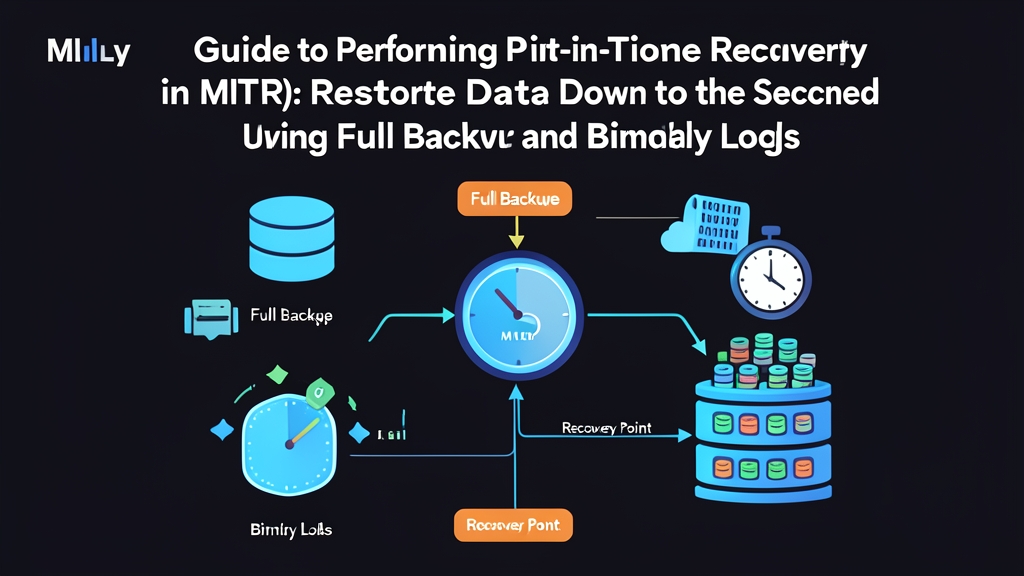
1. The 2:00 PM DROP TABLE Nightmare
Friday afternoon, 2:15 PM. You just cracked open a fresh cup of coffee when your Slack alert channel goes off relentlessly. A junior engineer intended to clean up the staging database but accidentally connected to production instead—a disaster that strict MySQL 8 security and roles (RBAC) should ideally prevent. The command executed in just 0.2 seconds:
DROP TABLE orders; -- Executed at 14:15:23The orders table, holding over 1.2 million rows, has vanished. Payment gateways throw cascading errors. Customers can no longer check out.
Your system’s most recent full backup completed at 12:00 AM midnight. If you restore that backup file right now, you will wipe out more than 14 hours of transactions. Roughly 8,500 orders placed between midnight and early afternoon would vanish into thin air. Neither the business nor the finance team can accept that outcome.
Standard rollback is out of the question (and without delayed replication in MySQL configured to pause replay, the replica has executed the drop as well). Your sole mission now: roll the database back to 14:15:22 — exactly one second before the drop statement committed.
2. Why Relying Solely on Full Backups Invites Disaster
Many teams schedule a nightly mysqldump cron job and call it a day. However, this strategy harbors a fatal flaw:
- A Full Backup captures the database state strictly at a single point in time, $T_0$ (00:00).
- Every single INSERT, UPDATE, and DELETE executed between $T_0$ and incident time $T_1$ (14:15) is missing from that
.sqlbackup dump.
Where did those 14 hours of data go? If the server has Binary Logging (binlog) enabled, MySQL logs every structural change and data mutation into binary log files—the same underlying mechanism used for Change Data Capture (CDC) in MySQL. Every committed transaction receives a precise timestamp and byte position.
Outages escalate into catastrophes primarily for two reasons:
- The server never had binlog enabled, or its automatic purge window (expire logs) was configured too aggressively—under 24 hours.
- The operations team has never drilled the Point-in-Time Recovery (PITR) procedure. When panic strikes, engineers fumble through unfamiliar commands and risk overwriting surviving data.
3. Evaluating Three Incident Response Strategies
When a critical table gets dropped, you typically face three options:
Option 1: Overwrite with the latest Full Backup
This is the most straightforward route: re-import the midnight dump and bring the application back online.
- Pros: Quick and simple. A single command like
mysql < backup.sqlfinishes within 20–30 minutes. - Cons: Complete loss of 14 hours of fresh data. Only viable in dev/staging environments or internal tools with minimal write traffic.
Option 2: Manually scrape access logs to backfill data
After restoring the midnight dump, backend engineers sift through Nginx and microservice logs to extract request payloads, then run backfill scripts.
- Pros: Salvages a portion of the transactions recorded in application logs.
- Cons: Takes days of manual effort. High risk of state drift due to untracked third-party webhooks, discount codes, and unrepeatable race conditions.
Option 3: Point-in-Time Recovery (PITR) via Full Backup + Binary Log
Restore the midnight full backup onto a separate, clean instance (similar in architecture to PostgreSQL Point-in-Time Recovery (PITR) using WAL logs). Then, use mysqlbinlog to replay all transactions from 00:00:01 through 14:15:22, stopping deliberately just before the table drop statement.
- Pros: Preserves 100% of valid transactions right up to the millisecond preceding the failure.
- Cons: Requires engineers to understand binlog coordinates and execute carefully to avoid skipping log segments.
4. A Production-Ready 6-Step PITR Workflow
The following steps apply directly to MySQL 8.0 and 5.7 running on Linux.
Step 1: Verify Binary Log configuration
Inspect your configuration file at /etc/mysql/mysql.conf.d/mysqld.cnf (or my.cnf). Ensure the following directives exist:
[mysqld]
server-id = 1
log_bin = /var/log/mysql/mysql-bin.log
binlog_format = ROW
binlog_expire_logs_seconds = 604800 # Retain logs for 7 days (MySQL 8.0)
Run a quick verification query in the MySQL terminal:
SHOW VARIABLES LIKE 'log_bin';
-- Returns 'ON' if properly configured
Step 2: Create a Full Backup capturing Binlog coordinates
When running daily mysqldump backups, always include the flag --source-data=2 (MySQL 8.0.26+) or --master-data=2 (earlier versions). Combined with --single-transaction, this flag records the exact binlog position at dump time without prolonged table locking:
mysqldump -u root -p --single-transaction --source-data=2 --databases production_db > full_backup_00h.sqlInspect the first 25 lines of the dump file to locate the starting coordinate:
head -n 25 full_backup_00h.sql | grep "CHANGE REPLICATION"Example output:
-- CHANGE REPLICATION SOURCE TO SOURCE_LOG_FILE='mysql-bin.000005', SOURCE_LOG_POS=157;This entry confirms that all data up to byte offset 157 in mysql-bin.000005 is already captured in the dump file.
Step 3: Isolate the database and rotate Binlogs
Prevent incoming traffic from polluting the compromised database. Immediately put the instance into Read-Only mode or route your gateway to a maintenance page:
SET GLOBAL read_only = ON;Next, trigger a log rotation:
FLUSH LOGS;MySQL will close mysql-bin.000005 and open a fresh log file named mysql-bin.000006. The incident-containing binlog file is now frozen in size and protected from subsequent writes.
Step 4: Pinpoint the exact Position of the DROP TABLE statement
Use the mysqlbinlog utility to inspect the log contents and locate the drop query:
mysqlbinlog -v /var/log/mysql/mysql-bin.000005 | grep -B 3 -A 3 -i "DROP TABLE"Terminal output will look similar to this:
# at 742180
#241104 14:15:23 server id 1  end_log_pos 742265 CRC32 0x9f5a7d21   Query   thread_id=45    exec_time=0 error_code=0
SET TIMESTAMP=1730729723/*!*/;
DROP TABLE `orders` /* xid=1284 */
/*!*/;
This snippet highlights two crucial data points:
- The
DROP TABLEquery starts at position: 742180. - The last known safe point is the position immediately preceding 742180.
Your objective: replay all binlog events starting from position 157 up to (but excluding) position 742180.
Step 5: Extract clean transactions into a SQL file
Filter valid transactions out of the binlog into a temporary SQL file using --start-position and --stop-position:
mysqlbinlog --start-position=157 --stop-position=742180 \
  --database=production_db \
  /var/log/mysql/mysql-bin.000005 > /tmp/replay_transactions.sql
This command completely skips the DROP TABLE statement at offset 742180. The resulting /tmp/replay_transactions.sql contains only legitimate transactions—order placements, cart updates, and customer actions—from 00:00:01 to 14:15:22.
Step 6: Restore onto a standby server or staging database
Never restore directly onto the damaged production instance. Provision an isolated staging server or create a temporary schema such as production_recovery:
1. Import the midnight Full Backup:
mysql -u root -p production_recovery < full_backup_00h.sql2. Replay the differential transactions extracted from the binlog:
mysql -u root -p production_recovery < /tmp/replay_transactions.sql3. Verify record counts and recent timestamps:
SELECT COUNT(*) AS total_orders FROM production_recovery.orders;
SELECT MAX(created_at) AS latest_order FROM production_recovery.orders;
The query returns a timestamp of 2024-11-04 14:15:21. All 8,500 orders created throughout the morning have been restored down to the very last record.
5. Three Hard-Learned Lessons for Operating PITR
- Target Positions, not Datetimes: The
--stop-datetimeflag is susceptible to timezone mismatches between the host server (UTC) and client workstations (GMT+7). Always rely on--stop-positionfor absolute accuracy. - Disable binlog during import: When loading bulk data into the recovery instance, execute
SET sql_log_bin = 0;within the import session. This eliminates redundant disk I/O and accelerates the recovery process by 2–3x. - Offload binlogs offsite: If the primary database drive suffers physical hardware failure, local binlogs are lost with it. Use rsync automation or backup suites like Percona XtraBackup to ship binlogs to S3/MinIO every 15–30 minutes.