Context & Why It’s Needed
After a few months in production, systems often begin experiencing performance bottlenecks in fast-growing tables such as audit_logs, user_sessions, or sms_otps. As a table balloons from tens of thousands to over 10 million rows, disk space gets consumed rapidly. Even worse, standard paginated or search SELECT queries that once took 50ms can spike to 3–4 seconds.
A common habit across many engineering teams is writing a Python or Node.js script and scheduling it via Linux crontab to run overnight. While this solves the immediate problem, it introduces an external dependency outside the application. If crontab fails, nobody notices. External scripts also require managing dedicated credentials and incur unnecessary network round-trips when shuffling millions of rows back and forth.
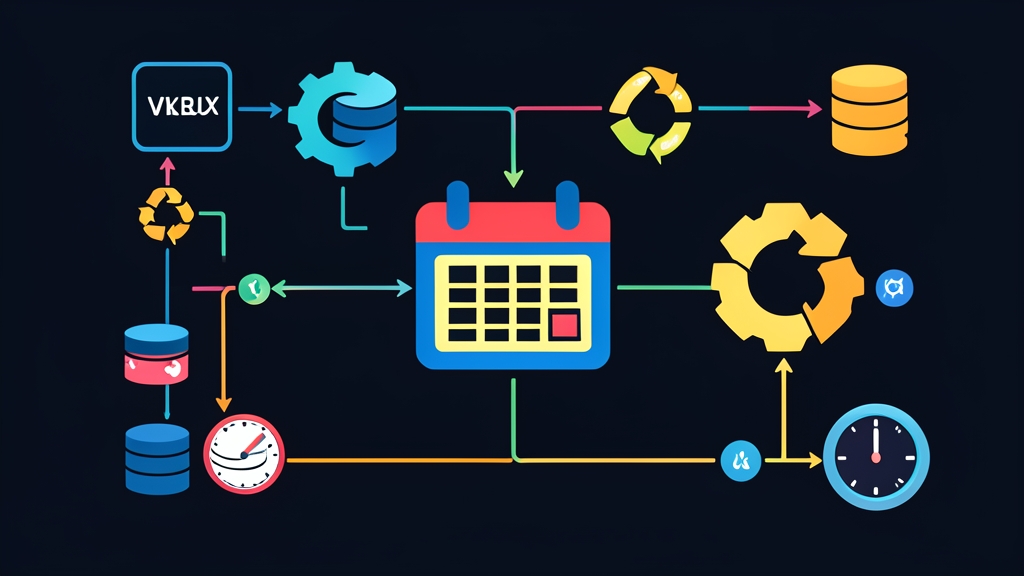
MySQL provides a built-in solution: the MySQL Event Scheduler. This feature acts like an in-engine cron job directly inside the database. The server autonomously schedules and executes SQL statements at the data layer without requiring intermediate connections.
In practice, on a 60GB MySQL 8.0 database, automatically pruning 100,000 expired log entries each night shrank the primary table from 18GB down to 3.5GB. B-Tree index sizes dropped significantly. Consequently, the buffer pool could retain more hot data, slashing disk I/O load by up to 40%.
Setup
Before scheduling any tasks, make sure the scheduler thread is running on your MySQL server.
Step 1: Check Event Scheduler Status
Access the MySQL CLI via your terminal and run the following query:
SHOW VARIABLES LIKE 'event_scheduler';If the Value column shows OFF or DISABLED, the feature is disabled, and the system will ignore all scheduled events.
Step 2: Enable the Event Scheduler
Enable it temporarily in your active runtime session without restarting MySQL:
SET GLOBAL event_scheduler = ON;Note that SET GLOBAL resets to the default value if the server restarts. Starting in MySQL 8.0, you can persist this configuration permanently via SQL without manually editing configuration files:
SET PERSIST event_scheduler = ON;If you are using MySQL 5.7 or prefer managing settings via configuration files, add the following line under the [mysqld] section in /etc/mysql/mysql.conf.d/mysqld.cnf (or /etc/my.cnf):
[mysqld]
event_scheduler=ON
Restart the service if you edited the physical configuration file:
sudo systemctl restart mysqlStep 3: Grant Permissions to the Execution User
The account running the tasks requires the EVENT privilege on the target database. Log in as root and grant the permission:
GRANT EVENT ON my_project_db.* TO 'app_user'@'%';
FLUSH PRIVILEGES;
Detailed Configuration
The standard syntax for a MySQL Event includes the following components:
CREATE EVENT [IF NOT EXISTS] event_name
ON SCHEDULE schedule_definition
[ON COMPLETION [NOT] PRESERVE]
[ENABLE | DISABLE]
DO
  event_body;
1. Simple Task: Cleaning Up Expired Login Tokens
Consider a user_tokens table storing refresh tokens. Tokens expiring after 30 days must be purged regularly to free up table storage. The event below triggers automatically at 03:00 AM every day:
CREATE EVENT IF NOT EXISTS ev_clean_expired_tokens
ON SCHEDULE EVERY 1 DAY
STARTS (CURRENT_DATE + INTERVAL 3 HOUR)
ON COMPLETION PRESERVE
ENABLE
DO
  DELETE FROM user_tokens
  WHERE expires_at < NOW();
Explanation of configuration parameters:
EVERY 1 DAY: The execution interval. You can adjust this to1 HOUR,30 MINUTE, or1 WEEKas needed.ON COMPLETION PRESERVE: Retains the event in the data dictionary after execution, rather than having MySQL automatically drop it.ENABLE: Activates the schedule immediately upon creation.
2. Advanced Task: BEGIN … END Block for Log Archiving and Auditing
For complex multi-step workflows — copying old logs to an archive table, purging them from the primary table, and logging maintenance history — wrap the statements inside a BEGIN ... END block and temporarily redefine the DELIMITER:
DELIMITER $$

CREATE EVENT IF NOT EXISTS ev_archive_and_purge_logs
ON SCHEDULE EVERY 1 WEEK
STARTS (CURRENT_DATE + INTERVAL 2 HOUR)
ON COMPLETION PRESERVE
DO
BEGIN
  -- 1. Copy records older than 90 days to the archive table
  INSERT INTO audit_logs_archive
  SELECT * FROM audit_logs
  WHERE created_at < NOW() - INTERVAL 90 DAY;

  -- 2. Delete copied rows to reclaim disk space and index overhead
  DELETE FROM audit_logs
  WHERE created_at < NOW() - INTERVAL 90 DAY;

  -- 3. Log maintenance history to the administrative audit table
  INSERT INTO maintenance_history (task_name, executed_at, status)
  VALUES ('ev_archive_and_purge_logs', NOW(), 'SUCCESS');
END $$

DELIMITER ;
3. Suspending and Resuming Events During Deployments
During schema migrations or large table alterations, background events can cause lock conflicts. It is best practice to temporarily disable events prior to deploying:
-- Suspend the event execution
ALTER EVENT ev_clean_expired_tokens DISABLE;

-- Re-enable the event after deployment completes
ALTER EVENT ev_clean_expired_tokens ENABLE;
Verification & Monitoring
Events run entirely in background threads. Because there is no direct output interface, you need to proactively utilize monitoring tools to catch any failures.
1. View Scheduled Events and Next Run Times
Quickly list all existing events in your database:
SHOW EVENTS FROM my_project_db\GTo inspect the last execution time (LAST_EXECUTED) and next trigger time (NEXT_RUN), query the system catalog:
SELECT
  EVENT_NAME,
  STATUS,
  INTERVAL_VALUE,
  INTERVAL_FIELD,
  LAST_EXECUTED,
  NEXT_RUN
FROM information_schema.EVENTS
WHERE EVENT_SCHEMA = 'my_project_db';
2. Inspect System Error Logs
When an event hits a syntax error or a deadlock, MySQL cannot return errors to a client session. Instead, all details are logged directly to the server’s error.log. Check it quickly via the terminal:
sudo tail -n 50 /var/log/mysql/error.logScheduler-related log entries always include an identifying prefix such as [Warning] or [ERROR] Event Scheduler: [user][db.event_name] ....
3. Best Practices to Prevent Database Bottlenecks
- Avoid monolithic bulk DELETE operations: A single
DELETEstatement removing 500,000 rows locks massive record ranges (row/gap locks), saturates the buffer pool, and causes severe replication lag on replica servers. Split large deletions into 5,000-row batches using aLIMITclause or wrap them in a Stored Procedure loop with short sleep intervals. - Always index WHERE clause columns: Timestamp filtering columns like
expires_atorcreated_atmust be indexed. Without an index, the event triggers a full table scan, spiking CPU utilization to 100% and choking incoming business queries. - Avoid peak traffic hours: Schedule resource-intensive cleanup or data aggregation jobs during off-peak hours, typically between 02:00 AM and 04:30 AM.