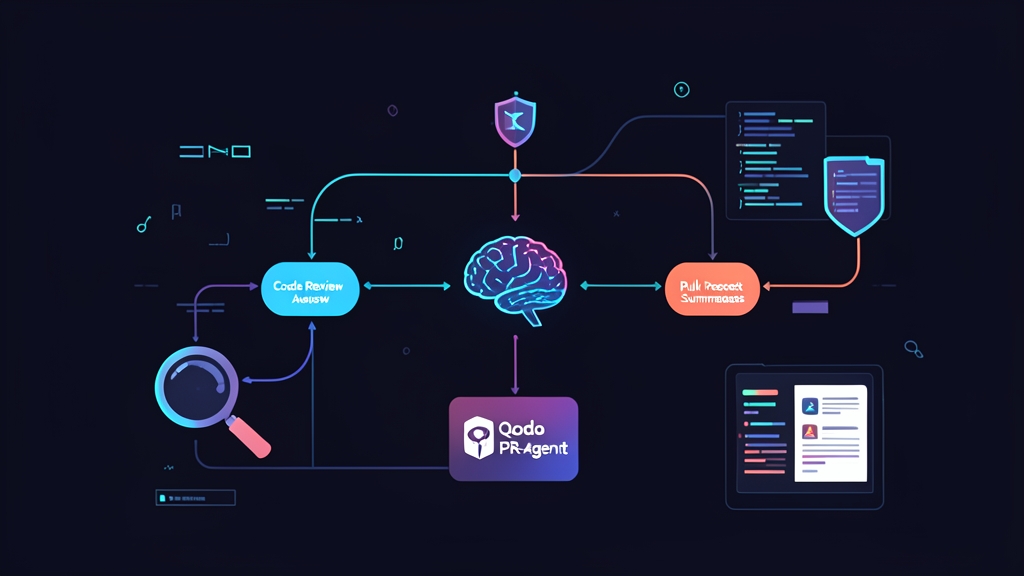
Pull Request Reviews: The Eternal Bottleneck for Dev Teams
Does this scenario sound familiar? Seniors are stuck in back-to-back meetings all day while dozens of Pull Requests (PRs) sit in limbo. When someone finally opens one, all they find is a terse title: “fix bug”. The reviewer is left wading through an 800-line diff, trying to guess what the author actually intended. After six months of integrating AI into our CI/CD pipeline, I realized that most of this delay can be completely automated, much like automating documentation to clean up tech debt.
Currently, development teams typically tackle the review challenge in three ways:
- Traditional Static Analysis (SonarQube, ESLint): Excellent at catching syntax errors, formatting issues, and leaked secrets. However, linters don’t understand business logic. They will never ask: “Why does the discount calculation apply the coupon after VAT has already been calculated?”.
- Custom scripts calling LLM APIs: While offering complete flexibility, maintenance quickly turns into a nightmare. You have to chunk git diffs when PRs exceed the context window, handle rate limits, and interact with the GitHub API to map comments to exact lines. My team tried this route and threw in the towel after just two weeks.
- Qodo PR-Agent (formerly CodiumAI): An open-source framework purpose-built for PRs. It comes out-of-the-box with smart diff chunking, standardized prompts for each task, and pre-built actions that run directly on your repository’s GitHub infrastructure.
Real-World Experience After 6 Months in Production
No tool is silver-bullet perfect. Qodo PR-Agent solves many headaches, but there are still caveats you need to anticipate.
The Big Wins
- Crystal-clear PR descriptions in 15 seconds (
/describe): The bot scans the diff and generates a Conventional Commits-compliant title, a file-by-file summary of changes, and a testing checklist. Developers save at least 7–10 minutes of manual documentation on every PR. - Objective risk scoring (
/review): Rather than subjective feedback, the bot assigns a Risk Score from 1 to 5. Seeing a PR touching banking transactions flagged with a Risk Score of 4 and a warning like “missing rollback mechanism on gateway timeout” lets the tech lead pinpoint immediately where to focus. As a result, our team’s average PR turnaround time dropped from 18 hours to under 6 hours. - Source code privacy: Running as a self-hosted GitHub Action means you supply your own API key (OpenAI or Azure OpenAI). Your code is never sent through third-party intermediary servers.
Rough Edges to Watch Out For
- Token burn if filters aren’t configured: A PR accidentally committing a 12,000-line
package-lock.jsoncan chew through 80,000 tokens in the blink of an eye. Configuring ignore rules for bloat files from day one is essential. - Hallucinations with internal libraries: Occasionally, the bot invents non-existent methods when suggesting refactors. The golden rule remains unchanged: AI serves as a first-pass reviewer; humans must always make the final call to merge.
When Should You Self-Host Instead of Using the SaaS Marketplace App?
If your repo only has 1 or 2 developers, setting up CI bots might be overkill when an in-editor assistant like Roo Code in VS Code is often enough. Conversely, once a team reaches 5–7 engineers and ships 15–20 PRs a day, self-hosting via GitHub Actions becomes the ideal choice.
The primary advantages are cost efficiency and customizability. Using gpt-4o-mini, the average cost hovers around just $0.01 – $0.03 for a medium-sized PR review. You keep your data completely within your organization while tailoring the bot’s behavior to match your internal coding standards via configuration files.
Step-by-Step Guide to Deploying Qodo PR-Agent with GitHub Actions
Step 1: Configure Secrets in GitHub
Navigate to your repository on GitHub, go to Settings > Secrets and variables > Actions, and add the key:
OPENAI_KEY: Your API Key from the OpenAI dashboard.
The GITHUB_TOKEN secret is provided by default within GitHub runners, so no extra setup is needed.
Step 2: Grant Write Permissions to the Runner
The bot requires permissions to comment on and label PRs. Head over to Settings > Actions > General > Workflow permissions, select Read and write permissions, and click Save.
Step 3: Create the Automated Workflow
Create a file at .github/workflows/pr_agent.yml with the following content:
name: Qodo PR-Agent Automation

on:
  pull_request:
    types: [opened, reopened, ready_for_review]
  issue_comment:
    types: [created]

permissions:
  pull-requests: write
  issues: write
  contents: read

jobs:
  pr_agent_job:
    runs-on: ubuntu-latest
    if: ${{ !github.event.pull_request.draft }}
    steps:
      - name: Checkout Code
        uses: actions/checkout@v4

      - name: Run Qodo PR-Agent
        uses: Codium-ai/pr-agent@main
        env:
          OPENAI_KEY: ${{ secrets.OPENAI_KEY }}
          GITHUB_TOKEN: ${{ secrets.GITHUB_TOKEN }}
          github_action_config.auto_describe: "true"
          github_action_config.auto_review: "true"
          github_action_config.auto_improve: "false"
          CONFIG.model: "gpt-4o-mini"
          CONFIG.fallback_models: "['gpt-4o']"
Step 4: Enforce Rules Using .pr_agent.toml
This step determines whether your bot provides insightful reviews or spammy noise. Create a .pr_agent.toml file in the root directory of your repository:
[pr_reviewer]
ignore_pr_title = ["\[WIP\]", "\[Draft\]"]
extra_instructions = """
Response language: English.
Focus areas: SQL injection vulnerabilities, race conditions, missing validation in Controllers, and memory leaks.
Ignore: Do not comment on indentation, whitespace, or code formatting, as these are handled by Prettier/ESLint.
"""

[pr_description]
add_original_user_description = true
generate_ai_title = true

[config]
# Mandatory list of files to ignore to optimize token costs
ignore_files = [
  "package-lock.json",
  "yarn.lock",
  "pnpm-lock.yaml",
  "go.sum",
  "*.min.js",
  "dist/**",
  "build/**",
  "database/migrations/**"
]
Step 5: Daily Workflow Experience
Now, whenever a developer opens a new PR:
- The bot automatically generates a structured Description: clearly outlining affected modules, classifying changes as Feature/Bugfix, and attaching a quick testing checklist.
- After roughly 30 seconds, the bot posts a risk assessment comment, pointing out specific files and lines of code with potential logic bugs.
- When further collaboration is needed, developers simply comment directly on the PR: type
/improvefor AI-suggested refactoring, or type/ask Is this handlePayment function safe from race conditions?to discuss implementation details before merging.