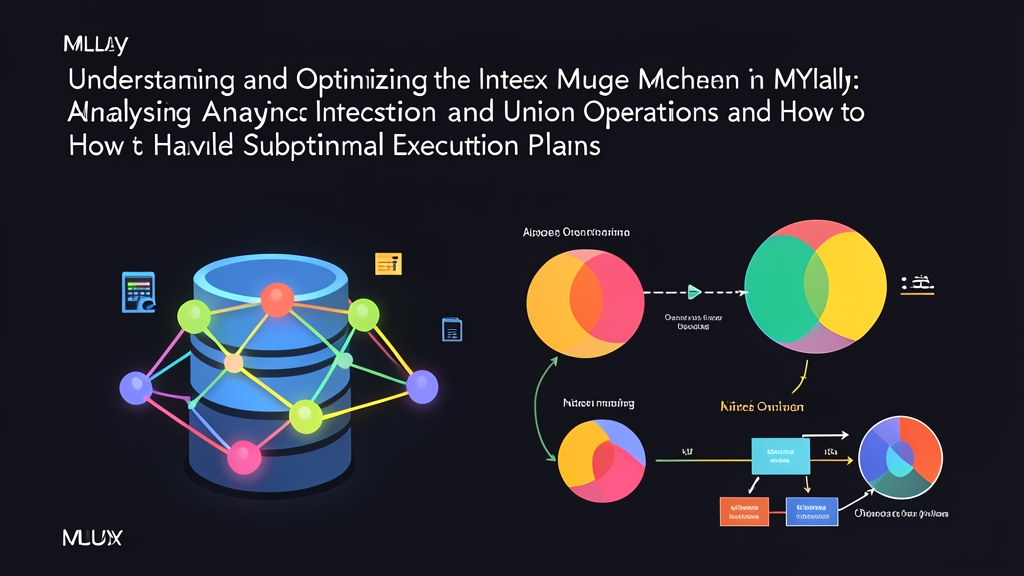
Comparing Data Retrieval Approaches in MySQL
Suppose you manage a users table with over 10 million rows. Your manager asks: “Get the list of employees in Marketing from Da Nang.” How does MySQL retrieve this data? Here are four common approaches:
- Approach 1: Full Table Scan
MySQL scans every row in the table from start to finish. This consumes an enormous amount of disk I/O. When table size reaches millions of rows, queries typically take 3 to 8 seconds to respond. - Approach 2: Single Index Scan
MySQL uses thedepartment_idindex to filter down to 200,000 Marketing employees. Next, it looks up each record in the clustered index to check their hometown. While faster than a full table scan, it still incurs significant random I/O. - Approach 3: Index Merge
The engine reads two separate indexes in parallel:idx_deptandidx_city. Instead of reading table rows immediately, MySQL collects two sets of Primary Keys (row IDs) and finds their intersection or union in memory. Only after producing the filtered list of primary keys does it fetch the actual rows. - Approach 4: Composite Index
You create a composite index on(department_id, city). The data is pre-sorted in logical order. MySQL simply jumps to the exact position and scans sequentially within milliseconds without the overhead of merging IDs.
Pros and Cons of Index Merge Access Methods
Many developers assume that adding individual indexes to every column will automatically speed up queries. In reality, MySQL’s Cost-Based Optimizer (CBO) must estimate costs before deciding whether to merge indexes. Occasionally, this choice introduces a severe bottleneck.
Index Merge typically operates under three primary access methods:
1. Using intersect
This method occurs when a query combines single-index columns with an AND condition:
SELECT id, username, email FROM users
WHERE department_id = 4 AND status = 'active';
Pros: Leverages existing indexes without requiring new ones that would slow down write operations.
Cons: MySQL must load the full primary key sets from both indexes into RAM to find the intersection. If each condition matches 300,000 rows, the intersect algorithm consumes substantial CPU. Execution times can stretch up to 1.5 seconds—even slower than scanning a single index.
2. Using union
This scenario arises when the query uses an OR condition:
SELECT id, username, email FROM users
WHERE email = '[email protected]' OR phone_number = '0901234567';
Pros: With an OR condition, using a single index forces MySQL to fall back to a full table scan for the remaining branch. Index Merge Union scans both indexes and merges the results.
Cons: The database expends memory to deduplicate primary keys before fetching and returning the actual records.
3. Using sort_union
Similar to Union, but triggered when an OR condition contains range comparisons (such as >, <, or BETWEEN):
SELECT id, name FROM products
WHERE price < 50000 OR category_id = 12;
Pros: Avoids full table scans when OR clauses contain complex range conditions.
Cons: High RAM overhead. Because row IDs from range scans lack a unified sort order, MySQL must allocate sort_buffer_size memory to sort the primary keys before merging them.
Rules of Thumb When the Optimizer Makes the Wrong Choice
MySQL’s optimizer estimates execution costs based on table statistics (cardinality and estimated page counts). However, skewed data distributions can throw off these statistics, causing the optimizer to pick Index Merge over a more efficient execution plan.
Here are practical guidelines to help you decide:
- Keep Index Merge: Suitable for
ORqueries on columns with high cardinality. It is also ideal for high-write tables (exceeding 1,000 writes/sec), where creating additional composite indexes would degradeINSERT/UPDATEthroughput. - Replace with a Composite Index: Recommended for high-frequency
ANDqueries. A composite index(col1, col2)can slash query latency from 1,200ms to under 8ms by completely eliminating in-memory ID filtering. - Disable Index Merge or use hints: Mandatory when the optimizer attempts to merge two massive data sets, causing CPU utilization to spike to 100%.
Practical Diagnostic and Remediation Steps
Bước 1: Identify Index Merge via EXPLAIN
Analyze queries showing abnormal latency:
EXPLAIN SELECT id, username FROM users
WHERE role = 'manager' AND created_at >= '2026-01-01';
If the type column shows index_merge and the Extra column contains Using intersect(idx_role, idx_created_at), MySQL is merging these two separate indexes.
Bước 2: Replace with a Proper Composite Index
For queries using AND, a properly ordered composite index completely resolves the issue:
-- Place higher cardinality columns or equality (=) conditions first
CREATE INDEX idx_role_created_at ON users (role, created_at);
Re-running EXPLAIN will show the type column changing to range or ref, with key pointing directly to idx_role_created_at. The intermediate in-memory step is eliminated entirely.
Bước 3: Intervene with Optimizer Switches or Index Hints
If your production table is too large for an immediate DDL migration, disable Index Merge at the session level:
-- Disable all index merge algorithms for the current session
SET SESSION optimizer_switch = 'index_merge=off';

-- Or disable only the intersection algorithm
SET SESSION optimizer_switch = 'index_merge_intersection=off';
To target a single query without affecting other connections, use a traditional index hint:
-- Force MySQL to use only the created_at index
SELECT id, username FROM users USE INDEX (idx_created_at)
WHERE role = 'manager' AND created_at >= '2026-01-01';
Or use modern MySQL 8.0 optimizer hints:
SELECT /*+ NO_INDEX_MERGE(users idx_role, idx_created_at) */ id, username
FROM users
WHERE role = 'manager' AND created_at >= '2026-01-01';
Understanding how Index Merge works gives you full control over your execution plans, keeps p99 latency low, and shields your database from sudden traffic surges.