Risk Incident: When a Standalone Redis Server Unexpectedly Crashes
Your system is handling 10,000 concurrent users during peak flash sale hours. All login sessions and shopping carts reside in Redis in-memory storage to guarantee sub-5ms response times. Suddenly, the Redis server runs out of memory or the OS kernel invokes the OOM killer to terminate the process. Your application immediately returns a flood of 500 errors. Customers cannot complete their checkouts.
This is a classic Single Point of Failure (SPOF) scenario. If you rely on a single Redis node, you must wait for an on-call engineer to receive the alert, SSH into the server, and manually restart the service. That process typically takes 15 to 30 minutes. The definitive solution is deploying a High Availability architecture with automated failover.
How Redis Sentinel Works
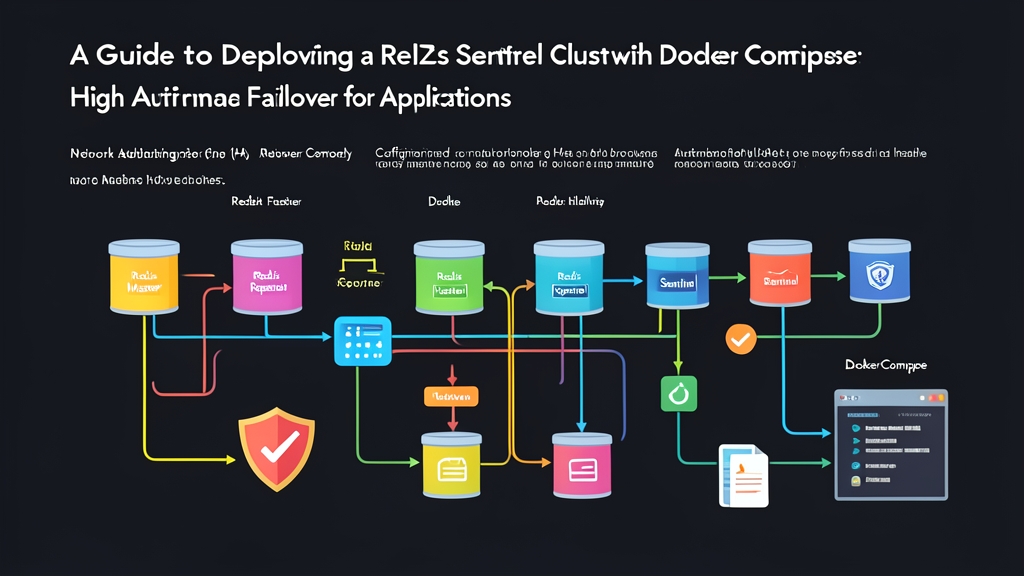
Redis Sentinel acts as an independent arbiter that does not store user data. The architecture comprises three core components:
- Redis Master: Handles all write operations and serves read requests. Exactly one Master is active at any given time.
- Redis Replica (Slave): Continuously synchronizes data from the Master in real time and offloads read queries.
- Redis Sentinel: A group of monitoring processes that tracks the health of the Master and Replicas through periodic ping packets.
If the Master stops responding beyond a configured threshold (typically 5 seconds), a Sentinel marks it as Subjectively Down (sdown). This Sentinel immediately polls other Sentinels. Once a consensus threshold (Quorum) is reached, the outage is confirmed cluster-wide as Objectively Down (odown).
Immediately afterward, the Sentinel group elects a Leader to trigger the failover process. The arbiter selects the Replica with the lowest replication lag and promotes it to become the new Master. The entire cycle takes just 5 to 7 seconds without requiring any manual command-line intervention.
Note: You need at least 3 Sentinel nodes in a production environment. An odd number of nodes ensures the cluster can always achieve a majority vote (Quorum = 2), preventing split-brain scenarios during network partitions.
Hands-on: Setting Up a Redis Sentinel Cluster with Docker Compose
A common mistake when running this setup on Docker is mounting a shared sentinel.conf file across all three containers. Upon startup, Sentinel automatically generates a unique myid and writes it directly back to the configuration file. Sharing the file causes ID conflicts and breaks the cluster. Below is the proper setup using three independent configuration files.
1. Prepare the Directory Structure
Initialize the project directory and create dedicated configuration files for each Sentinel:
mkdir -p redis-sentinel-ha/sentinel && cd redis-sentinel-ha
touch sentinel/sentinel-1.conf sentinel/sentinel-2.conf sentinel/sentinel-3.conf
2. Configure sentinel-1.conf
Add the following content to sentinel/sentinel-1.conf (repeat the same for sentinel-2.conf and sentinel-3.conf):
port 26379
dir /tmp
sentinel monitor mymaster redis-master 6379 2
sentinel down-after-milliseconds mymaster 5000
sentinel failover-timeout mymaster 10000
sentinel parallel-syncs mymaster 1
Technical breakdown of each configuration parameter:
sentinel monitor mymaster redis-master 6379 2: Names the monitored group mymaster, targets hostname redis-master on port 6379, and requires a minimum of 2 Sentinels to confirm before triggering failover.down-after-milliseconds mymaster 5000: Marks the Master unreachable if it fails to respond to pings within 5,000ms (5 seconds).failover-timeout mymaster 10000: Sets a 10-second timeout for the entire failover process. If exceeded, another Sentinel will retry.parallel-syncs mymaster 1: The number of Replicas allowed to synchronize data simultaneously with the new Master. Keep this at 1 to prevent network bandwidth saturation.
3. Configure docker-compose.yml
The topology consists of 1 Master, 1 Replica, and 3 Sentinels communicating over an internal bridge network:
version: '3.8'

networks:
  redis-net:
    driver: bridge

services:
  redis-master:
    image: redis:7-alpine
    container_name: redis-master
    ports:
      - "6379:6379"
    networks:
      - redis-net

  redis-replica:
    image: redis:7-alpine
    container_name: redis-replica
    ports:
      - "6380:6379"
    command: redis-server --replicaof redis-master 6379
    depends_on:
      - redis-master
    networks:
      - redis-net

  sentinel-1:
    image: redis:7-alpine
    container_name: sentinel-1
    command: redis-sentinel /etc/redis/sentinel.conf
    volumes:
      - ./sentinel/sentinel-1.conf:/etc/redis/sentinel.conf
    ports:
      - "26379:26379"
    depends_on:
      - redis-master
      - redis-replica
    networks:
      - redis-net

  sentinel-2:
    image: redis:7-alpine
    container_name: sentinel-2
    command: redis-sentinel /etc/redis/sentinel.conf
    volumes:
      - ./sentinel/sentinel-2.conf:/etc/redis/sentinel.conf
    ports:
      - "26380:26379"
    depends_on:
      - redis-master
      - redis-replica
    networks:
      - redis-net

  sentinel-3:
    image: redis:7-alpine
    container_name: sentinel-3
    command: redis-sentinel /etc/redis/sentinel.conf
    volumes:
      - ./sentinel/sentinel-3.conf:/etc/redis/sentinel.conf
    ports:
      - "26381:26379"
    depends_on:
      - redis-master
      - redis-replica
    networks:
      - redis-net
4. Start and Verify Cluster Status
Start the entire stack using:
docker compose up -dVerify how Sentinel perceives the Master:
docker exec -it sentinel-1 redis-cli -p 26379 sentinel master mymasterLook out for two critical metrics in the output: num-slaves must be 1 and num-other-sentinels must be 2. This confirms all 3 Sentinels have successfully discovered each other.
5. Test the Automatic Failover Scenario
Simulate an outage by forcefully stopping the Master container:
docker stop redis-masterStream the event logs from Sentinel:
docker logs -f sentinel-1The core lifecycle events will unfold in exact technical sequence:
+sdown master mymaster 172.x.x.x 6379: After 5 seconds without a PONG response, Sentinel-1 marks the Master as subjectively down.+odown master mymaster 172.x.x.x 6379 #quorum 2/2: With 2 consensus votes collected, the failure is confirmed objectively down cluster-wide.+try-failover master mymaster...: Initiates the failover transition procedure.+switch-master mymaster redis-master 6379 redis-replica 6379: Promotes the replica to the new Master.
Verify the updated role of redis-replica:
docker exec -it redis-replica redis-cli roleThe first line of the output is now master. The cluster recovered automatically in roughly 6 seconds. When you bring the original redis-master back online with docker start redis-master, Sentinel automatically demotes it to a Replica that syncs data from the new Master.
Conclusion
Redis Sentinel strikes an optimal balance between operational overhead and high availability for small-to-medium deployments. You don’t need a complex Redis Cluster topology if your goal is simply protecting read/write operations against node crashes. By maintaining separate config files and leveraging internal Docker Compose networking, you have a reliable environment to validate failover before going to production.