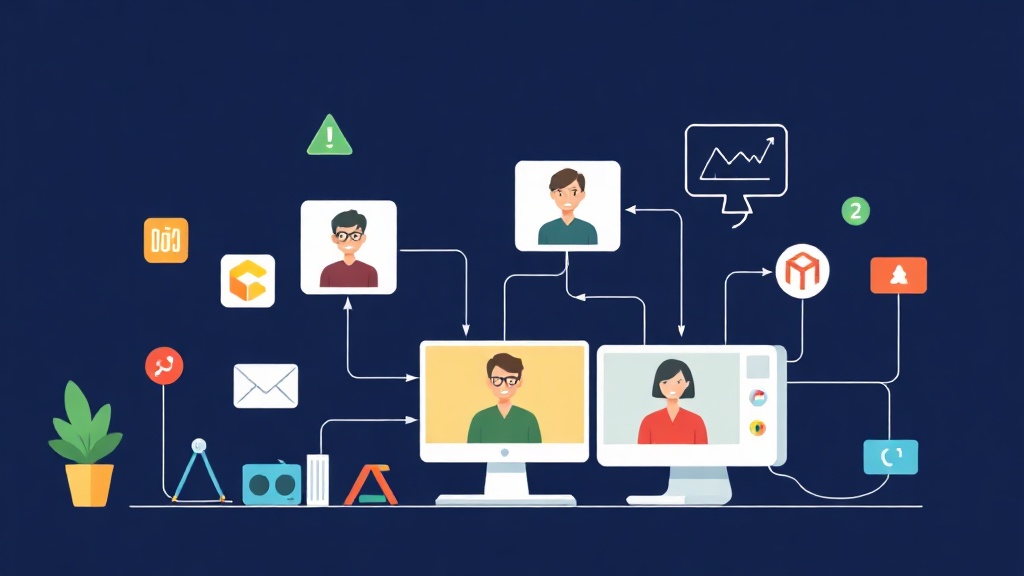
Why is Video Calling a “Nightmare” for Many Developers?
Have you ever wondered how Zoom or Google Meet handles millions of simultaneous calls? Behind that smooth interface lies a “matrix” of terminology: from latency and bandwidth to the challenging puzzle of NAT traversal. The biggest challenge isn’t displaying the video. The real difficulty is getting two devices on different networks to “see” each other and exchange data directly.
In a traditional Client-Server model, all data must pass through an intermediary. This causes server operating costs to skyrocket and latency often exceeds 500ms – a level that makes users feel extremely frustrated. The optimal solution is a Peer-to-Peer (P2P) connection. In this setup, data travels directly between browsers with minimal latency, typically under 100ms in stable network conditions.
WebRTC: When the Browser Plays the “Broker”
WebRTC (Web Real-Time Communication) was born to solve the problem of direct communication. However, it cannot connect magically on its own. To establish a P2P call, two browsers need to know each other’s IP addresses and the video/audio codec parameters (like H.264 or VP8) that the other party supports.
In practice, a paradox arises: To connect directly without a server, we… still need a server to exchange initial information. We call this a Signaling Server.
1. Signaling Server: The Silent Guide
Imagine you want to call a stranger. You can’t get their number without going through a shared directory. The Signaling Server is that directory. It helps both parties exchange SDP (Session Description Protocol) to understand each other’s configuration and ICE Candidates – a list of network “coordinates” that can be used for the connection.
2. NAT and STUN/TURN: Bypassing the Firewall
Most of us browse the web behind a router (NAT). Internal IP addresses (like 192.168.1.x) are completely useless in the public internet environment. To find the real IP, the browser asks a STUN server. Statistics show that STUN can resolve about 80-90% of typical connection cases.
So what about the remaining 10%? For corporate networks with extremely strict firewalls (Symmetric NAT), STUN will fail. At this point, you are forced to use a TURN server to relay data. Although it consumes more resources, this is the final “lifebuoy” to ensure the call isn’t interrupted.
A hard-learned lesson: In a real project for a Japanese client, I was once subjective and only used Google’s free STUN server. As a result, when they tested it within their internal company network, the video just kept spinning and reported a connection error. Never skip configuring a dedicated TURN server (like Coturn) if you plan to build a commercial product.
Hands-on Coding: Building the Video Call App
We will combine Node.js as the Signaling Server via Socket.io and the native WebRTC API available in browsers.
Step 1: Setting up the Signaling Server
First, initialize the project and set up the environment:
mkdir webrtc-app && cd webrtc-app
npm init -y
npm install express socket.io
The server.js file will serve as the relay station for messages between users:
const express = require('express');
const app = express();
const http = require('http').createServer(app);
const io = require('socket.io')(http);

app.use(express.static('public'));

io.on('connection', (socket) => {
    socket.on('join', (roomName) => socket.join(roomName));

    socket.on('offer', (offer, roomName) => {
        socket.to(roomName).emit('offer', offer);
    });

    socket.on('answer', (answer, roomName) => {
        socket.to(roomName).emit('answer', answer);
    });

    socket.on('ice-candidate', (candidate, roomName) => {
        socket.to(roomName).emit('ice-candidate', candidate);
    });
});

http.listen(3000, () => console.log('Server live at http://localhost:3000'));
Step 2: Implementing WebRTC Logic on the Client
The public/index.html interface only needs two simple video frames:
<!DOCTYPE html>
<html>
<body>
    <video id="local" autoplay muted style="width: 45%; border: 2px solid #333;"></video>
    <video id="remote" autoplay style="width: 45%; border: 2px solid #007bff;"></video>
    <script src="/socket.io/socket.io.js"></script>
    <script src="main.js"></script>
</body>
</html>
The “soul” of the app lies in public/main.js. Pay attention to how we handle asynchronous data streams:
const socket = io();
let localStream, peerConnection;
const config = { iceServers: [{ urls: 'stun:stun.l.google.com:19302' }] };

async function init() {
    // Get camera/mic access
    localStream = await navigator.mediaDevices.getUserMedia({ video: true, audio: true });
    document.getElementById('local').srcObject = localStream;

    socket.emit('join', 'room-1');
    peerConnection = new RTCPeerConnection(config);

    // Add tracks to the connection
    localStream.getTracks().forEach(track => peerConnection.addTrack(track, localStream));

    peerConnection.ontrack = e => document.getElementById('remote').srcObject = e.streams[0];

    peerConnection.onicecandidate = e => {
        if (e.candidate) socket.emit('ice-candidate', e.candidate, 'room-1');
    };
}

// Handle Signaling events
socket.on('offer', async (offer) => {
    if (!peerConnection) await init();
    await peerConnection.setRemoteDescription(new RTCSessionDescription(offer));
    const answer = await peerConnection.createAnswer();
    await peerConnection.setLocalDescription(answer);
    socket.emit('answer', answer, 'room-1');
});

socket.on('answer', a => peerConnection.setRemoteDescription(new RTCSessionDescription(a)));

socket.on('ice-candidate', c => peerConnection.addIceCandidate(new RTCIceCandidate(c)));

init();
Why Do Connections Often Fail After Deployment?
Based on my experience debugging dozens of WebRTC projects, I’ve identified the 3 most common causes:
- Forgetting HTTPS: Browsers will block sensitive APIs like the camera if you don’t use SSL. When running on a real server, HTTPS is mandatory.
- Race Condition (Sequence Error): You try to add an ICE candidate before the
remoteDescriptionis set. Always ensure the process: Receive Offer -> Set Remote -> Create Answer -> Set Local. - Corporate Firewalls: If you see Signaling running fine (SDP is exchanged) but the video is still black, you 100% need a TURN server to relay the data.
Final Thoughts
Building Video Call is not difficult if you master the Signaling flow: Offer -> Answer -> ICE Candidates. However, to turn it into a stable product for thousands of users, you will need to dive deeper into bitrate optimization and reconnection handling. Start with these small examples to understand the nature of real-time communication before conquering more complex systems!