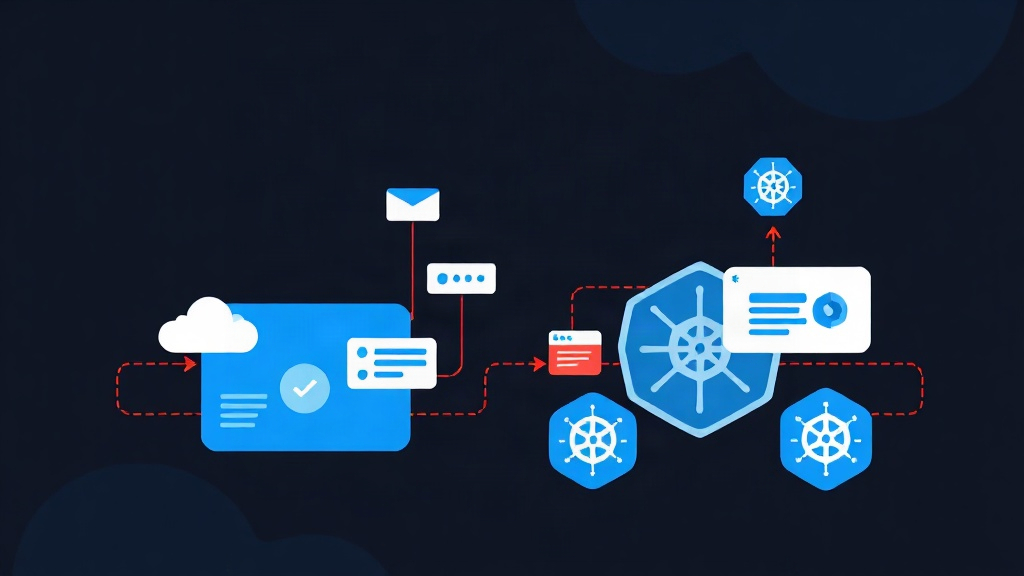
Have you ever broken a sweat using ‘kubectl edit’ directly on Production?
Let’s be honest, many of us in system administration have, at least once, quickly modified parameters directly on a Cluster due to an emergency. The typical result: a week later, no one remembers what was changed. When a new version is deployed, all those manual fixes vanish, and the old bugs resurface. This is exactly where GitOps comes in to end the chaos.
Put simply, GitOps treats Git as the “Single Source of Truth.” Every change, from infrastructure to applications, must go through a Git commit. ArgoCD acts like a Cruise Control system. It constantly monitors whether the actual state on Kubernetes matches what you have declared in Git. If it detects a discrepancy, it automatically brings everything back to the intended state.
Quick Start: Getting ArgoCD Up and Running in 5 Minutes
You just need a Kubernetes Cluster (Minikube, K3s, or EKS). Run the following commands to install it:
# Create a separate namespace
kubectl create namespace argocd

# Install the stable version
kubectl apply -n argocd -f https://raw.githubusercontent.com/argoproj/argo-cd/stable/manifests/install.yaml
To access the Web UI quickly, use Port-forward:
kubectl port-forward svc/argocd-server -n argocd 8080:443Now, open https://localhost:8080. The default username is admin. The password is automatically generated; retrieve it with this command:
kubectl -n argocd get secret argocd-initial-admin-secret -o jsonpath="{.data.password}" | base64 -d
Note: You should change your password immediately and delete this Secret to ensure security.
Why does ArgoCD outperform traditional Jenkins or GitHub Actions models?
Many ask: “Can’t I just use GitHub Actions to run kubectl apply?” This approach is called Push-based. You push the command and hope it succeeds. But if the Cluster loses connection at that moment, or if someone manually deletes a Deployment, your CI/CD will be completely blind to it.
ArgoCD uses a Pull-based model with several superior advantages:
- Auto-sync: It continuously polls Git. When it sees a YAML change, it updates the Cluster immediately.
- Drift Detection: If someone manually edits something on the Cluster, ArgoCD will report an “OutOfSync” status. You can revert the system to the standard state with just one click.
- Visual Observation: The ArgoCD dashboard gives you a comprehensive view of the health of every Pod and Service without having to type commands repeatedly.
When dealing with complex YAML or JSON configuration files, I often use JSON Formatter to quickly verify the data structure. This tool helps avoid silly formatting errors before committing to Git.
Deploying Your First Application Following GitOps Standards
Suppose you have a Repo containing the deployment.yaml file for an Nginx application. We will create an “Application” in ArgoCD to track this Repo.
Step 1: Prepare the Manifest on Git
Create a simple nginx-app.yaml file:
apiVersion: apps/v1
kind: Deployment
metadata:
  name: nginx-deployment
spec:
  replicas: 2
  template:
    spec:
      containers:
      - name: nginx
        image: nginx:1.21
        ports:
        - containerPort: 80
Step 2: Let ArgoCD Manage the Application
Instead of using the UI, use a YAML file to configure ArgoCD itself (App-of-Apps pattern):
apiVersion: argoproj.io/v1alpha1
kind: Application
metadata:
  name: my-nginx-app
  namespace: argocd
spec:
  source:
    repoURL: 'https://github.com/your-username/your-repo.git'
    path: 'manifests'
  destination:
    server: 'https://kubernetes.default.svc'
    namespace: default
  syncPolicy:
    automated:
      prune: true
      selfHeal: true
The two most valuable features here are: Prune (automatically deletes redundant resources on the Cluster when they are deleted in Git) and SelfHeal (automatically restores the configuration if it is affected by external changes).
Hard-Earned Lessons from the Field
After implementing GitOps for many large systems, I’ve learned 3 important lessons:
- Never push Secrets to Git: Never commit passwords in plain text. Use Sealed Secrets or External Secrets Operator to connect with Vault/AWS Secret Manager.
- Separate Code Repo and Manifest Repo: This is a golden rule. Once CI finishes building the new image, it only needs to update the tag in the Manifest Repo. This approach allows you to control deployment independently from the code build process.
- Leverage Kustomize: Instead of copy-pasting YAML for Dev/Prod environments, use Kustomize to manage differences (such as replica counts or Resource Limits).
Applying GitOps can help reduce Mean Time to Recovery (MTTR) by up to 80%. Instead of scrambling for emergency commands, you just point ArgoCD to the Git Repo, and everything will be restored in an instant. That is the peace of mind every DevOps engineer strives for.