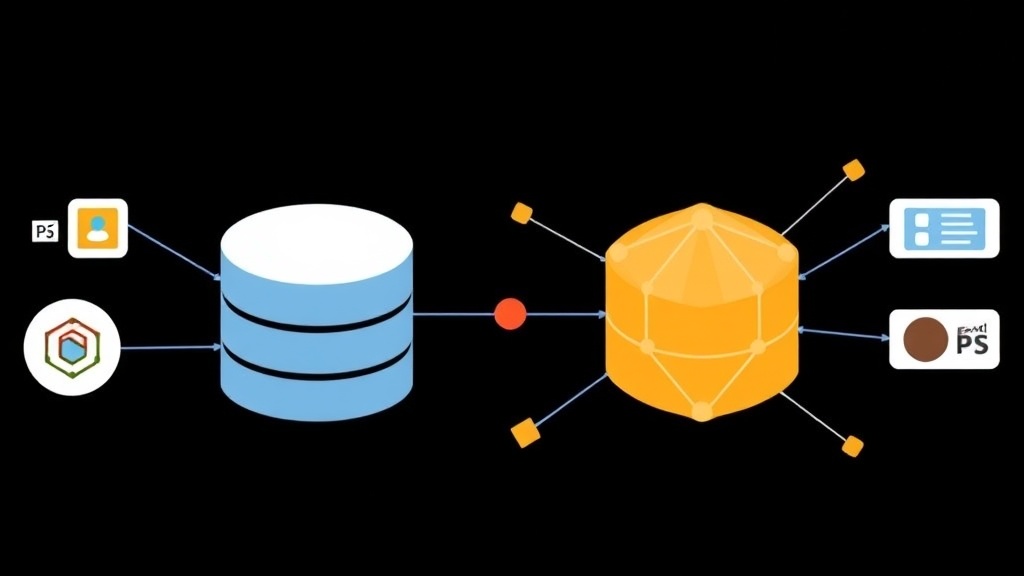
When SQL Struggles with Complex Relationships
In my 10+ years in the industry, I’ve worked with various databases from MySQL and PostgreSQL to MongoDB. Each has its own strengths. SQL is king when data is strictly structured and requires integrity (ACID). But reality often throws us curveballs. Imagine building a recommendation system for an e-commerce platform with 500,000 users, where relationships between customers, products, and shopping behaviors are as interconnected as a spider web.
At this point, using pure SQL means facing 7-8 table JOINs or slow Recursive CTEs. Looking back at the query you just wrote can be mind-boggling. A common solution is to turn to dedicated Graph Databases like Neo4j. However, operating a new DBMS and synchronizing data between the two is an infrastructure nightmare. Apache AGE solves exactly that pain point: bringing the power of Graph directly into PostgreSQL.
What is Apache AGE and Why Should You Care?
Apache AGE (Graph Extension) is an Apache Software Foundation project that enables PostgreSQL to understand and process graph data. Instead of running alongside it, AGE integrates directly into the Postgres core. The biggest selling point is its support for openCypher—currently the most popular graph query language, similar to what SQL is for the relational world.
The best part I’ve found is its multi-model querying capability. You can write a single command that retrieves info from traditional SQL tables while embedding graph queries to uncover hidden connections. For example: “Find all friends of customer A who bought product X in the last 30 days.” Everything is wrapped in a single transaction, so there’s no need to worry about data inconsistency.
How to Install Apache AGE on Linux
For maximum stability, I recommend building from source. Here, I’m using Ubuntu and PostgreSQL 15 (AGE also supports versions 11, 12, and 13).
1. Install Dependencies
First, install the necessary compilation tools:
sudo apt-get update
sudo apt-get install build-essential libreadline-dev zlib1g-dev flex bison libssl-dev
2. Download Apache AGE Source Code
Clone the official repository from GitHub:
git clone https://github.com/apache/age.git
cd age
3. Compile and Install
You need to specify the correct path to your PostgreSQL pg_config file:
# Check the exact path on your machine
export PG_CONFIG=/usr/lib/postgresql/15/bin/pg_config
make install
If no red error lines appear, congratulations, the extension is ready.
Configuring PostgreSQL to Unlock Graph Power
Once installed, it’s not ready to use just yet; we need to perform a few “registration” steps with Postgres.
1. Edit the postgresql.conf Configuration File
Open the configuration file (usually at /etc/postgresql/15/main/postgresql.conf) and look for the shared_preload_libraries line:
shared_preload_libraries = 'age'2. Restart the Service
sudo systemctl restart postgresql3. Initialize the Extension in the Database
Access your database and run the initialization commands:
CREATE EXTENSION age;
LOAD 'age';
SET search_path = ag_catalog, "$user", public;
Adding ag_catalog to your search_path allows you to call AGE functions very concisely.
Hands-on Graph Queries with Cypher
Here is how we create and query graph data in practice.
Create Graph Space
SELECT create_graph('itfromzero_network');Create Nodes and Relationships
Use the cypher() function to execute graph commands within SQL. For example, creating an engineer named Minh:
SELECT * FROM cypher('itfromzero_network', $$
    CREATE (n:Person {name: 'Minh', role: 'Engineer'})
    RETURN n
$$) as (v agtype);
To create a “Follow” relationship between two people:
SELECT * FROM cypher('itfromzero_network', $$
    MATCH (a:Person), (b:Person)
    WHERE a.name = 'Minh' AND b.name = 'An'
    CREATE (a)-[r:FOLLOWS]->(b)
    RETURN r
$$) as (e agtype);
The (a)-[:REL]->(b) syntax perfectly mimics how we draw diagrams on paper, making it much more intuitive than managing rigid Foreign Keys.
Optimization and Monitoring Tips
When deploying AGE in a production environment, keep the following points in mind to prevent system freezes:
- Memory Configuration: Graph operations are very RAM-hungry. If you stick with the default
work_mem(usually 4MB), complex queries will be slow as a snail. Try increasing it to 64MB or 256MB depending on your server resources. - Use EXPLAIN ANALYZE: Wrap your
cypher()functions with this command. It breaks down node scanning costs, helping you identify if you’re hitting a “full table scan.” - Leverage Indexes: AGE allows using Postgres GIN or B-tree indexes on graph properties. Never forget to index fields like
uidorsluginside your nodes.
Apache AGE is an excellent choice for those who want to maintain the stability of PostgreSQL while expanding their ability to handle complex data relationships. Before considering a move to a costly and hard-to-manage NoSQL Graph database, try installing AGE and experience its convenience.