The Nightmare of “Draw First, Write Later”
Every Cloud project usually starts on Lucidchart or Draw.io. Once the drawing is finished, you face a harsh reality: manually typing hundreds of lines of Terraform to bring that diagram to life. This is a repetitive and extremely time-consuming task.
After testing this on several real-world projects, I realized this is the “weapon” that helps you escape tedious manual labor. Instead of spending an entire morning declaring VPCs or RDS instances, Vision LLM models like Claude 3.5 Sonnet can “see” an image and output clean code in seconds. According to my personal statistics, this technique helped me reduce work time from 4 hours to about 45 minutes for a standard 3-tier system.
Vision LLM: When AI Starts “Understanding” Shapes
Previously, computers read images primarily based on OCR (optical character recognition). This method often failed because AI didn’t understand the meaning of arrows or the relationships between icons. However, the new generation of Vision LLMs has brought a major leap in spatial reasoning capabilities.
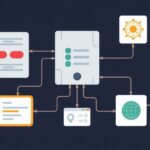
Imagine providing an AWS architecture image featuring an ELB connecting to 3 EC2 instances across different Availability Zones. AI now sees more than just symbols; it understands the High Availability structure you are aiming for. Specifically, Claude 3.5 Sonnet writes very clean Terraform HCL, adheres to modularization, and has significantly fewer syntax errors than older models.
Practical Guide: 3 Steps to Convert Diagrams to Code
To achieve the highest accuracy, you should use standard icon sets from AWS, Azure, or GCP. The clearer the image, the less the AI has to guess.
Step 1: Prepare the Diagram and Choose a Model
Based on real-world tests, Claude 3.5 Sonnet is currently leading in accuracy, followed by GPT-4o. Simply take a clear screenshot of your diagram and upload it to the chat interface. Avoid using blurry images, as AI can easily confuse similar symbols like SQS and SNS.
Step 2: Use a Production-Ready Prompt
Don’t use generic commands. For high-quality results, you need a well-structured prompt. Here is the template I frequently use for production projects:
Role: You are a Senior Cloud Architect specializing in Terraform.
Task: Analyze the image and convert the architecture diagram into Terraform code (HCL).

Technical Standards:
1. Use the latest version of the AWS Provider.
2. Resources must be parameterized via variables.tf.
3. File structure consists of: main.tf, variables.tf, and outputs.tf.
4. Ensure Security Groups have connection rules exactly as indicated by the arrows in the diagram.
5. Naming convention: itfromzero-project-resource_name.
Step 3: Quality Control
AI generates code very quickly, but you must never copy-paste it directly into production. You need to act as the reviewer. Run the following command set to ensure everything is stable:
# Automatically align formatting
terraform fmt

# Check syntax and basic logic
terraform validate

# Carefully review the resources to be created
terraform plan
Tips for Handling Complex Diagrams
After six months of application, I’ve summarized one important tip: Don’t be greedy. With massive Microservices systems, AI often misses small details like Health Checks or specific Security Group rules.
The optimal solution is to break down the diagram. Instead of uploading one massive overview, I divide it into modules: Networking, Compute, and Database. Processing each cluster separately helps the AI focus better and generate higher-quality source code.
For example, when the AI outputs code for RDS, ask it to add a subnet group if you drew the RDS within a Private zone:
resource "aws_db_subnet_group" "itfromzero_db_sg" {
  name       = "itfromzero-db-subnet-group"
  subnet_ids = [aws_subnet.private_1.id, aws_subnet.private_2.id]

  tags = {
    Name = "ITFromZero DB Subnet Group"
  }
}
Data Security is the Top Priority
A fatal mistake many engineers make is asking AI to generate Access Keys or Database passwords. This data could be used to train models, causing sensitive information leaks.
My hard-earned experience is to always require the AI to use placeholders. Use .tfvars to manage actual values and don’t forget to add them to .gitignore before pushing to GitHub. Good security starts with the smallest habits.
Conclusion
Vision LLM does not replace your fundamental knowledge of Terraform. On the contrary, you need deep understanding to know if the AI is doing it right or wrong. Treat AI as a powerful partner that handles the typing, allowing you to spend your time on architectural thinking and infrastructure cost optimization. Try it out with an old diagram; you’ll be surprised by the results!