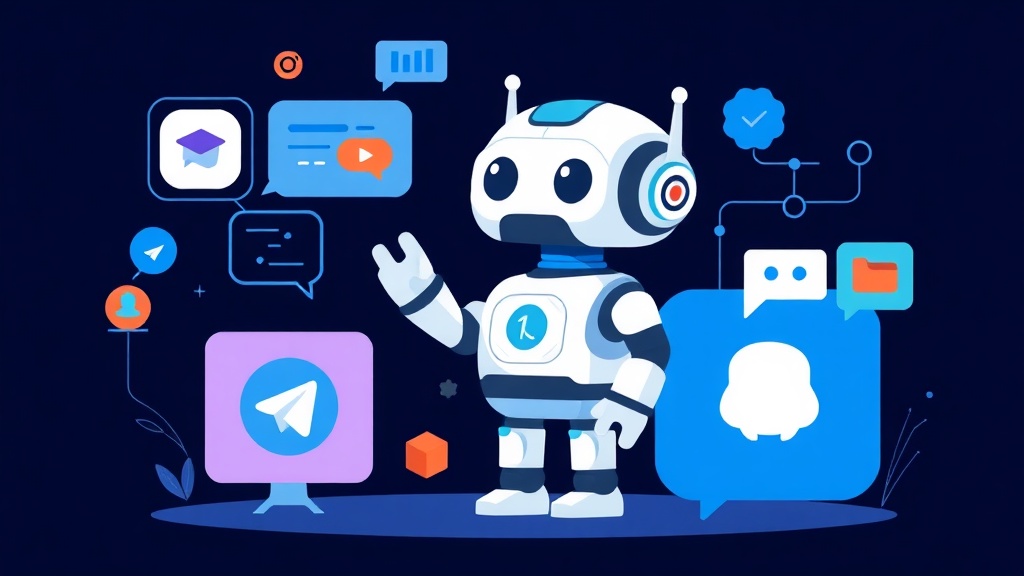
Why a Multi-Platform AI Chatbot?
In today’s digital world, using multiple messaging applications has become common. From Telegram, serving large communities, to Slack, optimized for team collaboration, and Discord, favored by gamers and specialized communities – each platform boasts millions of unique users. For an AI chatbot to be truly useful, it needs to appear and interact seamlessly across all these channels.
The biggest challenge is that each platform has entirely different APIs, authentication mechanisms, and event handling. Developing a separate chatbot for each platform would not only consume hundreds of hours but also be very difficult to manage and maintain. Therefore, an integrated multi-platform AI chatbot solution, with a single core logic, is key to optimizing performance and effectively expanding user reach.
Core Concepts: Platforms and Chatbot Architecture
To start building a multi-platform AI chatbot, we need to grasp some basic concepts about how platforms communicate, along with a sound architecture.
API and Webhook: The Bot’s Communication Language
- API (Application Programming Interface): This is a set of rules and definitions that help applications exchange information. For chatbots, APIs allow the bot to receive messages, send responses, or manage users.
- Webhook: This is a mechanism where an application sends data to a specified URL whenever a particular event occurs. It’s a common method for messaging platforms to notify the chatbot of new messages. Our bot will need an endpoint to receive these webhooks.
Multi-Platform AI Chatbot Architecture
An effective multi-platform chatbot architecture typically includes the following components:
- Platform Integration Layer (Platform Adapters): Each platform (Telegram, Slack, Discord) will have its own module. This module is responsible for communicating with that platform’s API, converting message formats to a common standard that the bot’s core logic can process, and vice-versa.
- Core Logic/Business Logic Layer: This is the control center of the chatbot. It contains rules, conversational flows, and notably integrates with large language models (LLM) or natural language understanding (NLU) systems to generate intelligent responses.
- AI Integration Layer: This module acts as a bridge, calling APIs of AI models (such as OpenAI, Gemini, or open-source models) to analyze user requests and provide the most suitable answers.
This architecture not only makes the code clear and easy to maintain but also provides flexibility to expand to new platforms in the future.
Detailed Practice: Building a Chatbot with Python
We will use Python – an extremely popular language in AI and bot development – along with specialized libraries to integrate Telegram, Slack, and Discord. I will also use Flask to create a small server to receive webhooks if necessary.
1. Environment Setup
First, let’s create a virtual environment and install the necessary libraries:
python -m venv venv
source venv/bin/activate  # On Linux/macOS
venc\scripts\activate    # On Windows

pip install Flask python-telegram-bot slack_sdk discord.py openai # Or Gemini's library
2. Obtain Bot Tokens/API Keys
This is the most crucial step for your bot to communicate with the platforms.
- Telegram: Find BotFather on Telegram, chat with it to create a new bot and receive your API Token.
- Slack: Create a Slack app on the Slack API page. Activate the Bot feature, grant necessary permissions (e.g.,
chat:write,commands,app_mentions:read) and obtain the Bot Token (starting withxoxb-) as well as the App Token (starting withxapp-) if using Socket Mode. - Discord: Access the Discord Developer Portal. Here, you create a new application, then create a bot within that application. Obtain the bot’s Token and remember to enable the necessary Intents (e.g., Message Content Intent) so the bot can read messages.
Store these tokens in environment variables or a .env file to ensure security and prevent exposure in the source code.
3. Project Structure
We will have a simple project structure as follows:
.
├── app.py
├── config.py
├── bot_core.py
├── platforms/
│   ├── telegram.py
│   ├── slack.py
│   └── discord.py
└── .env
4. AI Core Integration (bot_core.py)
# bot_core.py
import os
# from openai import OpenAI # If using OpenAI
# client = OpenAI(api_key=os.getenv("OPENAI_API_KEY"))

# Or use Gemini
import google.generativeai as genai
genai.configure(api_key=os.getenv("GEMINI_API_KEY"))
model = genai.GenerativeModel('gemini-pro')

def get_ai_response(prompt: str) -> str:
    try:
        # If using OpenAI
        # response = client.chat.completions.create(
        #     model="gpt-3.5-turbo",
        #     messages=[
        #         {"role": "system", "content": "You are a helpful assistant."},
        #         {"role": "user", "content": prompt}
        #     ]
        # )
        # return response.choices[0].message.content

        # If using Gemini
        response = model.generate_content(prompt)
        return response.text
    except Exception as e:
        print(f"Error calling AI API: {e}")
        return "Sorry, I'm having trouble, please try again later!"
5. Telegram Integration (platforms/telegram.py)
Telegram uses long-polling or webhook mechanisms. For this example, I will use long-polling as it’s simpler for getting started.
# platforms/telegram.py
import os
from telegram.ext import Application, MessageHandler, filters
from bot_core import get_ai_response

async def handle_message(update, context):
    user_message = update.message.text
    chat_id = update.message.chat_id
    print(f"Telegram received: {user_message} from {chat_id}")

    ai_response = get_ai_response(user_message)
    await context.bot.send_message(chat_id=chat_id, text=ai_response)

def run_telegram_bot():
    token = os.getenv("TELEGRAM_BOT_TOKEN")
    if not token:
        print("TELEGRAM_BOT_TOKEN not configured.")
        return

    application = Application.builder().token(token).build()
    application.add_handler(MessageHandler(filters.TEXT & (~filters.COMMAND), handle_message))

    print("Telegram bot is running...")
    application.run_polling()
6. Slack Integration (platforms/slack.py)
Slack can use Webhooks or Socket Mode. Socket Mode is very convenient for local development as it doesn’t require a public IP.
# platforms/slack.py
import os
from slack_bolt import App
from slack_bolt.adapter.socket_mode import SocketModeHandler
from bot_core import get_ai_response

app = App(token=os.getenv("SLACK_BOT_TOKEN"))

@app.event("app_mention")
def handle_app_mention(event, say):
    user_message = event["text"]
    channel_id = event["channel"]
    print(f"Slack received: {user_message} from {channel_id}")

    # Remove the bot mention from the message
    clean_message = user_message.split('>', 1)[-1].strip()
    ai_response = get_ai_response(clean_message)
    say(text=ai_response, channel=channel_id)

def run_slack_bot():
    slack_app_token = os.getenv("SLACK_APP_TOKEN")
    if not slack_app_token:
        print("SLACK_APP_TOKEN not configured.")
        return

    print("Slack bot is running...")
    SocketModeHandler(app, slack_app_token).start()
7. Discord Integration (platforms/discord.py)
Discord bots use the discord.py library and operate as independent clients.
# platforms/discord.py
import os
import discord
from bot_core import get_ai_response

intents = discord.Intents.default()
intents.message_content = True # Message Content Intent needs to be enabled in the Developer Portal
client = discord.Client(intents=intents)

@client.event
async def on_ready():
    print(f'Discord bot logged in as: {client.user}')

@client.event
async def on_message(message):
    if message.author == client.user: # Do not respond to messages from the bot itself
        return

    if client.user.mentioned_in(message): # Respond when the bot is tagged
        user_message = message.content
        print(f"Discord received: {user_message} from {message.channel}")

        # Remove the bot mention from the message
        clean_message = user_message.replace(f'<@{client.user.id}>', '').strip()
        ai_response = get_ai_response(clean_message)
        await message.channel.send(ai_response)

def run_discord_bot():
    token = os.getenv("DISCORD_BOT_TOKEN")
    if not token:
        print("DISCORD_BOT_TOKEN not configured.")
        return

    print("Discord bot is running...")
    client.run(token)
8. Run Multi-Platform (app.py)
To run all bots simultaneously, we can use multiprocessing or asyncio. Here, multiprocessing helps each bot operate independently.
# app.py
import os
from dotenv import load_dotenv
import multiprocessing

# Import bot runner functions from each module
from platforms.telegram import run_telegram_bot
from platforms.slack import run_slack_bot
from platforms.discord import run_discord_bot

load_dotenv() # Load environment variables from .env file

def main():
    processes = []

    if os.getenv("TELEGRAM_BOT_TOKEN"):
        p_telegram = multiprocessing.Process(target=run_telegram_bot)
        processes.append(p_telegram)

    if os.getenv("SLACK_BOT_TOKEN") and os.getenv("SLACK_APP_TOKEN"):
        p_slack = multiprocessing.Process(target=run_slack_bot)
        processes.append(p_slack)

    if os.getenv("DISCORD_BOT_TOKEN"):
        p_discord = multiprocessing.Process(target=run_discord_bot)
        processes.append(p_discord)

    if not processes:
        print("No bots configured. Please check environment variables.")
        return

    for p in processes:
        p.start()

    for p in processes:
        p.join()

if __name__ == "__main__":
    main()
9. Environment Variable Configuration (.env)
Create a .env file and fill in the tokens you’ve obtained. Here’s an example configuration:
TELEGRAM_BOT_TOKEN=YOUR_TELEGRAM_BOT_TOKEN
SLACK_BOT_TOKEN=YOUR_SLACK_BOT_TOKEN
SLACK_APP_TOKEN=YOUR_SLACK_APP_TOKEN
DISCORD_BOT_TOKEN=YOUR_DISCORD_BOT_TOKEN
OPENAI_API_KEY=YOUR_OPENAI_API_KEY # Or GEMINI_API_KEY
GEMINI_API_KEY=YOUR_GEMINI_API_KEY
10. Deployment
After completing local development, deploying the application to a production environment is the next step. A common approach is to package the application into a Docker container for easy dependency management and to ensure a consistent operating environment. Afterwards, systemd can be used to manage the Docker container process or the Python script directly.
I have applied this method in real-world projects, and the results have been very positive: the bot operates stably across multiple platforms, handling thousands of requests per hour on average without significant issues. Here is a basic Dockerfile example:
# Dockerfile
FROM python:3.9-slim-buster

WORKDIR /app

COPY requirements.txt .
RUN pip install --no-cache-dir -r requirements.txt

COPY . .

CMD ["python", "app.py"]
And the accompanying requirements.txt file:
Flask
python-telegram-bot==20.6
slack_sdk
slack_bolt
discord.py
python-dotenv
openai # Or google-generativeai
Conclusion
Building a multi-platform AI chatbot not only significantly expands the reach of your virtual assistant but also optimizes development and maintenance resources. By adopting a modular architecture and using specialized Python libraries, you can easily integrate your chatbot with Telegram, Slack, and Discord. This provides a seamless experience for users across all communication channels, making your bot truly intelligent and versatile.
I hope this guide has provided you with an overview and solid first steps on your journey to building powerful AI chatbots. Good luck!