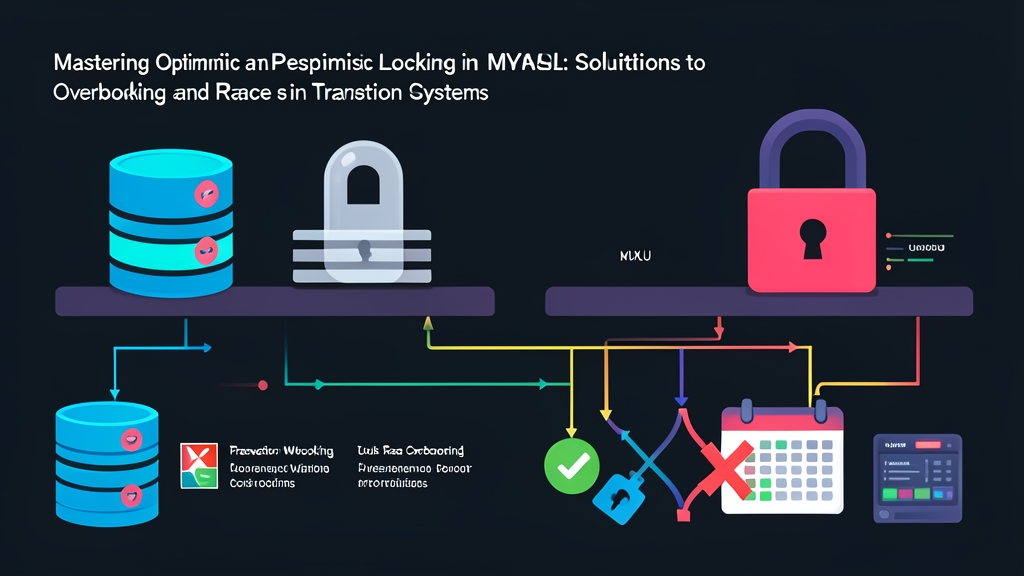
1. Quick Start: Reproducing and Fixing Race Conditions in 5 Minutes
Only one concert ticket remains. At that exact moment, two customers hit checkout within the same millisecond. Both payments succeed. Even worse, the database records an inventory count of -1. This is a backend engineer’s classic nightmare: overbooking caused by a race condition.
Let’s quickly create a tickets table and insert a sample row to test directly in the MySQL terminal:
CREATE TABLE tickets (
    id INT PRIMARY KEY AUTO_INCREMENT,
    event_name VARCHAR(100) NOT NULL,
    available_seats INT NOT NULL,
    version INT DEFAULT 0
) ENGINE=InnoDB;

INSERT INTO tickets (id, event_name, available_seats, version)
VALUES (1, 'Rock Fest 2026', 1, 0);
What happens if two concurrent requests read and decrement seats the naive way?
-- Request A and Request B both read available_seats = 1
SELECT available_seats FROM tickets WHERE id = 1;

-- Both subtract 1 and update the row
UPDATE tickets SET available_seats = available_seats - 1 WHERE id = 1;
Both UPDATE statements return success. Data integrity is immediately shattered. You can resolve this issue using two common locking mechanisms.
Approach 1: Pessimistic Locking with SELECT … FOR UPDATE
START TRANSACTION;
-- Lock row id = 1; subsequent requests are forced to wait in line
SELECT available_seats FROM tickets WHERE id = 1 FOR UPDATE;

-- Application checks if available_seats > 0 before decrementing
UPDATE tickets SET available_seats = available_seats - 1 WHERE id = 1;
COMMIT;
Approach 2: Optimistic Locking Using a Version Column
-- Step 1: Fetch data alongside the current version (e.g., version = 0)
SELECT available_seats, version FROM tickets WHERE id = 1;

-- Step 2: Update only if the version hasn't changed
UPDATE tickets
SET available_seats = available_seats - 1, version = version + 1
WHERE id = 1 AND version = 0;
-- Affected Rows = 1: Ticket booked successfully!
-- Affected Rows = 0: Someone was faster; return sold out or enter a retry loop.
2. Under the Hood: Two Opposing Locking Philosophies
Choosing the wrong locking mechanism can choke throughput or crash your database during traffic spikes.
Pessimistic Locking
The cautious mindset: “Lock data the moment you touch it. Never trust any concurrent request.”
When you start a transaction and run SELECT ... FOR UPDATE in InnoDB:
- MySQL immediately acquires an Exclusive Lock (X-Lock) on rows matching the query condition.
- Any other transaction attempting to read with
FOR UPDATEor modify those rows is blocked. They must wait until you issue aCOMMITorROLLBACK. - This mechanism relies entirely on the storage engine. You must use InnoDB, as MyISAM does not support row-level locking.
Optimistic Locking
The carefree mindset: “Let everyone read and write freely. Conflicts are rare; we’ll check right before saving.”
Under the hood, Optimistic Locking does not use any database locks in MySQL. The entire logic is enforced via conditional SQL queries at the application layer:
- Add an integer
versioncolumn or anupdated_attimestamp (with microsecond precision) to the table. - When persisting changes, append a version check condition:
WHERE id = :id AND version = :current_version. - If the affected rows count is 0, someone else updated the record first. The backend throws an
OptimisticLockExceptionor triggers a retry loop.
3. In Practice: Comparison Metrics, Deadlock Pitfalls, and Atomic Updates
Each approach is tailored to solve distinct problems.
| Criteria | Pessimistic Locking | Optimistic Locking |
|---|---|---|
| Mechanism | Actual row-level locks via MySQL InnoDB | Application-level pattern checking a version column |
| Contention Level | Very high; multiple requests competing for the same row | Low to moderate; read-heavy with rare concurrent writes |
| Throughput | Lower; transactions must wait in line | Extremely high for reads; degrades if retry loops trigger heavily |
| Potential Risks | Connection pool exhaustion, widespread deadlocks | High CPU consumption, increased network overhead from retries |
The Classic Deadlock Trap in Pessimistic Locking
Indiscriminate use of FOR UPDATE easily leads to concurrency gridlocks. Consider a fund transfer between Wallet A and Wallet B:
- Transaction 1 locks Wallet A and attempts to lock Wallet B next.
- Transaction 2 locks Wallet B and attempts to lock Wallet A next.
- Both transactions wait on each other indefinitely. MySQL detects the deadlock and aborts one transaction.
Key takeaway: Always acquire locks in a consistent order. Before querying, sort resource IDs in ascending order before executing FOR UPDATE.
The Ultimate Weapon: Atomic Update (Single Statement)
For straightforward balance or inventory deductions, you don’t necessarily need a version column or long-running transactions. Let MySQL handle it atomically in a single statement:
UPDATE tickets
SET available_seats = available_seats - 1
WHERE id = 1 AND available_seats >= 1;
Concise and highly effective. This single UPDATE statement automatically holds a row lock for a few microseconds and immediately releases it. The condition available_seats >= 1 prevents inventory from going negative. An affected rows count of 1 indicates success; 0 means tickets are sold out.
4. Hard-Earned Production Lessons
High-concurrency systems running thousands of CCUs quickly expose edge cases you will never encounter locally:
- Avoid the Table Lock Trap: Columns in the
WHEREclause ofSELECT ... FOR UPDATEmust be indexed. Without an index, InnoDB must perform a full table scan, locking every row along with gap locks. A single query can freeze the entire database. - Tighten Lock Wait Timeouts: Never let transactions wait on locks indefinitely. MySQL’s default
innodb_lock_wait_timeoutis 50 seconds—more than enough to exhaust your application’s connection pool during peak traffic. Restrict it to 3 seconds per session:SET innodb_lock_wait_timeout = 3;On MySQL 8.0+, leverage
SELECT ... FOR UPDATE NOWAITorSKIP LOCKEDso the application fails fast instead of blocking. - Choosing the Right Solution:
- Use Pessimistic Locking (or Redis Distributed Locks): For 11.11 Flash Sales, concert ticketing, or movie seat reservations—where 10,000 users compete for the exact same resource in one second.
- Use Optimistic Locking: For back-office portals, CMS admin panels, or user profile updates—where 99% of requests are reads and two admins rarely update the same record simultaneously.