Làm ngay trong 5 phút
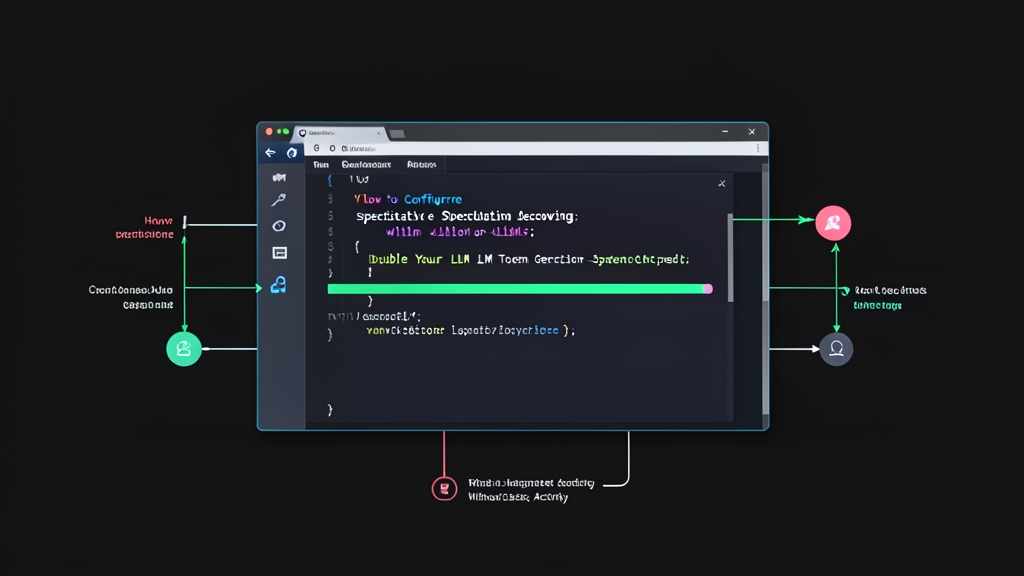
Nếu bạn đang chạy LLM bằng vLLM mà chưa bật Speculative Decoding, bạn đang để lãng phí 40–60% tốc độ tiềm năng của GPU. Phần này giúp bạn bật tính năng đó ngay.
Chuẩn bị môi trường
Cần vLLM phiên bản 0.4.0 trở lên:
pip install vllm --upgrade
python -c "import vllm; print(vllm.__version__)"
Khởi động server với Speculative Decoding
Chạy lệnh sau để bật ngay — target model Llama 3.1 8B, draft model Llama 3.2 1B:
python -m vllm.entrypoints.openai.api_server \
    --model meta-llama/Llama-3.1-8B-Instruct \
    --speculative-model meta-llama/Llama-3.2-1B-Instruct \
    --num-speculative-tokens 5 \
    --use-v2-block-manager \
    --gpu-memory-utilization 0.9
Chỉ thêm 2 dòng so với lệnh vLLM thông thường. Mình đã áp dụng cách này trên môi trường production và kết quả khá ổn định — throughput tăng khoảng 1.8–2x với combo Llama 3.1 8B + draft 1B trên A10G.
Test nhanh xem có tác dụng không
curl http://localhost:8000/v1/completions \
  -H "Content-Type: application/json" \
  -d '{
    "model": "meta-llama/Llama-3.1-8B-Instruct",
    "prompt": "Viết một script Python đọc file CSV:",
    "max_tokens": 200,
    "temperature": 0
  }'
Chú ý temperature: 0 khi test — speculative decoding hoạt động hiệu quả nhất với greedy decoding.
Speculative Decoding hoạt động thế nào?
Hiểu cơ chế giúp bạn tune đúng thay vì đoán mò. Vấn đề cốt lõi của LLM inference: mỗi token sinh ra phải chạy một lần forward pass qua toàn bộ model. Với model 8B trên GPU, bước đó ngốn memory bandwidth khổng lồ — dù lượng tính toán thực ra không nhiều đến vậy.
Cơ chế Draft-then-Verify
Speculative Decoding tách inference thành 2 bước:
- Draft phase: Draft model nhỏ (ví dụ 1B) sinh nhanh N token liên tiếp — gọi là “speculative tokens”.
- Verify phase: Target model lớn (8B/70B) kiểm tra tất cả N token đó trong một lần forward pass duy nhất.
Giả sử draft model đoán đúng cả 5 token: bạn vừa sinh được 5 token với chi phí 1 lần forward pass target model + 1 lần draft model — thay vì 5 lần riêng lẻ. Đó là lý do throughput tăng mạnh.
Còn khi draft đoán sai tại token thứ k? Target model reject từ vị trí đó, giữ lại các token đúng trước đó và sinh lại. Không có token sai nào lọt ra ngoài — output hoàn toàn giống hệt chạy target model một mình. Đây là điểm khác biệt so với quantization hay pruning vốn đánh đổi chất lượng.
Khi nào hiệu quả nhất?
- Temperature thấp (0.0–0.6): draft model dễ đoán đúng hơn
- Output có pattern lặp: code, markdown, danh sách kỹ thuật
- GPU bị bottleneck ở memory bandwidth, không phải FLOPs
Với creative writing temperature cao (trên 0.8), hiệu quả giảm vì draft model khó theo kịp sự ngẫu nhiên của target model.
Cấu hình nâng cao
Tune số lượng speculative tokens
Tham số --num-speculative-tokens ảnh hưởng lớn đến kết quả thực tế:
# Conservative: 3 tokens — acceptance rate cao, throughput tăng vừa phải
python -m vllm.entrypoints.openai.api_server \
    --model meta-llama/Llama-3.1-8B-Instruct \
    --speculative-model meta-llama/Llama-3.2-1B-Instruct \
    --num-speculative-tokens 3

# Aggressive: 7 tokens — throughput cao hơn nếu workload phù hợp
python -m vllm.entrypoints.openai.api_server \
    --model meta-llama/Llama-3.1-8B-Instruct \
    --speculative-model meta-llama/Llama-3.2-1B-Instruct \
    --num-speculative-tokens 7
Quy tắc đơn giản: nếu acceptance rate draft tokens trên 70%, tăng num-speculative-tokens. Dưới 50% thì giảm xuống hoặc đổi draft model.
Ngram-based Speculative Decoding — không cần draft model
Không có draft model phù hợp hoặc GPU hết VRAM? vLLM hỗ trợ ngram prompt lookup — dùng chính context đầu vào để suy đoán token tiếp theo:
python -m vllm.entrypoints.openai.api_server \
    --model meta-llama/Llama-3.1-70B-Instruct \
    --speculative-model "[ngram]" \
    --num-speculative-tokens 5 \
    --ngram-prompt-lookup-max 4 \
    --use-v2-block-manager
Phương án này đặc biệt hữu ích cho code generation và RAG — những task mà output thường lặp lại từ ngữ trong input. Không tốn thêm GPU memory, chỉ cần thêm 2 flag.
EAGLE Speculative Decoding
Thay vì dùng model nhỏ cùng họ làm draft, EAGLE train một draft model riêng được căn chỉnh đặc biệt với target model — acceptance rate thực tế cao hơn 15–20%:
python -m vllm.entrypoints.openai.api_server \
    --model meta-llama/Llama-3.1-8B-Instruct \
    --speculative-model yuhuili/EAGLE-LLaMA3-Instruct-8B \
    --speculative-draft-tensor-parallel-size 1 \
    --num-speculative-tokens 4
Tìm EAGLE model trên HuggingFace theo format EAGLE-{ModelName}. Ngoài Llama 3.x, đã có model tương ứng cho Qwen2.5 và Mistral — search theo tên target model là ra ngay.
Multi-GPU setup
# Target model chạy 2 GPU, draft model chạy 1 GPU
python -m vllm.entrypoints.openai.api_server \
    --model meta-llama/Llama-3.1-70B-Instruct \
    --tensor-parallel-size 2 \
    --speculative-model meta-llama/Llama-3.1-8B-Instruct \
    --speculative-draft-tensor-parallel-size 1 \
    --num-speculative-tokens 4 \
    --use-v2-block-manager
Lưu ý: --speculative-draft-tensor-parallel-size phải là ước số của --tensor-parallel-size.
Tips thực tế
Chọn draft model đúng họ
Draft model cần cùng tokenizer và kiến trúc với target model để acceptance rate cao:
- Llama 3.1 8B → draft: Llama 3.2 1B hoặc 3B
- Llama 3.1 70B → draft: Llama 3.1 8B
- Qwen2.5 7B → draft: Qwen2.5 0.5B hoặc 1.5B
- Mistral 7B → không có draft model nhỏ cùng họ — dùng ngram thay thế
Draft model từ họ khác (ví dụ Qwen làm draft cho Llama) thường cho acceptance rate dưới 30%, không cải thiện được tốc độ, thậm chí chậm hơn.
Tính toán GPU memory trước khi bật
# Ước tính memory cần thiết (fp16)
# Target model 8B:  ~16 GB
# Draft model 1B:   ~2 GB
# KV cache:         ~4 GB
# Tổng:             ~22 GB → cần GPU 24 GB (RTX 3090/4090 hoặc A10G)

nvidia-smi --query-gpu=memory.total,memory.free --format=csv
VRAM ít? Dùng int8 quantization cho draft model để tiết kiệm ~50% memory:
python -m vllm.entrypoints.openai.api_server \
    --model meta-llama/Llama-3.1-8B-Instruct \
    --speculative-model meta-llama/Llama-3.2-1B-Instruct \
    --speculative-model-quantization int8 \
    --num-speculative-tokens 5
Monitor acceptance rate thực tế
vLLM expose metrics để bạn biết speculative decoding có thực sự hiệu quả không:
import requests

metrics = requests.get("http://localhost:8000/metrics").text
for line in metrics.split("\n"):
    if "spec" in line.lower() and not line.startswith("#"):
        print(line)
Metrics quan trọng cần theo dõi:
vllm:spec_decode_draft_acceptance_rate: mục tiêu trên 0.6vllm:spec_decode_efficiency: hiệu suất so với baselinevllm:generation_tokens_per_second: throughput thực tế
Benchmark trước khi lên production
python benchmarks/benchmark_throughput.py \
    --model meta-llama/Llama-3.1-8B-Instruct \
    --dataset sharegpt \
    --num-prompts 200 \
    --speculative-model meta-llama/Llama-3.2-1B-Instruct \
    --num-speculative-tokens 5
Kết quả benchmark thay đổi khá nhiều tùy workload: code generation thường tăng 2.5–3x, conversational chat tăng 1.5–2x. Đừng dùng số của người khác để quyết định — chạy benchmark với dataset gần giống traffic thực của bạn mới có ý nghĩa.
Speculative Decoding hiếm khi được đề cập trong các guide vLLM cơ bản, nhưng đây là một trong số ít kỹ thuật cho phép tăng throughput mà không đụng đến chất lượng output. Điều kiện duy nhất: chọn đúng draft model và tune num-speculative-tokens theo pattern input thực tế của ứng dụng.