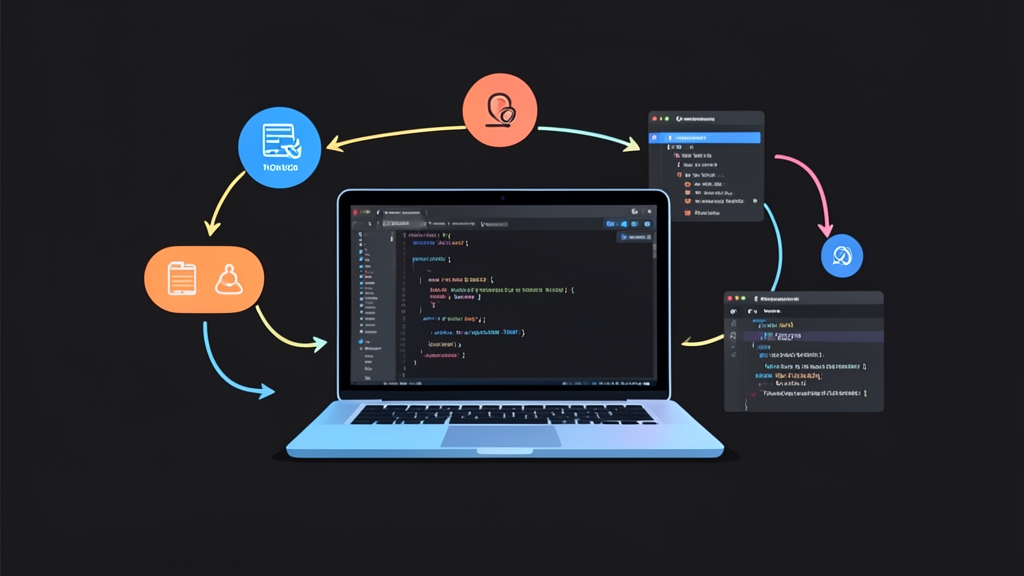
Bối cảnh & Vấn đề cần giải quyết
Team backend vừa đổi trường user_id thành id trong payload response. Bên frontend không ai biết điều đó. Đến khi deploy lên staging, app crash ngay lập tức: TypeError: Cannot read properties of undefined.
Tình huống này xảy ra như cơm bữa ở các dự án tách rời client và server. Khi dùng REST truyền thống, hai bên nói chuyện với nhau qua JSON thuần túy, không hề có hợp đồng kiểu dữ liệu ràng buộc tĩnh. Để xử lý, các team thường chọn hai giải pháp:
- Viết Swagger/OpenAPI rồi generate code: Mỗi lần sửa endpoint nhỏ lại phải chạy script build. File spec phình to rất nhanh và cực kỳ ngại bảo trì.
- GraphQL: Type safety chuẩn chỉnh nhưng quá nặng nề. Bạn phải viết schema SDL, dựng resolver và chấp nhận chi phí cấu hình phức tạp chỉ cho một app nội bộ.
tRPC giải quyết triệt để bài toán này theo cách gọn gàng hơn. Không schema trung gian. Không bước build code gen.
Công cụ này mượn trực tiếp tính năng type inference của TypeScript. Toàn bộ router và procedure viết ở Node.js tự động ánh xạ type sang React client. Backend vừa đổi tên field, IDE bên client gạch chân đỏ cảnh báo ngay tức khắc.
Trong một dự án dashboard 5 người gần đây, team mình thử đổi từ REST sang tRPC. Kết quả rất bất ngờ: thời gian họp chốt API giảm từ 4 tiếng xuống gần như bằng 0 mỗi tuần. Tình trạng bug vặt do typo tên trường payload cũng biến mất hoàn toàn.
Cấu trúc thư mục & Cài đặt
Mô hình Monorepo (dùng npm workspaces, pnpm hoặc Turborepo) phát huy sức mạnh tRPC tốt nhất. Frontend có thể import type từ backend nhưng bundle build ra lại không dính một byte runtime code nào của server. Cấu trúc gợi ý:
my-project/
├── client/          # Ứng dụng React (Vite / Next.js)
├── server/          # Ứng dụng Node.js (Express / Fastify)
└── package.json
Cài đặt thư viện cốt lõi cho phía server cùng zod để validate schema đầu vào:
cd server
npm install @trpc/server zod cors express
npm install -D @types/cors @types/express typescript
Chuyển qua thư mục client/ để cài tRPC client và TanStack Query (React Query) quản lý cache:
cd ../client
npm install @trpc/client @trpc/react-query @tanstack/react-query
Cấu hình chi tiết từng bước
1. Thiết lập tRPC Context và Router ở Backend
Khởi tạo instance tRPC tại server/src/trpc.ts:
import { initTRPC } from '@trpc/server';

const t = initTRPC.create();

export const router = t.router;
export const publicProcedure = t.procedure;
export const middleware = t.middleware;
Xây dựng router xử lý nghiệp vụ tại server/src/routers/user.ts. Chú ý cách Zod vừa validate dữ liệu runtime, vừa tự suy luận kiểu input compile-time:
import { z } from 'zod';
import { router, publicProcedure } from '../trpc';

const users = [
  { id: '1', name: 'Nguyen Van A', role: 'admin' as const },
  { id: '2', name: 'Tran Thi B', role: 'member' as const },
];

export const appRouter = router({
  // Query: Lấy danh sách
  getUserList: publicProcedure.query(() => {
    return users;
  }),

  // Query: Lấy chi tiết có validate param
  getUserById: publicProcedure
    .input(z.object({ id: z.string() }))
    .query(({ input }) => {
      const user = users.find((u) => u.id === input.id);
      return user || null;
    }),

  // Mutation: Thêm mới người dùng
  createUser: publicProcedure
    .input(z.object({
      name: z.string().min(2, 'Tên phải có ít nhất 2 ký tự'),
      role: z.enum(['admin', 'member']),
    }))
    .mutation(({ input }) => {
      const newUser = { id: String(Date.now()), ...input };
      users.push(newUser);
      return newUser;
    }),
});

// Điểm mấu chốt: Chỉ export TYPE của router sang frontend
export type AppRouter = typeof appRouter;
Tạo HTTP server với Express adapter tại server/src/index.ts:
import express from 'express';
import cors from 'cors';
import * as trpcExpress from '@trpc/server/adapters/express';
import { appRouter } from './routers/user';

const app = express();
app.use(cors());

// Đăng ký toàn bộ router vào prefix /trpc
app.use(
  '/trpc',
  trpcExpress.createExpressMiddleware({
    router: appRouter,
  })
);

app.listen(4000, () => {
  console.log('tRPC server đang lắng nghe tại http://localhost:4000/trpc');
});
2. Cấu hình tRPC Hook bên Frontend React
Tạo file cầu nối kiểu dữ liệu tại client/src/utils/trpc.ts:
import { createTRPCReact } from '@trpc/react-query';
// Dùng cú pháp `import type`: Trình biên dịch sẽ drop import này khi build JS
import type { AppRouter } from '../../../server/src/routers/user';

export const trpc = createTRPCReact<AppRouter>();
Gắn Provider ở component gốc client/src/App.tsx:
import React, { useState } from 'react';
import { QueryClient, QueryClientProvider } from '@tanstack/react-query';
import { httpBatchLink } from '@trpc/client';
import { trpc } from './utils/trpc';
import { UserList } from './components/UserList';

export function App() {
  const [queryClient] = useState(() => new QueryClient({
    defaultOptions: {
      queries: { refetchOnWindowFocus: false, retry: 1 },
    },
  }));

  const [trpcClient] = useState(() =>
    trpc.createClient({
      links: [
        httpBatchLink({
          url: 'http://localhost:4000/trpc',
        }),
      ],
    })
  );

  return (
    <trpc.Provider client={trpcClient} queryClient={queryClient}>
      <QueryClientProvider client={queryClient}>
        <UserList />
      </QueryClientProvider>
    </trpc.Provider>
  );
}
3. Gọi API với tính năng Auto-complete đầy đủ
Viết component hiển thị và tương tác dữ liệu tại client/src/components/UserList.tsx:
import React from 'react';
import { trpc } from '../utils/trpc';
export function UserList() {
// `data` tự nhận type { id: string, name: string, role: 'admin' | 'member' }[]
const { data, isLoading, error } = trpc.getUserList.useQuery();
const utils = trpc.useUtils();
const createMutation = trpc.createUser.useMutation({
onSuccess: () => {
// Invalidate cache để tự fetch lại danh sách mới nhất
utils.getUserList.invalidate();
},
});
if (isLoading) return <p>Đang tải danh sách...</p>;
if (error) return <p style={{ color: 'red' }}>Lỗi: {error.message}</p>;
return (
<div>
<h3>Danh sách nhân sự ({data?.length || 0})</h3>
<ul>
{data?.map((user) => (
<li key={user.id}>
{user.name} — <strong>{user.role}</strong>
</li>
))}
</ul>
<button
disabled={createMutation.isPending}
onClick={() => createMutation.mutate({ name: 'Le Van C', role: 'member' })}
>
{createMutation.isPending ? 'Đang thêm...' : 'Thêm User Mới'}
</button>
</div>
);
}Kiểm thử & Production Readiness
Code chạy được ở local mới chỉ là nửa chặng đường. Dưới đây là cách kiểm chứng type safety và thêm các lớp bảo vệ trước khi đưa lên production.
1. Thử nghiệm ‘Phá hỏng’ Type Safety
Hãy thử mở file server/src/routers/user.ts, đổi tên trường role thành position. Nhìn sang tab UserList.tsx ở client ngay lúc đó:
Dòng code user.role lập tức bị gạch đỏ kèm thông báo lỗi: Property 'role' does not exist on type.... Bạn không cần chạy lệnh build nào cả. Lỗi được chặn ngay trong trình soạn thảo chỉ sau 50ms.
2. Gắn Middleware đo thời gian xử lý
Ghi log thời gian phản hồi (response time) để phát hiện sớm các query nghẽn cổ chai. Thêm middleware vào server/src/trpc.ts:
import { initTRPC } from '@trpc/server';

const t = initTRPC.create();

const loggingMiddleware = t.middleware(async ({ path, type, next }) => {
  const start = performance.now();
  const result = await next();
  const durationMs = Math.round(performance.now() - start);

  if (result.ok) {
    console.log(`[tRPC] ${type.toUpperCase()} '${path}' xử lý xong trong ${durationMs}ms`);
  } else {
    console.error(`[tRPC ERROR] ${type.toUpperCase()} '${path}' thất bại (${durationMs}ms):`, result.error.message);
  }

  return result;
});

// Procedure chuẩn có kèm logging
export const loggedProcedure = t.procedure.use(loggingMiddleware);
3. Chuẩn hóa mã lỗi với TRPCError
Đừng ném lỗi throw new Error() tùy tiện vì rất dễ lộ stack trace nhạy cảm ra ngoài client. Hãy dùng TRPCError để map đúng HTTP status code:
import { z } from 'zod';
import { TRPCError } from '@trpc/server';
import { loggedProcedure } from '../trpc';

export const getProfile = loggedProcedure
  .input(z.object({ token: z.string().min(1) }))
  .query(async ({ input }) => {
    if (input.token !== 'valid-secret-token') {
      throw new TRPCError({
        code: 'UNAUTHORIZED',
        message: 'Phiên đăng nhập đã hết hạn',
      });
    }
    return { id: '1', email: '[email protected]' };
  });
Khi đó, phía client nhận được mã chuẩn xác qua error.data?.code === 'UNAUTHORIZED'. Việc redirect người dùng về trang đăng nhập trở nên an toàn, nhất quán và không sợ sót case.