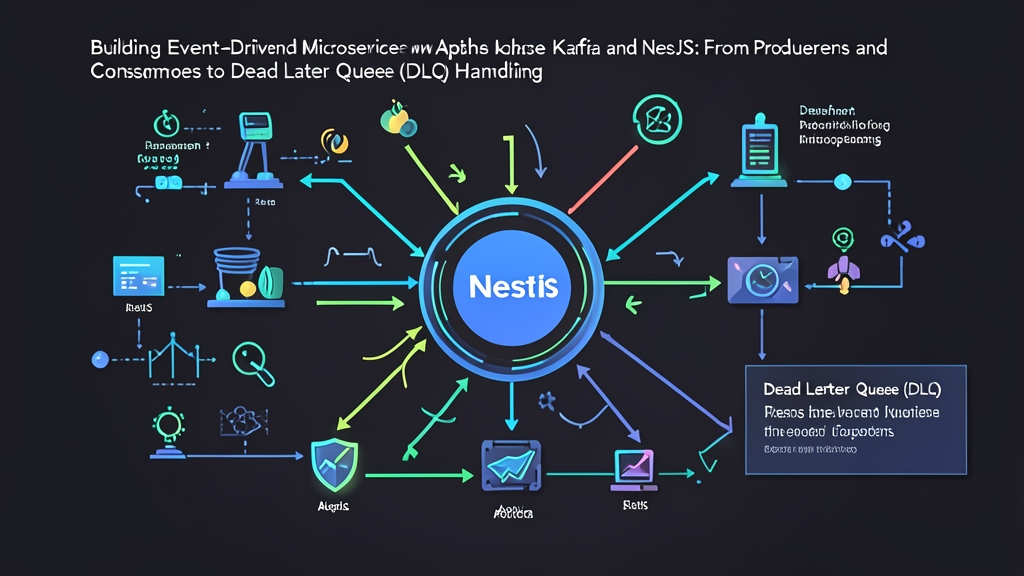
Vấn đề thực tế: Khi REST API kéo sập hệ thống theo hiệu ứng domino
Hãy hình dung một kịch bản quen thuộc trong đợt sale 11/11: Lượng truy cập chạm mốc 5.000 req/s. Khách bấm nút thanh toán, Order Service liền gọi HTTP POST sang Payment Service và chờ đợi. Nhưng ngân hàng phản hồi chậm. Thread pool của Order Service cạn kiệt chỉ sau 15 giây. Kết quả là cả hệ thống lăn ra nghẽn theo.
Đó là cái giá của giao tiếp đồng bộ (synchronous). Khi một mắt xích gặp sự cố, toàn bộ chuỗi dịch vụ phía trước sẽ chết chùm. Giải pháp cứu vãn ở đây là đổi sang kiến trúc hướng sự kiện (Event-Driven Architecture – EDA).
Thay vì bắt người dùng chờ 3 giây để trừ tiền, Order Service ghi một event order.created vào broker rồi trả về HTTP 202 Accepted ngay lập tức. Toàn bộ độ trễ người dùng giảm từ 3.200ms xuống dưới 80ms. Phần việc còn lại do Apache Kafka và các worker ngầm tự điều phối.
Nhưng đời không như mơ. Đẩy message vào Kafka rất dễ. Vấn đề đau đầu nhất là khi gặp một payload lỗi: Consumer crash lặp đi lặp lại, offset không commit được và partition bị nghẽn cứng ngắc. Để sống sót trên production, bạn bắt buộc phải có Dead Letter Queue (DLQ).
Ba nền tảng kỹ thuật bạn cần nắm rõ
Trước khi gõ lệnh dựng dự án, hãy cùng làm rõ bản chất 3 thành phần chính:
- Apache Kafka: Broker lưu trữ dữ liệu dạng append-only log phân tán. Topic được chia thành nhiều Partition độc lập. Nhờ cơ chế sequential I/O trên đĩa, Kafka nuốt trọn hàng trăm nghìn sự kiện mỗi giây dễ như bỡn, vượt trội hơn hẳn RabbitMQ ở bài toán lưu vết và replay lại lịch sử dữ liệu.
- NestJS Microservices: Module
@nestjs/microservicesbọc lấy driverkafkajs. Framework cung cấp decorator@EventPattern()cho luồng pub/sub một chiều và@MessagePattern()cho request-reply, giúp code TypeScript ngắn gọn, tường minh. - Dead Letter Queue (DLQ): Khi một message bị lỗi cấu trúc hoặc vi phạm logic kinh doanh (thường gọi là poison pill), cơ chế retry thông thường sẽ khiến worker kẹt mãi ở vị trí offset đó. Giải pháp là đẩy message hỏng sang một topic dự phòng (DLQ). Pipeline chính tiếp tục chạy thông suốt, còn bạn có toàn quyền debug và reprocess message lỗi sau.
Thực hành: Dựng hệ thống từ Docker đến NestJS
Bước 1: Khởi động cụm Kafka cục bộ với KRaft mode
Bỏ qua ZooKeeper cho nhẹ máy. Chúng ta sẽ dùng chế độ KRaft tích hợp sẵn từ Kafka 3.x. Tạo file docker-compose.yml:
version: '3.8'
services:
  kafka:
    image: bitnami/kafka:3.7
    ports:
      - "9092:9092"
    environment:
      - KAFKA_CFG_NODE_ID=0
      - KAFKA_CFG_PROCESS_ROLES=controller,broker
      - KAFKA_CFG_LISTENERS=PLAINTEXT://:9092,CONTROLLER://:9093
      - KAFKA_CFG_LISTENER_SECURITY_PROTOCOL_MAP=CONTROLLER:PLAINTEXT,PLAINTEXT:PLAINTEXT
      - KAFKA_CFG_CONTROLLER_QUORUM_VOTERS=0@kafka:9093
      - KAFKA_CFG_CONTROLLER_LISTENER_NAMES=CONTROLLER
      - KAFKA_CFG_ADVERTISED_LISTENERS=PLAINTEXT://localhost:9092
      - KAFKA_KRAFT_CLUSTER_ID=L7HkIldmQ0aM153nBwA56w
Khởi động container:
docker compose up -dBước 2: Cấu hình Producer phát Event trong NestJS
Cài đặt hai thư viện cốt lõi vào project NestJS:
npm install @nestjs/microservices kafkajsKhai báo Kafka Client trong order.module.ts. Bật cờ producerOnlyMode để tối ưu tài nguyên nếu service này chỉ bắn tin:
import { Module } from '@nestjs/common';
import { ClientsModule, Transport } from '@nestjs/microservices';
import { OrderController } from './order.controller';
import { OrderService } from './order.service';

@Module({
  imports: [
    ClientsModule.register([
      {
        name: 'KAFKA_PRODUCER',
        transport: Transport.KAFKA,
        options: {
          client: {
            clientId: 'order-service',
            brokers: ['localhost:9092'],
          },
          producerOnlyMode: true,
        },
      },
    ]),
  ],
  controllers: [OrderController],
  providers: [OrderService],
})
export class OrderModule {}
Viết logic phát event trong order.service.ts. Lưu ý: luôn truyền key để Kafka gom các thao tác của cùng một khách hàng vào đúng một partition:
import { Inject, Injectable, OnModuleInit } from '@nestjs/common';
import { ClientKafka } from '@nestjs/microservices';

@Injectable()
export class OrderService implements OnModuleInit {
  constructor(
    @Inject('KAFKA_PRODUCER') private readonly kafkaClient: ClientKafka,
  ) {}

  async onModuleInit() {
    await this.kafkaClient.connect();
  }

  async createOrder(orderData: { orderId: string; amount: number; userId: string }) {
    this.kafkaClient.emit('order.created', {
      key: orderData.userId,
      value: orderData,
    });
    return { status: 'queued', orderId: orderData.orderId };
  }
}
Bước 3: Dựng Consumer nhận event từ broker
Chuyển sang billing-service. Trong file main.ts, chuyển NestJS sang chế độ Microservice lắng nghe Kafka broker:
import { NestFactory } from '@nestjs/core';
import { MicroserviceOptions, Transport } from '@nestjs/microservices';
import { AppModule } from './app.module';

async function bootstrap() {
  const app = await NestFactory.createMicroservice<MicroserviceOptions>(AppModule, {
    transport: Transport.KAFKA,
    options: {
      client: {
        brokers: ['localhost:9092'],
      },
      consumer: {
        groupId: 'billing-consumer-group',
      },
    },
  });
  await app.listen();
}
bootstrap();
Bước 4: Chiến thuật bọc Dead Letter Queue (DLQ)
Code chạy local thì êm, nhưng lên production sẽ có lúc bạn nhận phải JSON thiếu trường, âm tiền hoặc DB timeout. Nếu không bắt lỗi cẩn thận, Consumer sẽ crash liên tục và dừng commit offset.
Giải pháp chuẩn chỉnh là giới hạn số lần retry (ví dụ 3 lần). Nếu vẫn hỏng, đẩy payload sang topic order.created.dlq cùng header mô tả nguyên nhân lỗi:
import { Controller, Logger, OnModuleInit } from '@nestjs/common';
import { EventPattern, Payload, Ctx, KafkaContext } from '@nestjs/microservices';
import { Kafka, Producer } from 'kafkajs';

@Controller()
export class BillingConsumer implements OnModuleInit {
  private readonly logger = new Logger(BillingConsumer.name);
  private dlqProducer: Producer;

  constructor() {
    const kafka = new Kafka({ brokers: ['localhost:9092'] });
    this.dlqProducer = kafka.producer();
  }

  async onModuleInit() {
    await this.dlqProducer.connect();
  }

  @EventPattern('order.created')
  async handleOrderCreated(@Payload() message: any, @Ctx() context: KafkaContext) {
    const rawMessage = context.getMessage();
    const maxRetries = 3;
    let attempts = 0;

    while (attempts < maxRetries) {
      try {
        attempts++;
        this.processPayment(message);
        return;
      } catch (err) {
        this.logger.warn(`Lần thử ${attempts}/${maxRetries} thất bại: ${err.message}`);
        if (attempts >= maxRetries) {
          await this.forwardToDLQ(rawMessage, err.message);
        }
      }
    }
  }

  private processPayment(data: any) {
    if (!data.amount || data.amount <= 0) {
      throw new Error(`Số tiền không hợp lệ: ${data.amount}`);
    }
    this.logger.log(`Thanh toán thành công đơn hàng ${data.orderId}: $${data.amount}`);
  }

  private async forwardToDLQ(rawMessage: any, reason: string) {
    this.logger.error(`Bắn tin hỏng sang DLQ: ${reason}`);
    await this.dlqProducer.send({
      topic: 'order.created.dlq',
      messages: [
        {
          key: rawMessage.key,
          value: rawMessage.value,
          headers: {
            'x-dead-letter-reason': reason,
            'x-failed-at': new Date().toISOString(),
            'x-original-topic': 'order.created',
          },
        },
      ],
    });
  }
}
Ba kinh nghiệm xương máu khi đưa Kafka lên Production
- Đừng bao giờ bỏ quên Message Key: Thiếu key, Kafka sẽ chia message theo kiểu round-robin sang các partition khác nhau. Sự kiện thanh toán có thể đến trước cả sự kiện tạo đơn. Hãy dùng
userIdhoặcorderIdlàm partition key để duy trì đúng thứ tự xử lý. - Thiết kế Consumer luôn Idempotent (Chống trùng lặp): Kafka mặc định hoạt động theo cam kết at-least-once. Khi mạng giật hoặc consumer rebalance, việc nhận trùng 1 message là chuyện cơm bữa. Bạn cần lưu
idempotency_keyvào Redis kèm TTL 24h hoặc tận dụng Unique Constraint của PostgreSQL để không bao giờ trừ tiền khách 2 lần. - Theo dõi sát sao Consumer Lag: Consumer Lag biểu thị khoảng cách giữa message mới nhất ghi vào topic và message consumer vừa đọc xong. Nếu con số này vượt ngưỡng vài nghìn và liên tục tăng, hệ thống đang bị tắc cổ chai. Bạn cần scale thêm consumer instance hoặc tối ưu tốc độ ghi I/O ngay lập tức.
Lời kết
Kết hợp Kafka với NestJS giúp gỡ bỏ hoàn toàn điểm nghẽn đồng bộ của kiến trúc REST truyền thống. Producer và Consumer được phân tách rõ ràng. Đường ống dữ liệu luôn thông suốt nhờ chốt chặn DLQ.
Nếu mới bắt đầu, bạn hãy thử nghiệm trên các tác vụ phi tài chính trước: gửi email xác thực, đồng bộ search index hay push notification. Khi đã quen tay kiểm soát lag và partition, việc đưa các nghiệp vụ lõi lên Event-Driven sẽ an tâm hơn rất nhiều.